AI Workflow Automation for E-commerce Stores: A Practical Guide
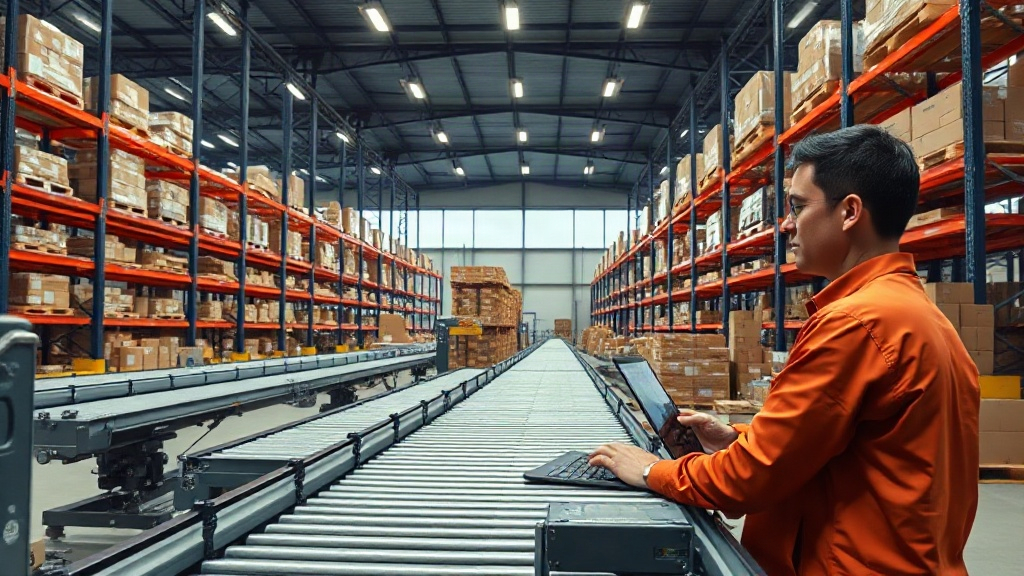
AI workflow automation for e-commerce stores means connecting order, inventory, support, and marketing systems through AI models and rule-based triggers so tasks that used to need a person — tagging tickets, reordering stock, writing product descriptions — run on their own. Done right, it cuts operating hours and speeds up response times without adding headcount.
Key takeaways
- AI workflow automation links your storefront, CRM, and inventory systems so routine decisions — restocking, refunds, ticket routing — happen without manual review.
- Customer service is the fastest-growing use case: Gartner projected in 2022 that conversational AI would cut contact center labor costs by $80 billion by 2026.
- Retailers using AI-driven personalization report meaningful lifts in engagement, though results vary widely by data quality and implementation scope.
- Most stores start with one workflow — support triage or inventory alerts — before expanding to marketing and fulfillment.
- The technical bottleneck is rarely the AI model itself; it is dirty product data and disconnected systems.
What exactly counts as AI workflow automation in e-commerce?
It is the layer that sits between your store platform and the people who used to do repetitive work by hand. A workflow engine watches for an event — a new order, a support message, a stock level dropping below a threshold — and an AI model or rule decides what happens next.
That is different from basic automation. A simple rule sends an email when an order ships. An AI workflow reads the contents of a support ticket, classifies intent, checks order history, and either resolves the issue or routes it to the right agent with context already attached. The difference is judgment, not just triggers.
In our client work we repeatedly see stores treat automation and AI as the same thing, then get frustrated when a rigid if-this-then-that setup breaks the moment a customer phrases a request differently than expected. Real AI workflow automation tolerates that variation.
Which e-commerce workflows benefit most from AI automation?
Five areas consistently deliver the fastest return: customer support triage, inventory and reorder forecasting, personalized marketing, fraud and payment review, and product content generation. Support and inventory tend to pay back the quickest because the decision logic is narrow and the data already exists in your systems.
Customer support is the clearest case. Gartner’s 2022 research pointed to conversational AI absorbing a large share of routine tickets by the mid-2020s — order status, return eligibility, shipping delays — freeing human agents for disputes and complex cases.
Inventory forecasting is less visible but often more valuable. An AI model trained on seasonal sales patterns can flag a reorder two weeks before a human buyer would notice the trend, which matters when supplier lead times run four to six weeks.
How does an AI workflow actually process an order or ticket?
Technically, three layers work together: a trigger, a decision layer, and an action layer. The trigger is an event from your storefront, CRM, or helpdesk — a webhook firing when a customer submits a return request, for example.
The decision layer is where the AI sits. A large language model or a smaller classification model reads the request, pulls relevant order data through an API call, and scores the situation against rules you define: refund under $50, no prior disputes, item marked as damaged in the photo upload. Confidence above a threshold triggers automatic approval; anything ambiguous escalates to a person.
The action layer executes the outcome — issuing a refund through your payment processor, updating inventory, sending a confirmation email. This is standard business process automation with an AI decision node inserted where judgment used to be manual. Our business automation team builds this pattern across CRM, ERP, and storefront systems so the handoffs stay clean instead of breaking at integration points.
What is the realistic ROI timeline for AI automation in a store?
Most mid-sized stores see the first measurable payback in three to six months, concentrated in labor hours saved on support and manual data entry. Full personalization and forecasting gains take longer because the AI needs a season or two of data to calibrate.
McKinsey’s 2024 State of AI survey found that organizations using generative AI in customer operations reported cost reductions in the functions where it was deployed, though the report is explicit that gains concentrate where processes were already well-documented before automation started. That is the real constraint — not the AI, the process clarity behind it.
A fair question worth asking before budgeting: do you actually know your current cost-per-ticket or cost-per-return? If not, that is the first number to establish. Without a baseline, ROI claims from any vendor are guesswork.
AI workflow automation vs. traditional rule-based automation: what's the real difference?
Traditional automation follows fixed rules and breaks on edge cases. AI workflow automation interprets context and handles variation, at the cost of needing more monitoring and occasional human override.
| Dimension | Rule-based automation | AI workflow automation |
|---|---|---|
| Handles unstructured input (free-text tickets, images) | No — requires exact match | Yes — interprets intent and context |
| Setup complexity | Low, simple if-then logic | Moderate to high, needs training data and guardrails |
| Maintenance | Breaks silently when inputs change | Needs periodic review of edge cases and confidence thresholds |
| Best fit | Predictable, high-volume, low-variance tasks (order confirmations, shipping labels) | Variable tasks needing judgment (support triage, fraud review, personalization) |
| Typical cost to implement | Lower | Higher upfront, lower marginal cost per case over time |
Most stores need both, layered. Rule-based logic handles the predictable 80%; AI handles the messy 20% that used to consume most of a support team’s time.
How do you connect AI automation to an existing e-commerce platform?
Integration happens through APIs, webhooks, and a middleware layer that normalizes data between your storefront, CRM, and any ERP or accounting system already in use. This is where most projects stall — not because the AI fails, but because product data across systems does not match.
A store running an ERP like 1C alongside a modern storefront needs a synchronization layer that keeps stock levels, pricing, and order status consistent in both directions before any AI decision layer can trust that data. We handle this through 1C integration work paired with a CRM system that becomes the single source of truth for customer history the AI reads from.
Once data is consistent, the AI layer becomes a matter of configuration rather than custom engineering for every new workflow — which is the point where automation starts compounding instead of adding one-off scripts.
What should you automate first if you're just starting out?
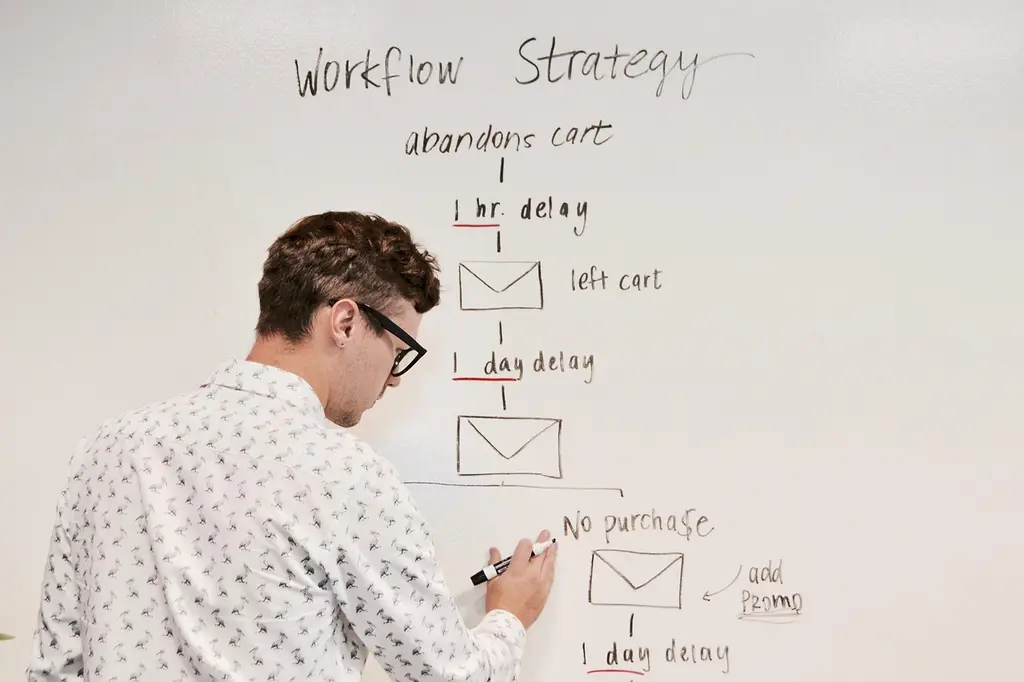
Start with customer support ticket routing and abandoned-cart follow-up — both have clear, measurable baselines and low risk if the AI gets something wrong. Save fraud detection and dynamic pricing for later, once your team trusts the system on lower-stakes decisions.
A practical sequence we recommend to clients: deploy an AI chatbot for first-line support and FAQ handling, connect email marketing automation for cart recovery and post-purchase sequences, then layer in analytics to measure what the automation is actually changing. Only after those three are stable does it make sense to touch pricing or fraud logic, where mistakes cost real revenue.
Skipping straight to the highest-risk workflow because it sounds impressive is a common and expensive mistake. Sequence matters more than ambition here.
Ready to see where AI workflow automation fits your store’s specific bottlenecks? Our team offers a free automation audit that maps your current order, support, and inventory flows and flags exactly where an AI decision layer would save the most hours. Book a consultation and we’ll walk through your existing stack before recommending anything.
Quick win (0-3 months)
Support ticket triage, order status auto-replies, cart abandonment emails. Low risk, immediate hours saved.
Mid-term (3-9 months)
Inventory forecasting, personalized product recommendations, loyalty program automation.
Advanced (9+ months)
Dynamic pricing, fraud scoring, predictive demand planning across suppliers.
Related Articles



Related services






Frequently Asked Questions
Honest answers about how we work, what it costs, and what you can expect
It is the use of AI models combined with automated triggers to handle repetitive store operations — support ticket classification, inventory reordering, personalized marketing — without manual review for every case. Instead of a person deciding what happens next, an AI model evaluates context against defined rules and either completes the action automatically or escalates it to a human when confidence is low.
Costs vary widely based on how many systems need connecting and how much custom logic is required. A single workflow, like AI-assisted support ticket routing, can be deployed for a modest monthly platform fee plus setup time. Broader automation spanning inventory, CRM, and marketing typically involves a project-based implementation cost followed by ongoing maintenance, since data quality and edge cases need periodic review.
Not entirely, and that is not the realistic goal. AI handles routine, well-documented cases — order status, standard returns, FAQ-type questions — well. Complex disputes, emotionally charged complaints, and edge cases still need a person. Most stores use AI to absorb 40-70% of ticket volume, depending on how repetitive their support queue is, freeing agents for the harder cases.
Basic automation follows fixed rules: if an order ships, send this email. AI automation adds a decision layer that interprets unstructured input — free-text messages, images, ambiguous requests — and makes a judgment call based on context, not just an exact-match trigger. Rule-based tools are cheaper and more predictable; AI handles the variable cases rule-based systems can't.
A single, well-scoped workflow — like support triage or cart recovery — can go live in a few weeks once system access and data are confirmed clean. Broader automation touching inventory, ERP, and CRM systems together usually takes two to four months, mostly spent on data synchronization rather than the AI configuration itself.

Comments (0)
No comments yet. Be the first!