



Your Account: how to use it

Your account is your personal dashboard where you manage every aspect of your purchases: from tracking orders to secure payments and managing addresses.

Registering gives you more control, speeds up checkout, and provides full transparency over your orders and personal data.

1. How to access your account

Once you are on our website, click "My Account" in the top-right corner. From there, all sections are available to you:

My Orders — view your order history, payment and delivery status, reorder, or print invoices.
My Digital Products — access any digital products or documents you have purchased.
Wishlist — save products you like for future purchases.
Address Book — manage billing and shipping addresses for fast checkout.
Account Information — securely update your personal details, email, or password.
Newsletter Subscription — manage subscription settings and product updates.
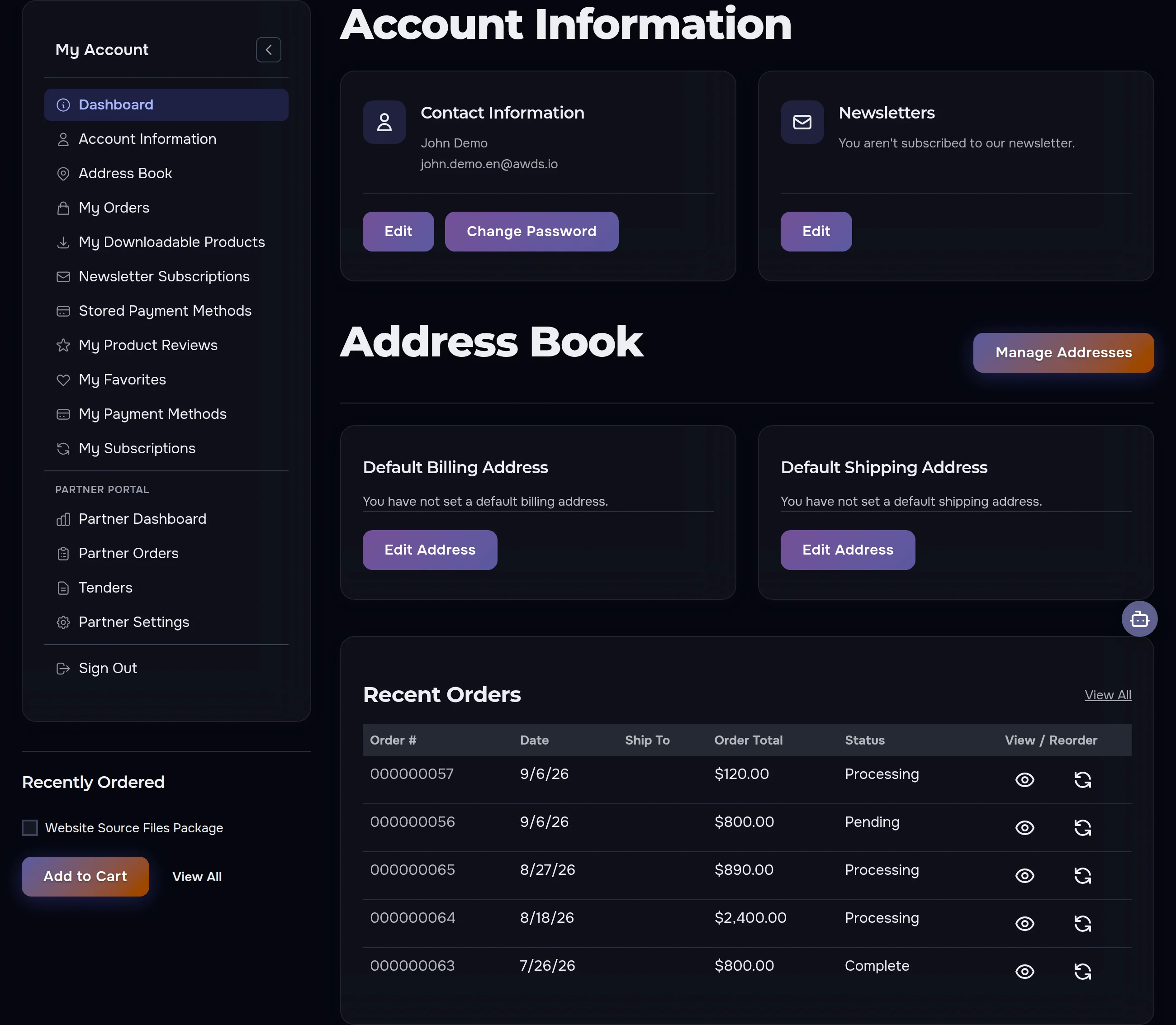
AWDS account dashboard with contact information, address book and recent orders
Account dashboard: contact information, address book and recent orders on a single screen.

2. Managing orders

  • View all past and current orders with full details
  • Check the order number, status, and total amount
  • See shipping and billing addresses for each order
  • Reorder any previously purchased item in one click

Once your payment is confirmed, you will receive an order confirmation email and can track delivery right in your account.

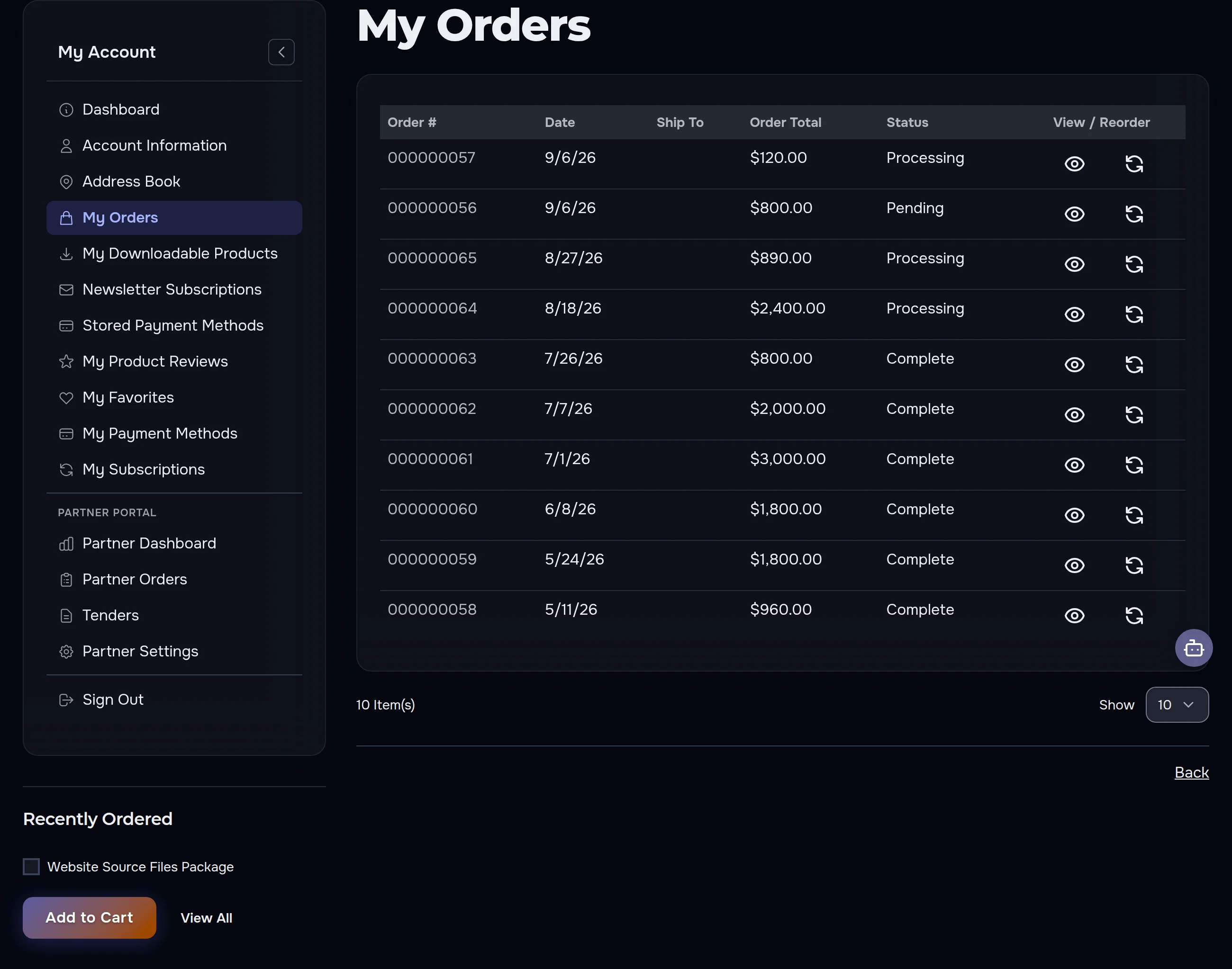
My Orders section in the AWDS account — order history with statuses and totals
My Orders: your order history with statuses, totals, view and reorder buttons.
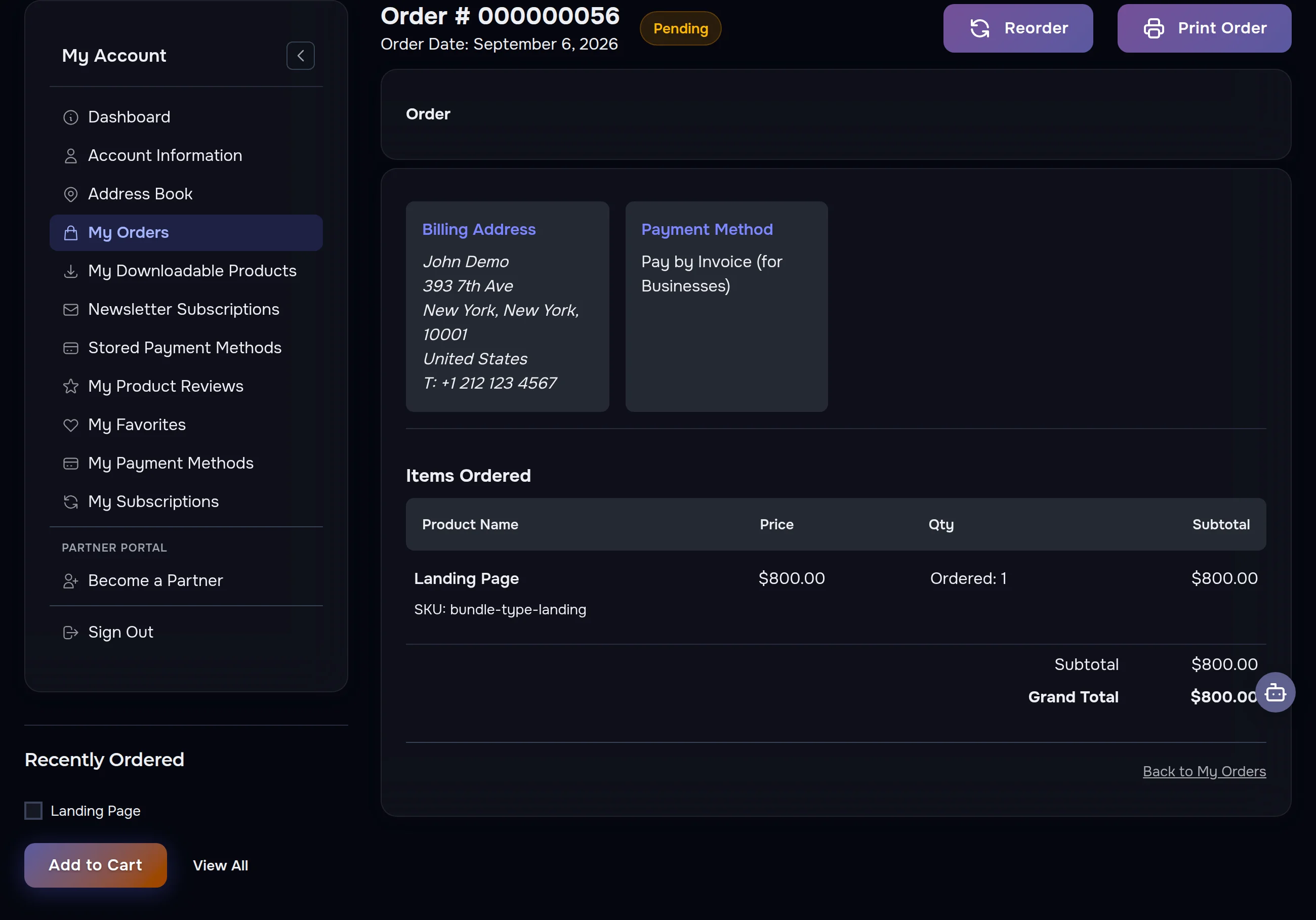
Order details page in the AWDS account — items, totals, billing address and payment method
Order details: items, totals, billing address and payment method. You can print or reorder from here.

Connecting your services to the process

If we built an automation process for you, it works with your own accounts — for example, a Telegram bot or a Slack workspace. You connect them right from the order page.

  1. Open the order: My Orders → View Order, or without signing in, find the order by its number and email. The order email has a “Connect services” link too.
  2. Find the Connections block: it lists the services the process needs and how many are connected.
  3. Open the Where to get the key hint of a service — it has short steps and a link to the right section of the service.
  4. Paste the key into the field and press Connect. Services that connect by signing in to your account (Google, for example) we connect together with you.

The key goes straight into the process of your order: we do not send it by email and do not keep it in the order. You can replace it or delete it with the Disconnect button, and it is deleted automatically 30 days after connecting.

3. Profile Details

  • Change your name, email, or password
  • Keep your contact details up to date

All data is encrypted in line with our Privacy Policy.

4. Address Book

  • Default shipping address — used for delivery
  • Default billing address — used for invoices

Add, edit, or remove addresses at any time for faster checkout.

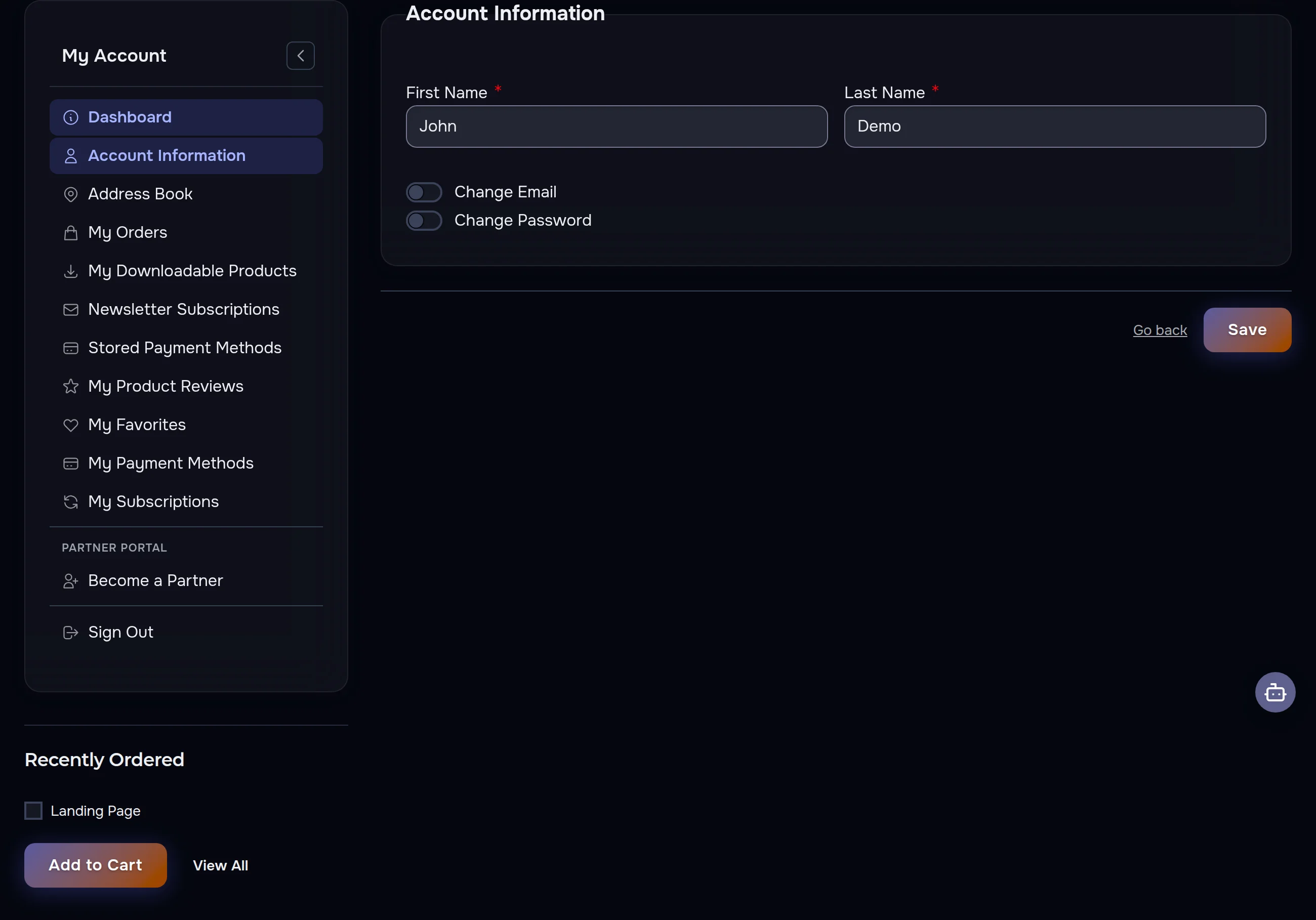
Editing profile in the AWDS account — name, email and password
Account information: update your name, change email or password in a couple of clicks.
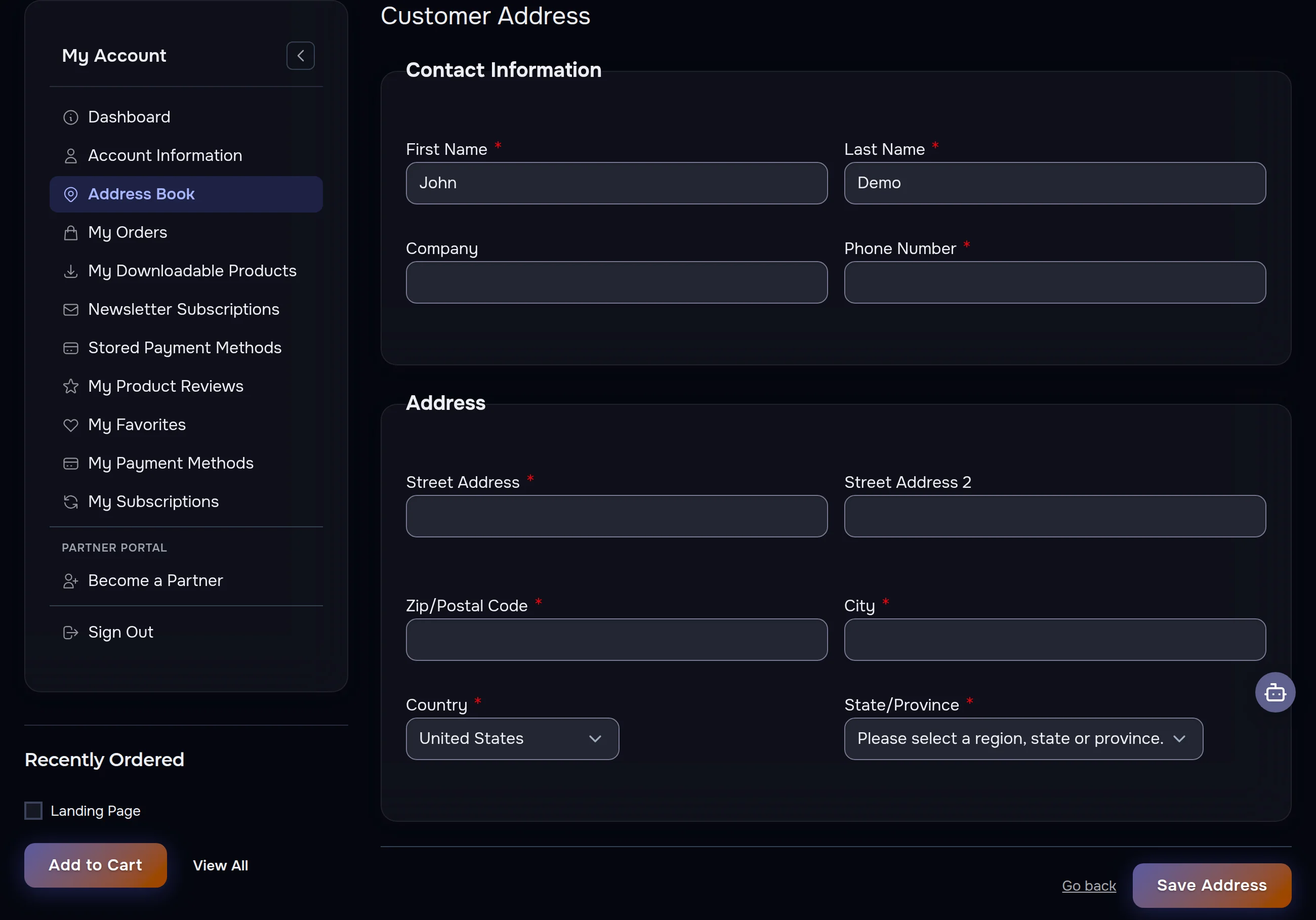
Address book in the AWDS account — default billing and shipping addresses
Address book: saved addresses make every next checkout faster.
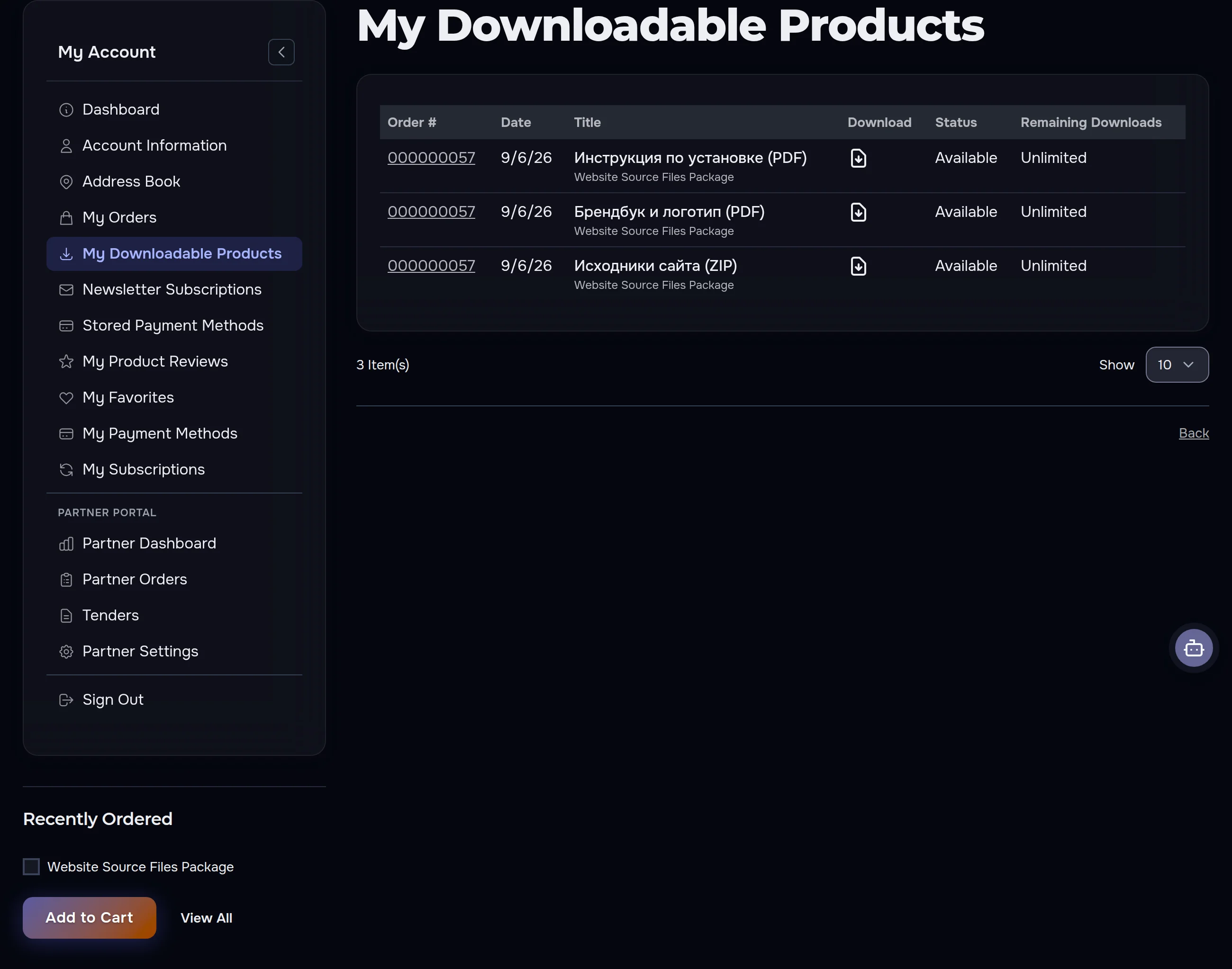
My Downloadable Products section in the AWDS account — digital products ready to download
My Downloadable Products: digital goods are available for download right after payment — delivered online, no waiting.

5. Newsletter & Offers

Subscribe to exclusive offers, new arrivals, and updates. You can unsubscribe at any time in your account.

6. Account Benefits

  • 24/7 order tracking
  • Faster checkout
  • Instant reordering
  • Exclusive offers
  • Secure address management
Guarantees

Why Clients Trust Us

Concrete commitments we honour on every single project.

Fixed Price

The price in the contract never grows mid-project

12-Month Warranty

We fix defects for a year after launch

You Own All Source Files

Full code and files handed over — zero lock-in

2 Revision Rounds per Stage

Revisions within the agreed scope at no extra cost

NDA & Confidentiality

We sign an NDA — your data stays protected

30 Days of Support

Post-launch technical support included

Staged Payment

Pay per delivered stage — a stage not delivered as agreed is refunded

Partner Portal: earn with AWDS

Your account includes a Partner Portal — a separate dashboard for those who want to earn with us. Apply right from your account and get access to exclusive tenders, delegated orders and commission payouts. Rates and terms are on the partner program page.

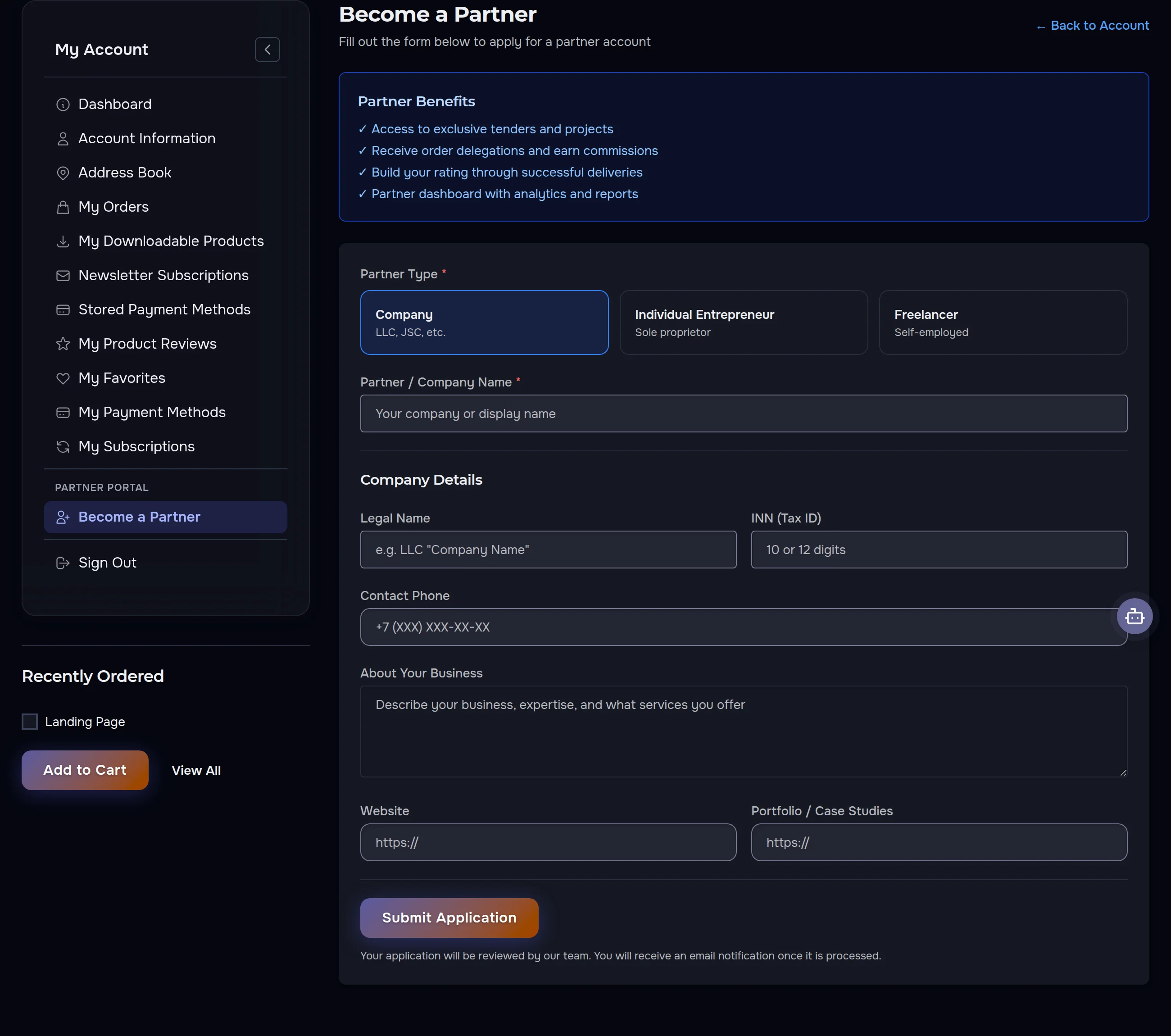
Become a Partner form in the AWDS account — partner application
The application takes minutes right from your account: pick your partner type, fill in the details — and you are in after review.
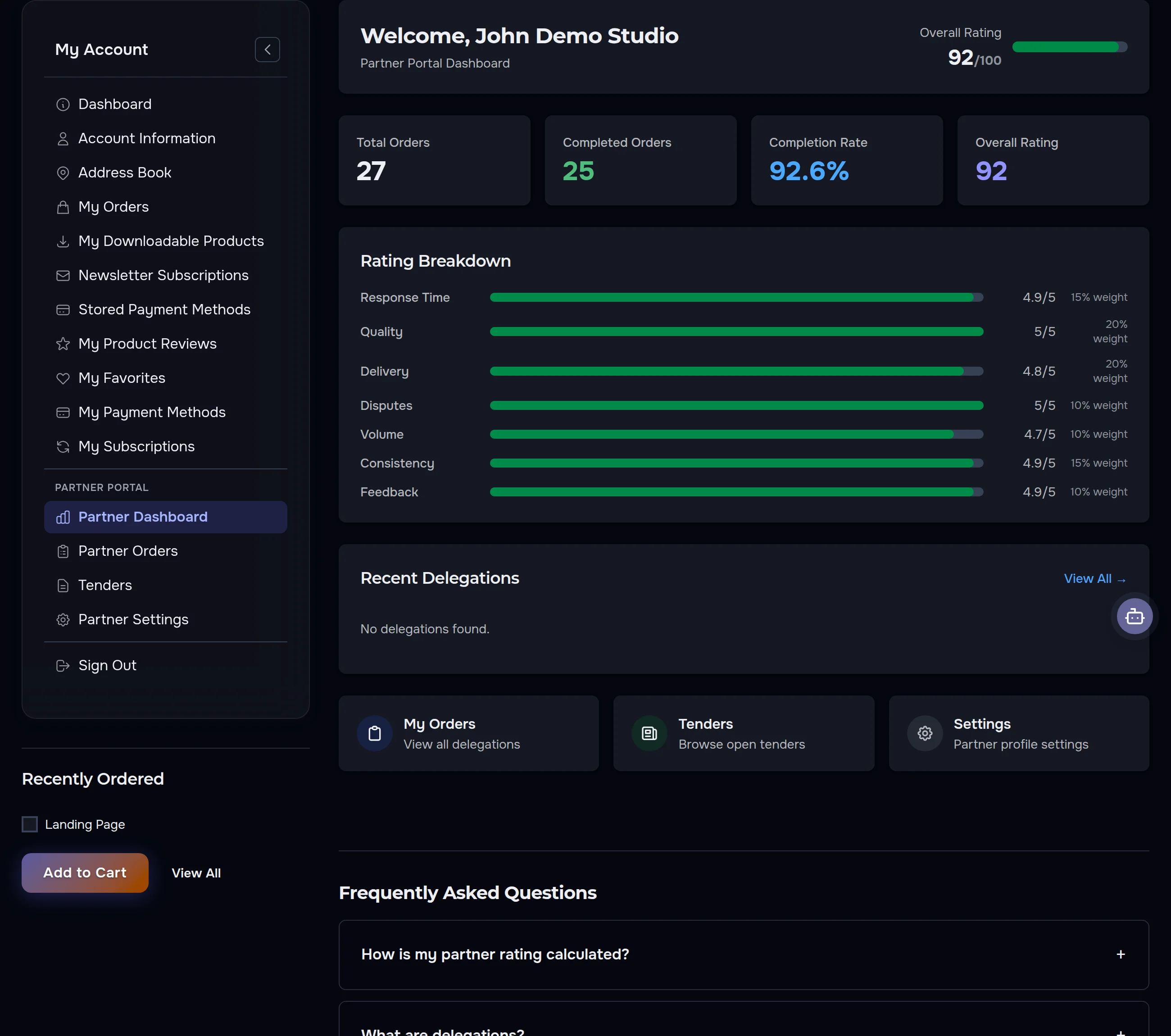
AWDS partner dashboard — rating, order statistics, tenders and delegations
Partner dashboard: overall rating with a transparent breakdown, completed order stats, tenders and delegated orders.
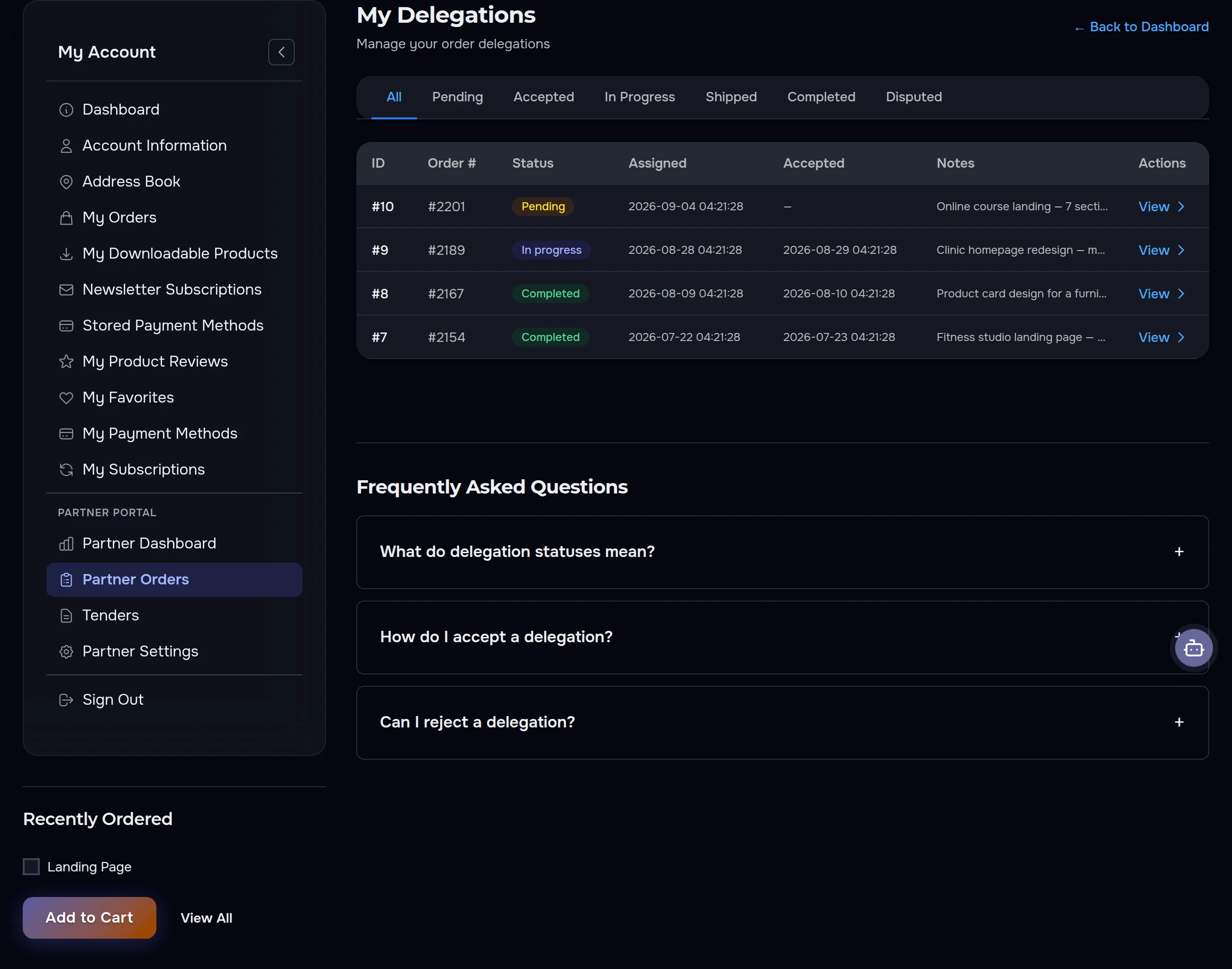
Partner Orders section — delegated orders with statuses and payouts
Partner Orders: delegated orders with statuses — from Pending to Completed.
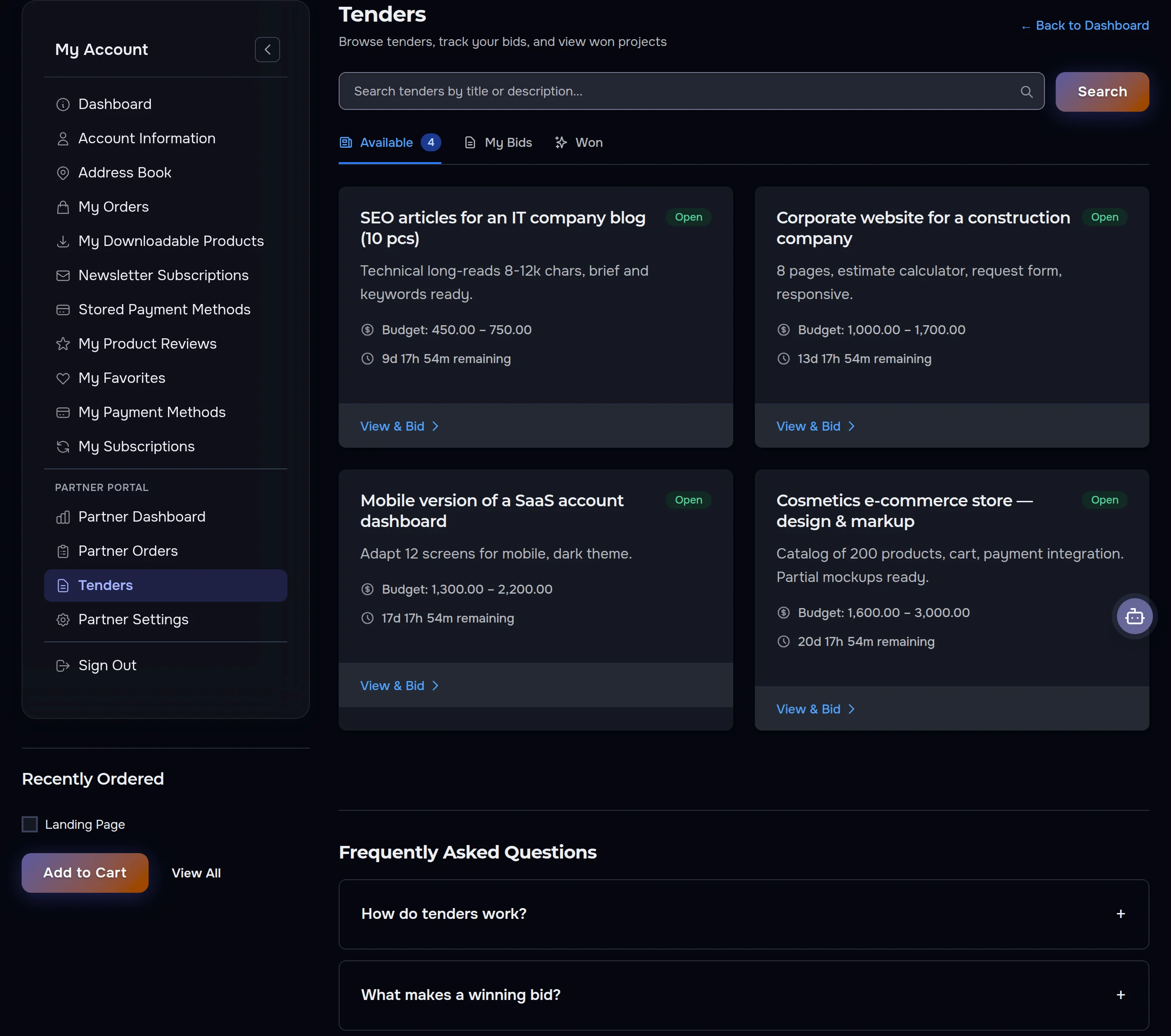
Tenders section — open tenders with budgets and deadlines
Tenders: open projects with budgets and deadlines — pick one and place your bid.
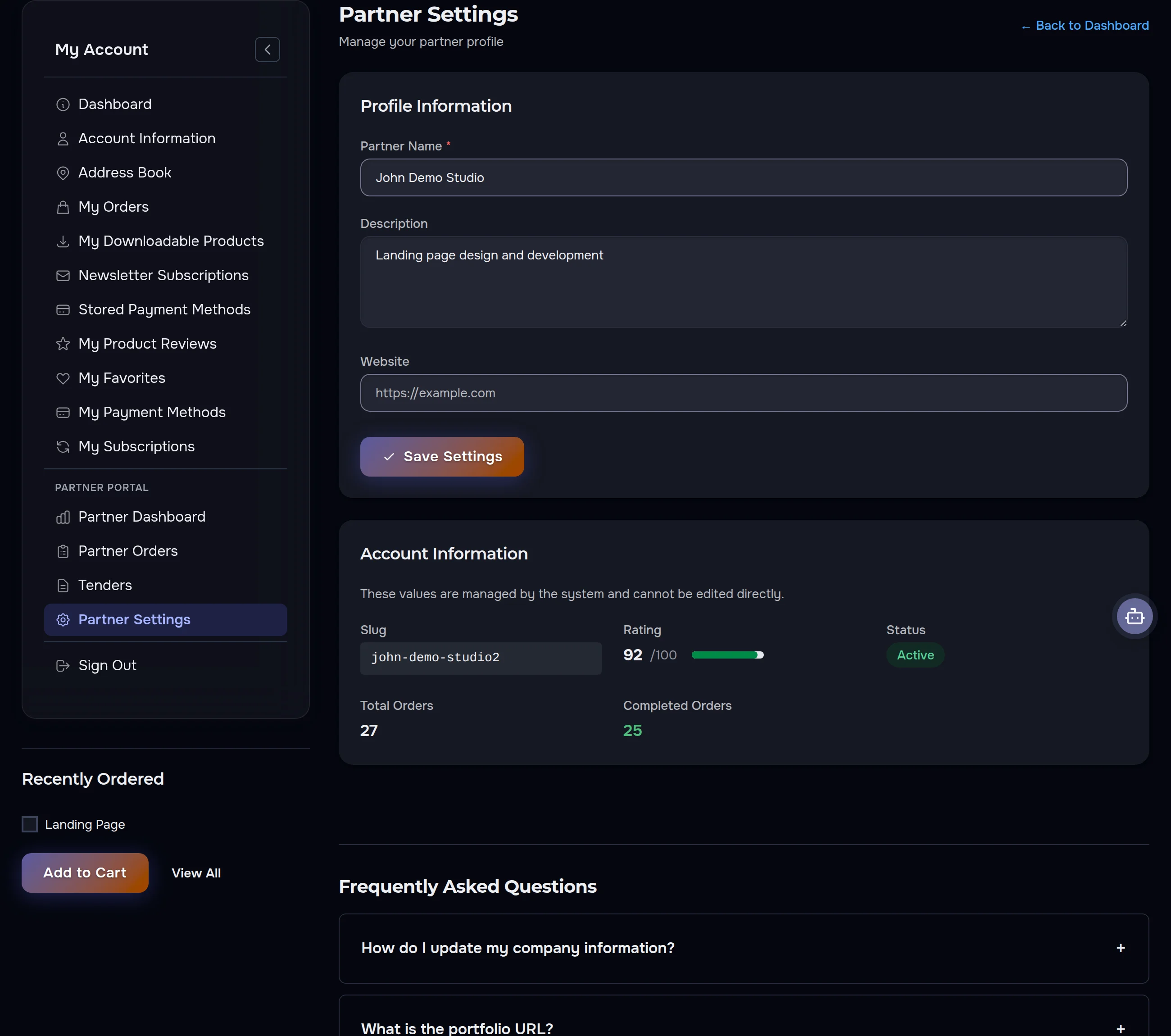
Partner Settings section — profile, rating and statistics
Partner Settings: your profile, rating and completed-order stats in one place.
See partnership terms

How to create your account

1

Visit

Go to our website

2

Register

Click "Account" → "Create an Account"

3

Fill in

Enter your name, email, and password

4

Confirm

Check your email to activate your account

Security and privacy

Payments are processed through Stripe — a globally trusted payment processor that supports card payments (Visa, Mastercard, American Express), Link (one-click checkout), and Google Pay. All transactions are encrypted and PCI DSS compliant.

Why register?

An account means convenience, control, and confidence in every order. Track your purchases, manage addresses, and receive special offers — all in a secure environment built for your comfort.

Didn't find an answer?

If any section of your account behaves unexpectedly, contact us through our contact form. Describe what you did and what you saw — that helps us resolve it faster and get back to you within 2 hours.

Related services

Related services

Testimonials

What Our Clients Say

Real feedback from the companies we have worked with

4.8
★★★★★
5 reviews

5.0

Quality

4.6

Communication

4.6

Timeliness

5.0

Value

Quality 5
Communication 5
Timeliness 4
Value 5
We put through a dozen orders a season and the dashboard keeps every one visible — payment status, delivery status, totals. Come tax time I print the invoices straight from order history instead of emailing anyone. That alone saves me an afternoon.
Ursula Fairweather

Ursula Fairweather

Owner, Gable & Dormer Homeware

Quality 5
Communication 5
Timeliness 5
Value 5
Reordering our staples takes one click from order history. Both shop addresses saved, checkout fills itself in.
Wilhelmina Thistlewood

Wilhelmina Thistlewood

Founder, Nutmeg Pantry Goods

Quality 5
Communication 4
Timeliness 5
Value 5
Every digital purchase sits in one section of my account — no digging through email for download links three months later. Payment confirms, files unlock, and the order record keeps track of exactly which version I bought. For a studio juggling client licenses, that tidiness matters.
Elena Kovacs

Elena Kovacs

Creative Director, Bright Studio Design

Quality 5
Communication 4
Timeliness 5
Value 5
The account itself is genuinely handy — wishlist for stock ideas, saved addresses, order history that reorders in a click. Docked one star: my activation email hid in spam and I spent an evening convinced registration was broken. Check your junk folder first.
Blanche Peverell

Blanche Peverell

Owner, Cobble Row Books

Quality 5
Communication 5
Timeliness 4
Value 5
Registered mostly to track one parcel and stayed for the reorder button. Newsletter preferences live in the same place, so I switched promos off in two clicks — and the account actually respected it, which is rarer than it should be.
Margery Silverwood

Margery Silverwood

Owner, Damson & Teasel Prints

Share Your Experience

Your feedback helps us improve and helps others make informed decisions.

Sign in to your account

Quick sign-in

No new password needed. We only receive your name and email.

No account yet? Create an Account

Get Started

Free consultation · Response in 2 hours
