Site copy written by an AI that knows your business and what customers search for
Service and product descriptions, landing pages and articles usually stall on the same two things: the writer does not know the company's facts, and keywords are picked by gut feeling. The copy ends up sounding like everyone else's and misses what people actually type into search.
Here the AI works right inside the site's admin panel. It takes the company facts from one form, keywords from the site's keyword store — each with its monthly search volume — and the page type, tone and style from rules you set yourself. The draft lands in the editor: you read it, edit it, and only then save.

For teams with more pages than hands
A catalogue of hundreds of products, dozens of services, a second site language — writing all of it by hand is slow, and outsourcing is expensive with no guarantee the copy matches real demand.
Owner
Fills in the company facts once — and they reach every text: pages, products, blocks. When a number changes, it is edited in one place.
Marketer
Sees how many people search for each query and adds the right ones to the brief in one click. Copy is written for demand, not for a guess.
Content manager
Gets a draft of a whole page or a product description in the editor and polishes it instead of starting from a blank page.
The AI knows your company's facts instead of inventing them
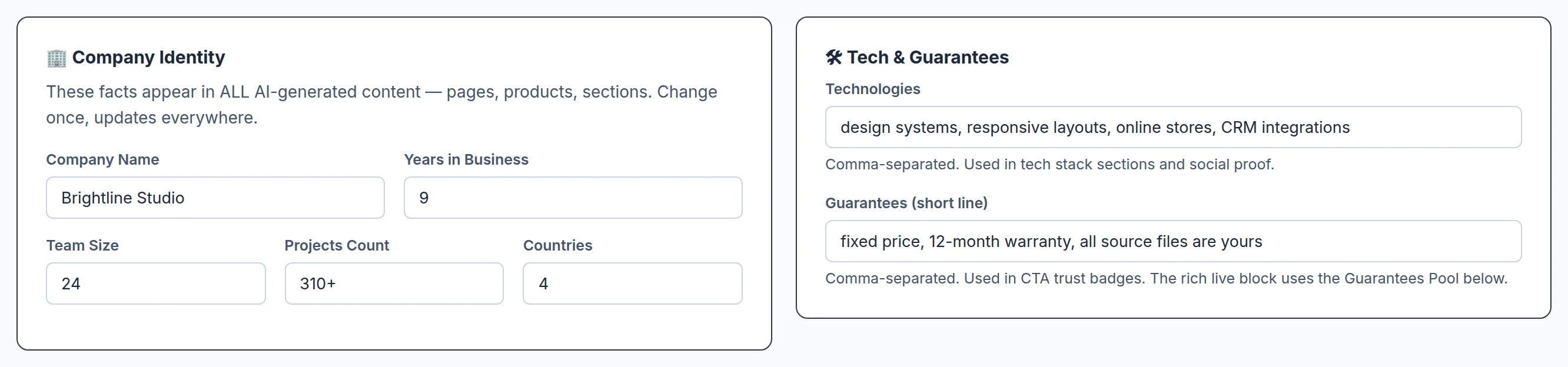
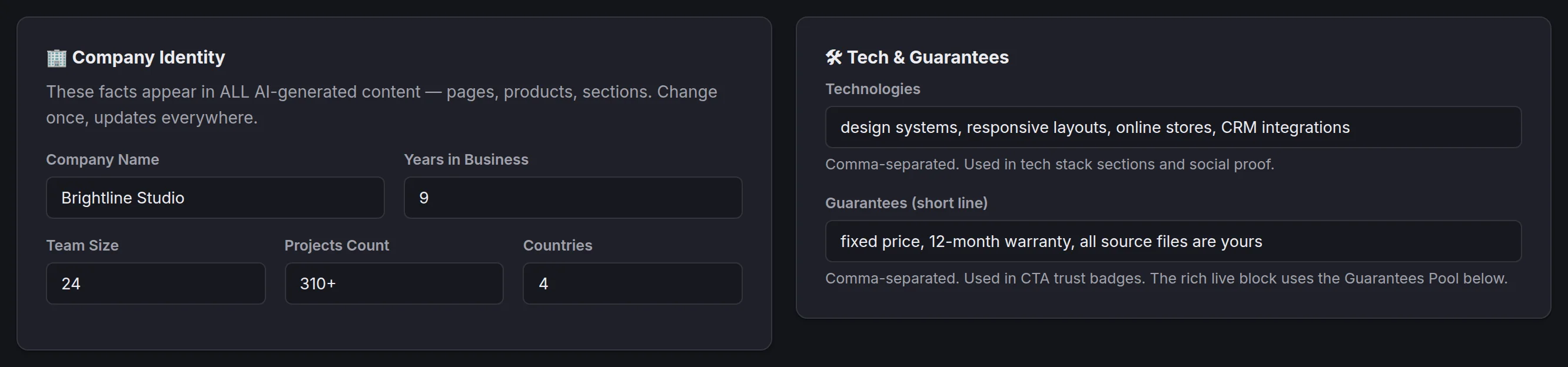
Name, years in business, team, number of projects, countries, technologies and guarantees — in one form. The AI puts these facts into every text and is not allowed to make numbers up. Each site language keeps its own values.
The same form in the panel's dark theme:
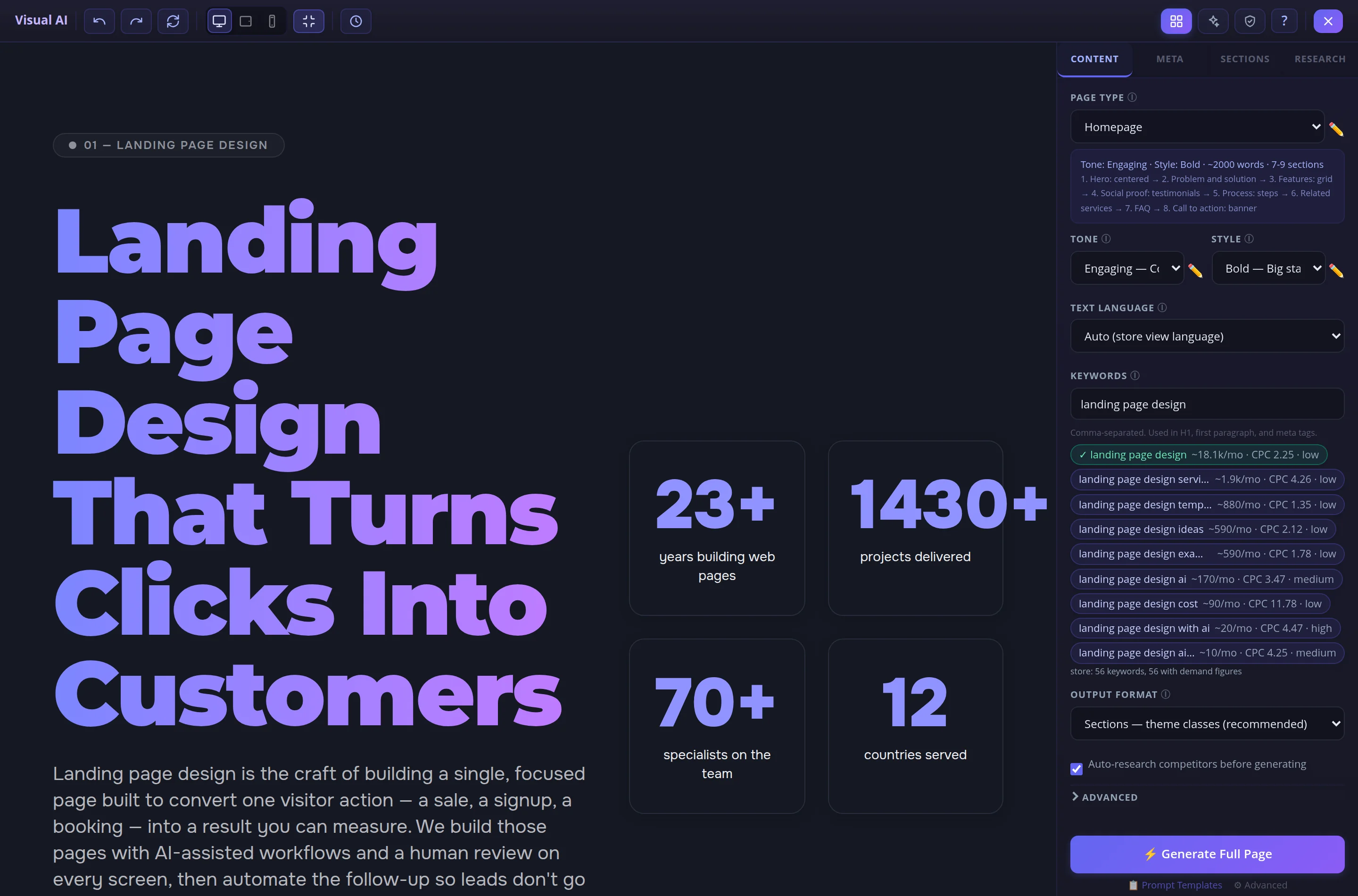
Keywords with search volume, not by guesswork
Under the keyword field the panel suggests queries that match the page topic from the site's keyword store. Each shows how many times it is searched per month, the cost per click in ads and the competition level from the Google Ads keyword planner. One click adds a query to the field. On the left is the page the AI wrote for these queries.
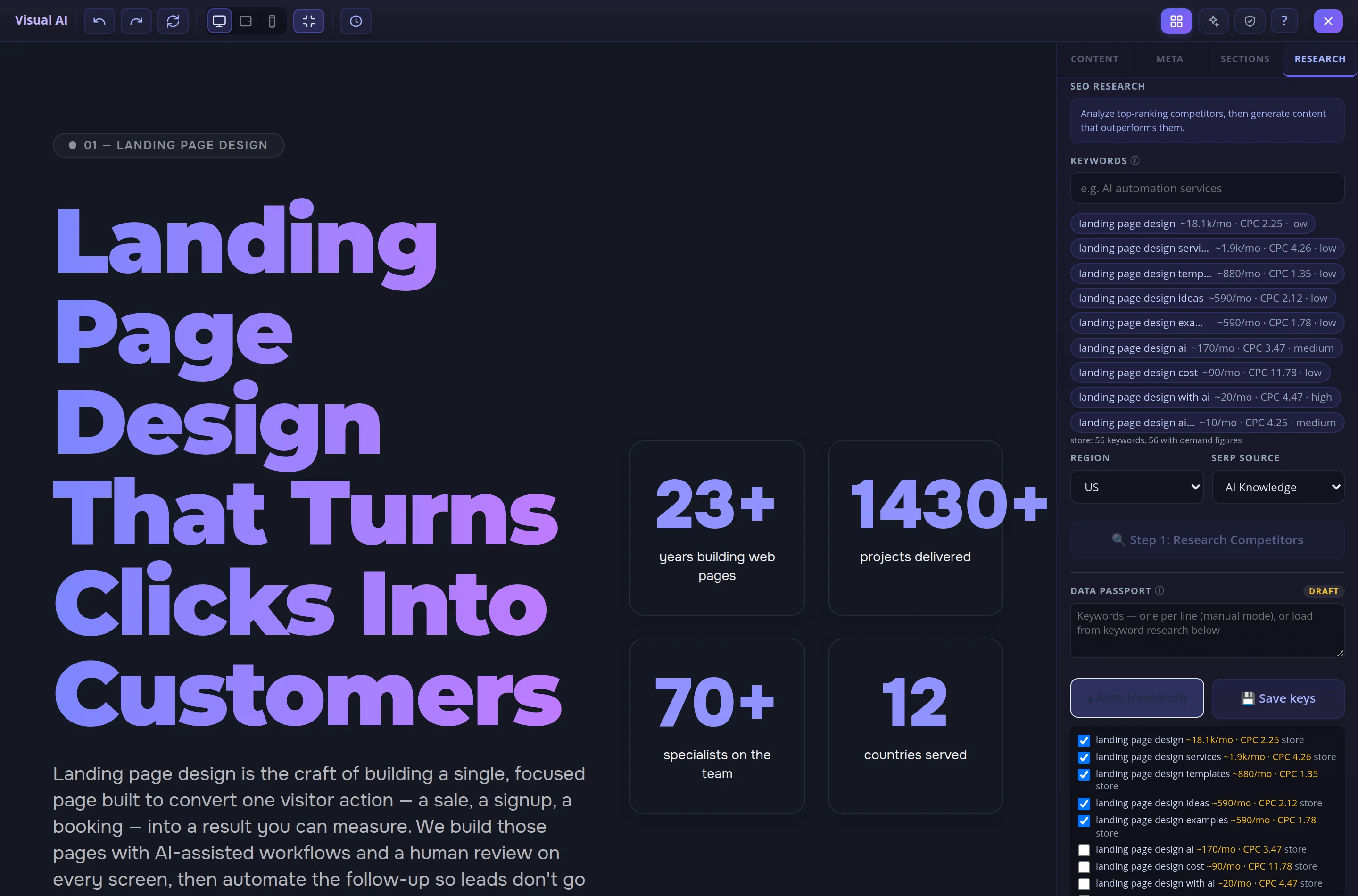
The page passport: which queries the page must cover
The Auto button collects candidates from the store that match the page topic — with the same demand figures. You untick what you do not need, save, and the passport becomes the AI's brief: after generation you see which queries the text covered.
- The search region defaults to the storefront's market: a Russian page is researched against Russian results, an English one against US results; you can change it in the list.
- The number of selected queries is capped by a setting — the rest stay in the list, unticked.
- Collecting candidates is free: paid search-result requests and competitor analysis run only after you confirm the price.
Product descriptions — with the same button and the same figures
In the product form, under the description field, sits the same panel: page type, tone, format and keyword suggestions with demand. Generate Description writes the text in the language of the selected storefront and puts it into the field — you save the product.

You set the page type, tone and style
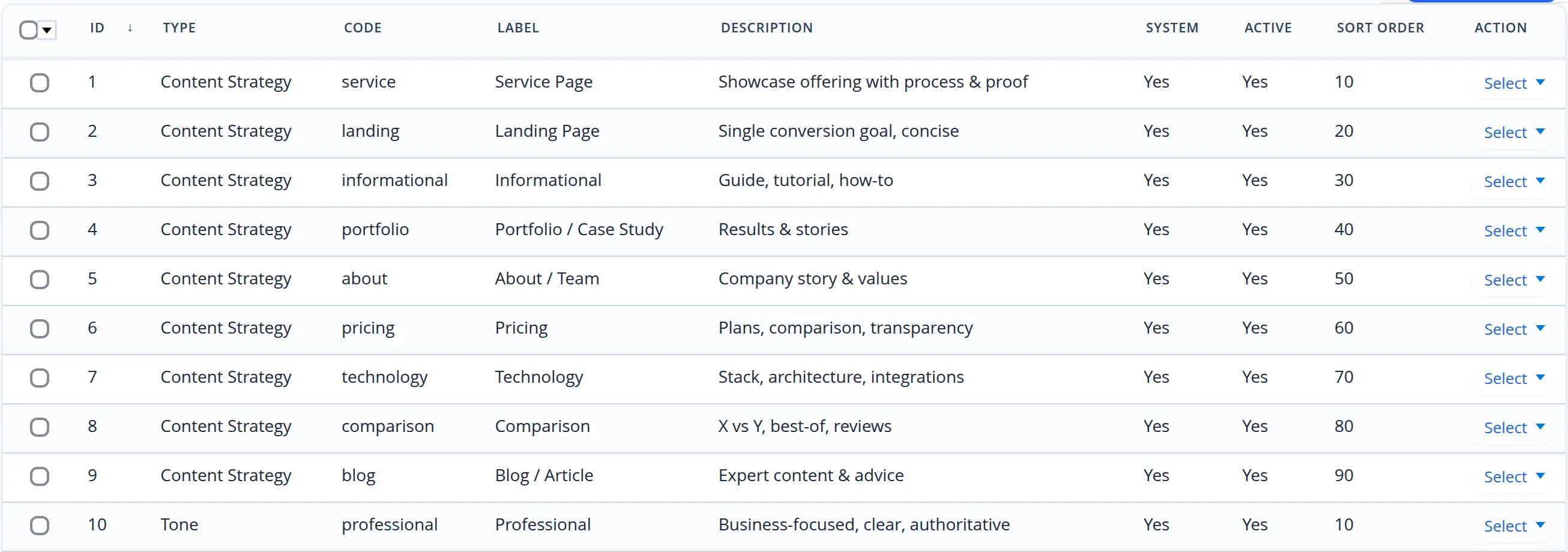
Each page type is a set of rules: which blocks in which order, how many words, which call to action. Tones and styles are separate records. Everything is edited in the panel: add your own type and it appears in the generator's list right away.
What we checked with our own hands
The frames were taken from our own site's admin panel with the real keyword store. The page in the frame is a draft the generator wrote for our site; the company form is filled with a demo company. Nothing was saved and the AI was not called during the shoot: saving and generation were cut off before reaching the server.
- We matched the suggestion figures against the site's keyword store: search volume, cost per click and competition are the planner's measurements.
- While shooting the case we found and fixed four things. In the Russian panel the list of page types, tones and styles showed English names, although the generator showed them in Russian. Competition in suggestions came out in English. A page passport saved before demand was measured never received the figures, even once the store had them. The default search region was “US” even for a Russian page.
- Along the way we fixed the hint under the “Demo content” mark in the product form: the database cut it off mid-word, so its translation was never found either.
Let your site copy be written for demand and from your own facts
We will connect the generator to your site: fill in the company facts, build a keyword store with search volumes and set up page types for your business.
