Forms that quote prices and win leads
A form & calculator builder where visitors price their own project and see the total instantly — while you receive a warm lead with a budget attached by email, Telegram and your business workflows.
Below is the full journey through the eyes of a client and a business owner: from "how much does a website cost?" to the email with a ready-made estimate. Every screen is a working system, not a mockup.
16
field types — from file uploads to live formulas
3
notification channels: email, Telegram, business workflows
5
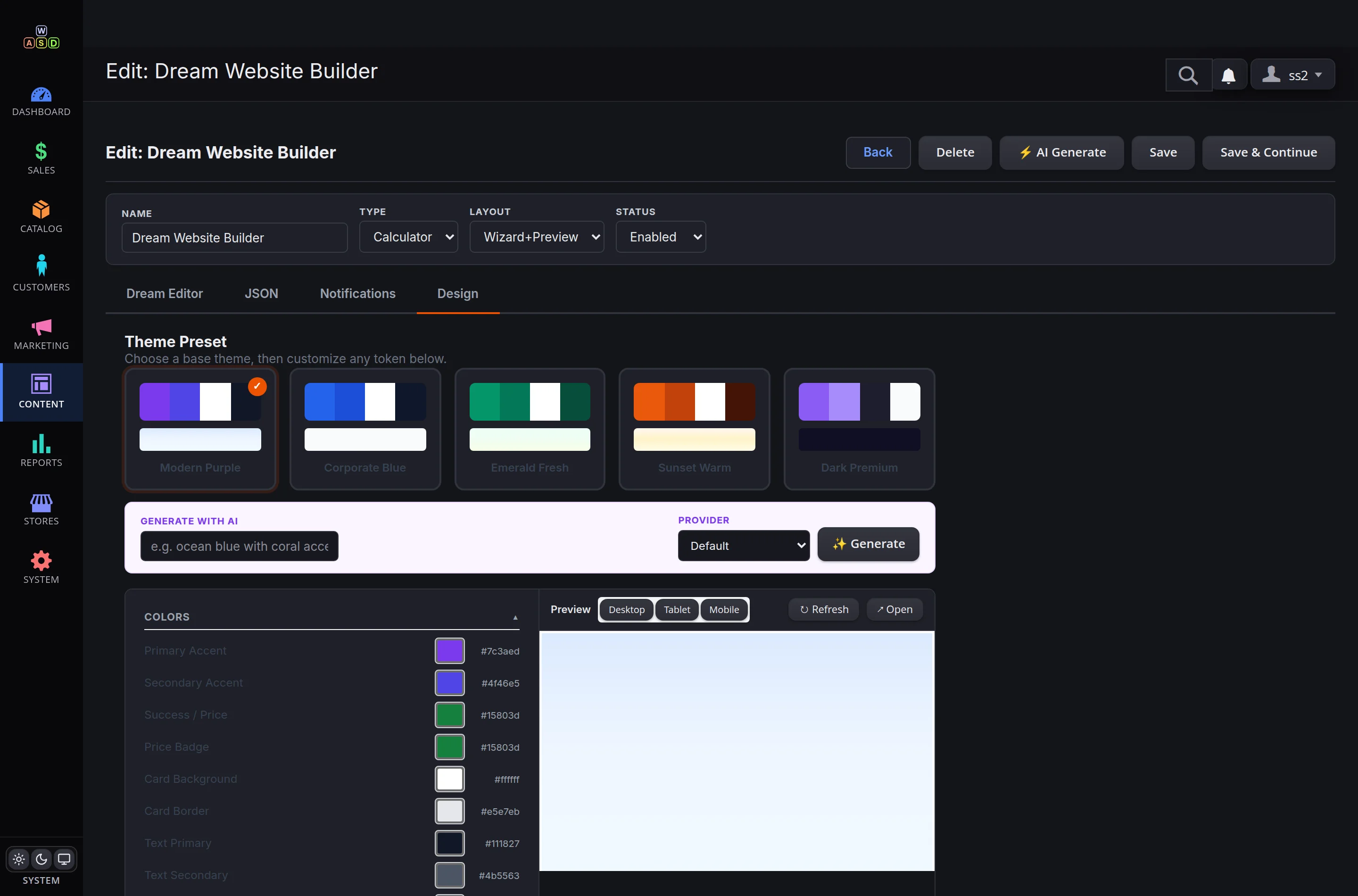
ready design themes plus AI theme generation
0
lines of code — forms are built with a mouse
If clients keep asking "how much?" — this is for you
Studios and agencies, quote-based services, stores with complex products, clinics and booking businesses. Wherever a lead starts with a price question, a calculator answers before your competitor does.
Without a calculator
A visitor asks "how much?", waits a day for the answer and keeps shopping around. Your manager spends hours quoting people who never buy.
With a calculator
The price updates on screen while the client picks options. You receive a lead with a ready estimate and contact details — all that's left is to call back.
What you get
Fewer empty conversations, more leads with budgets, instant notifications for the whole team — and a full history of enquiries in the admin panel.
A form is assembled with a mouse in minutes
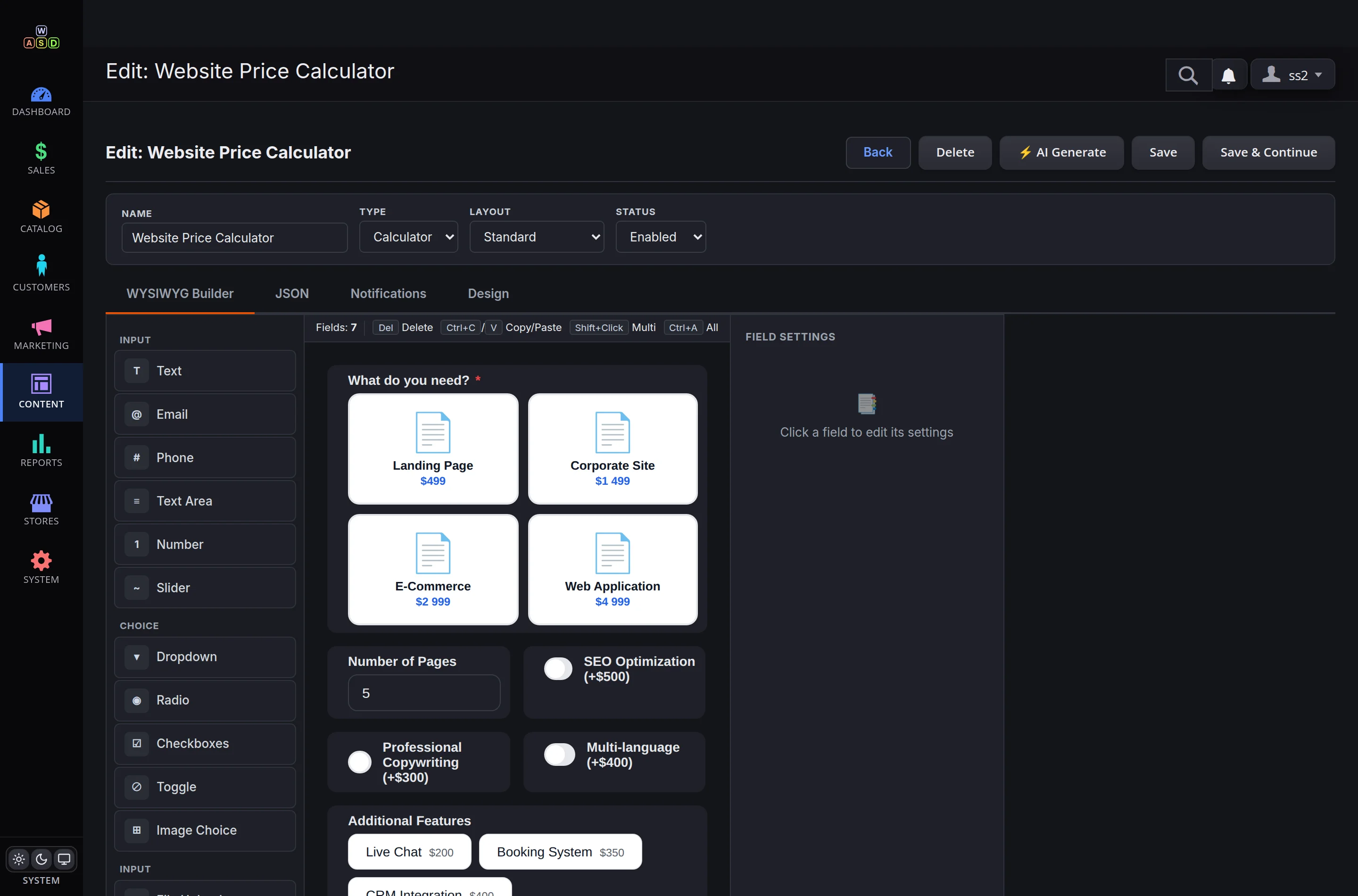
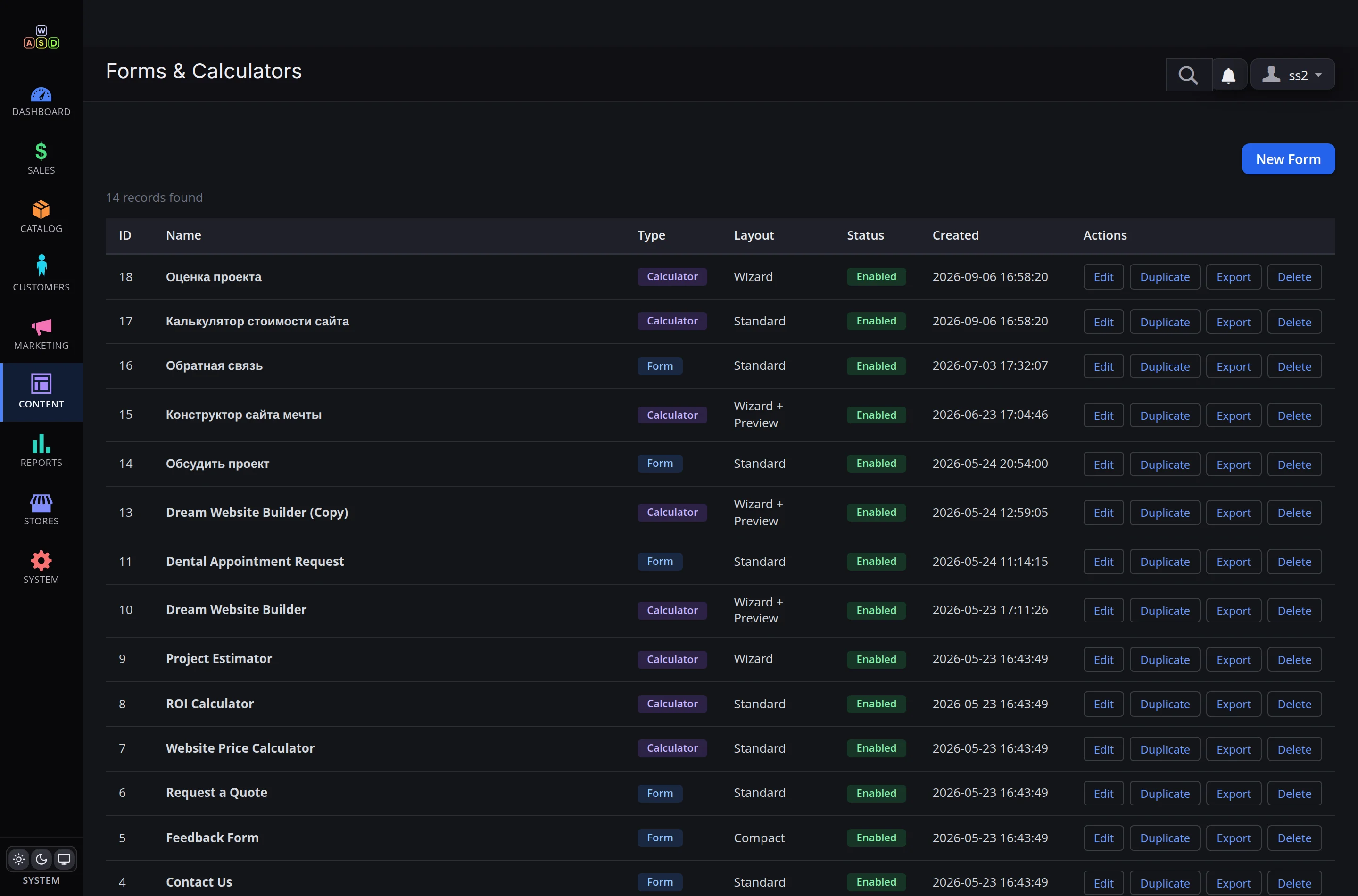
A visual builder: a palette of 16 field types on the left, your form in the middle, settings on the right. Option prices, calculation formulas and conditional logic are configured right on the field card. All forms and calculators live in one list with duplication and export.
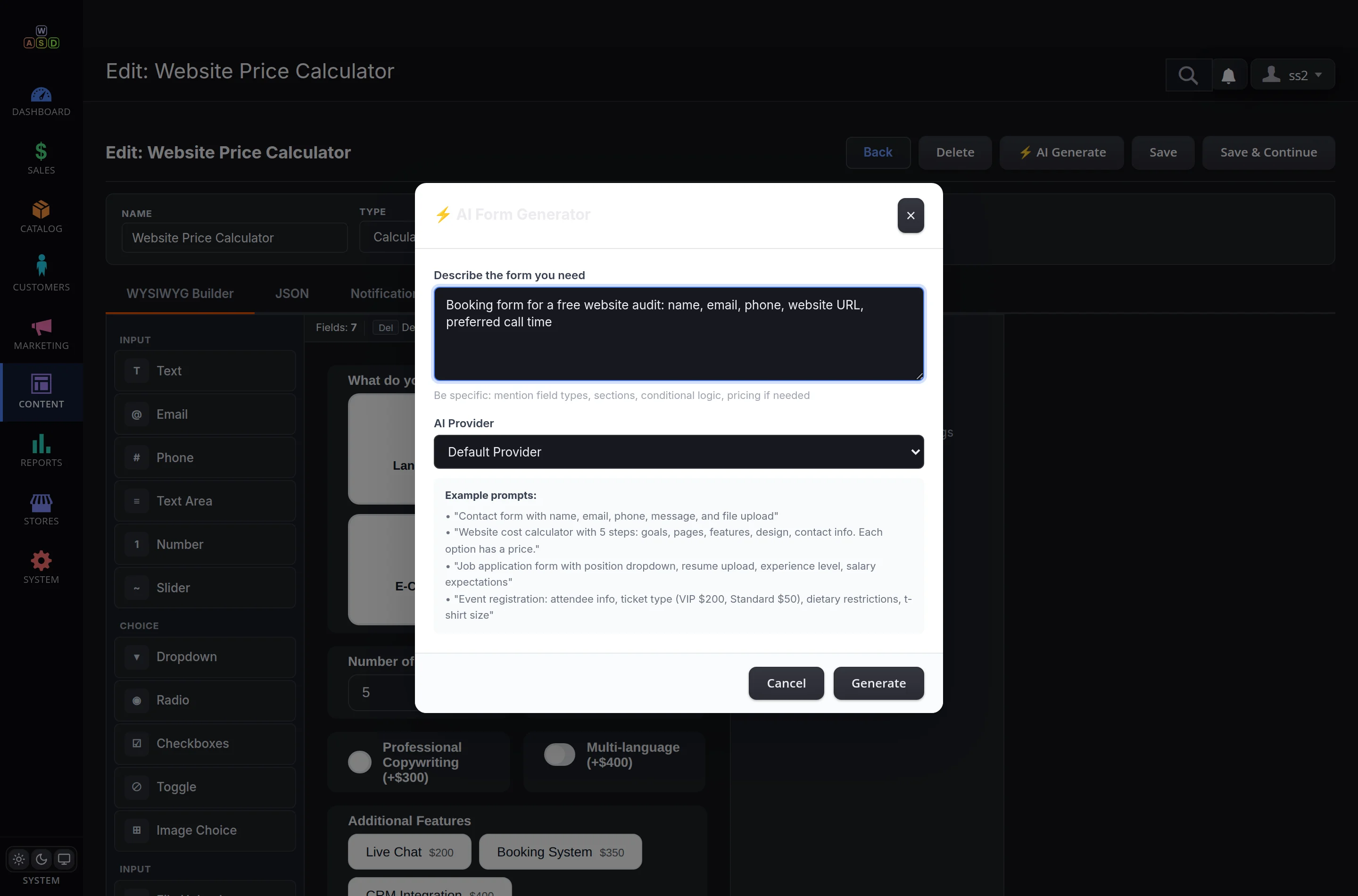
Too lazy to drag fields? Just dictate
"A booking form for a free website audit: name, email, phone, website URL, preferred call time" — and the AI generator builds the form with every field and validation in place. The dental appointment form in our live showcase was created exactly this way.
The classics, done right
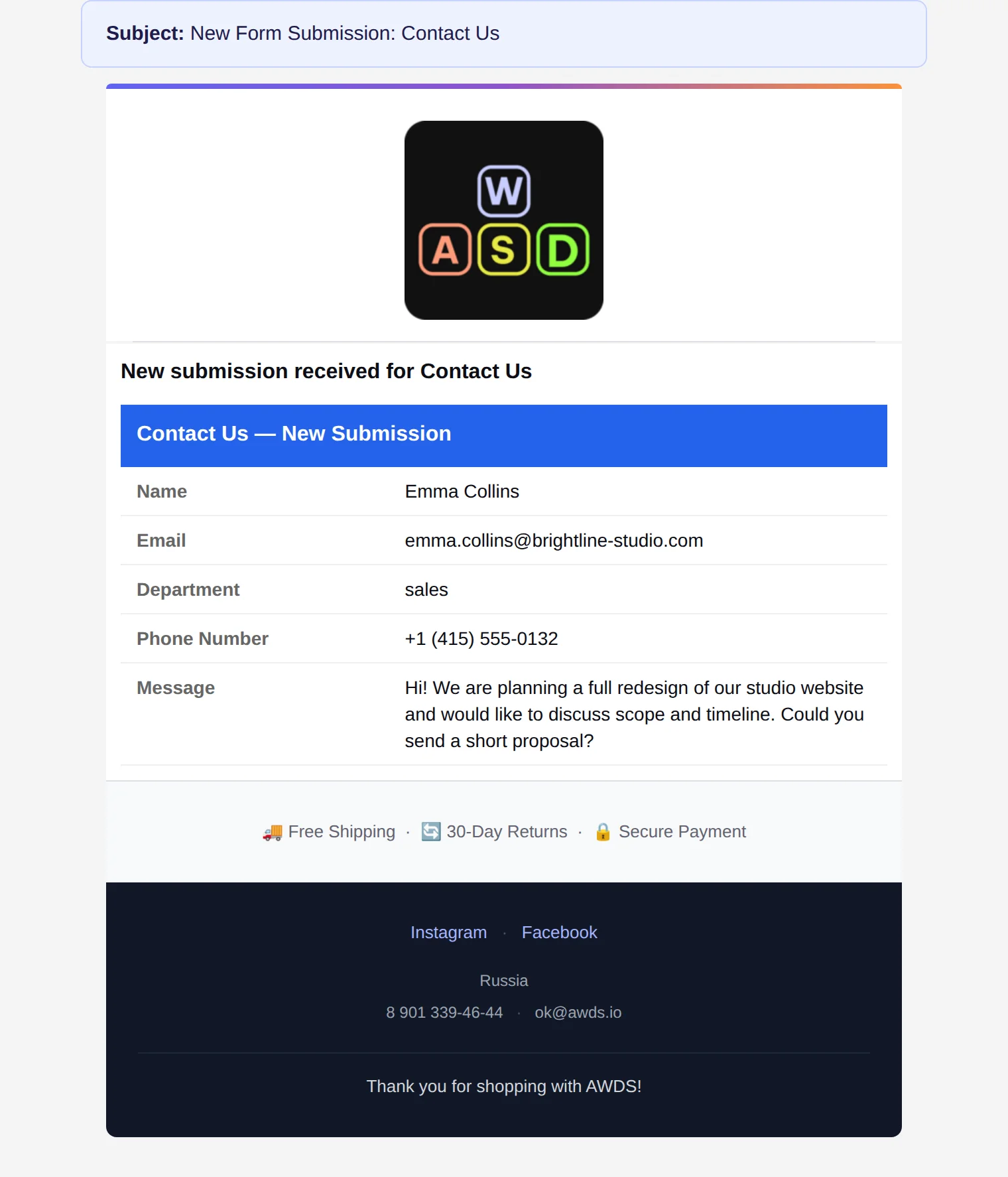
A contact form with a department selector: billing questions go to support, project enquiries go to sales. The client sees a polite confirmation; your team gets an email with the full enquiry card.


Files welcome
Briefs, estimates and mockups attach right to the enquiry: up to 5 files at once. Every file is scanned for viruses and checked by real content, and can only be downloaded via a signed secure link from the email — no public access, ever.
Each enquiry also records its source: the client tells you themselves how they found you.
The client picks options — the price counts itself
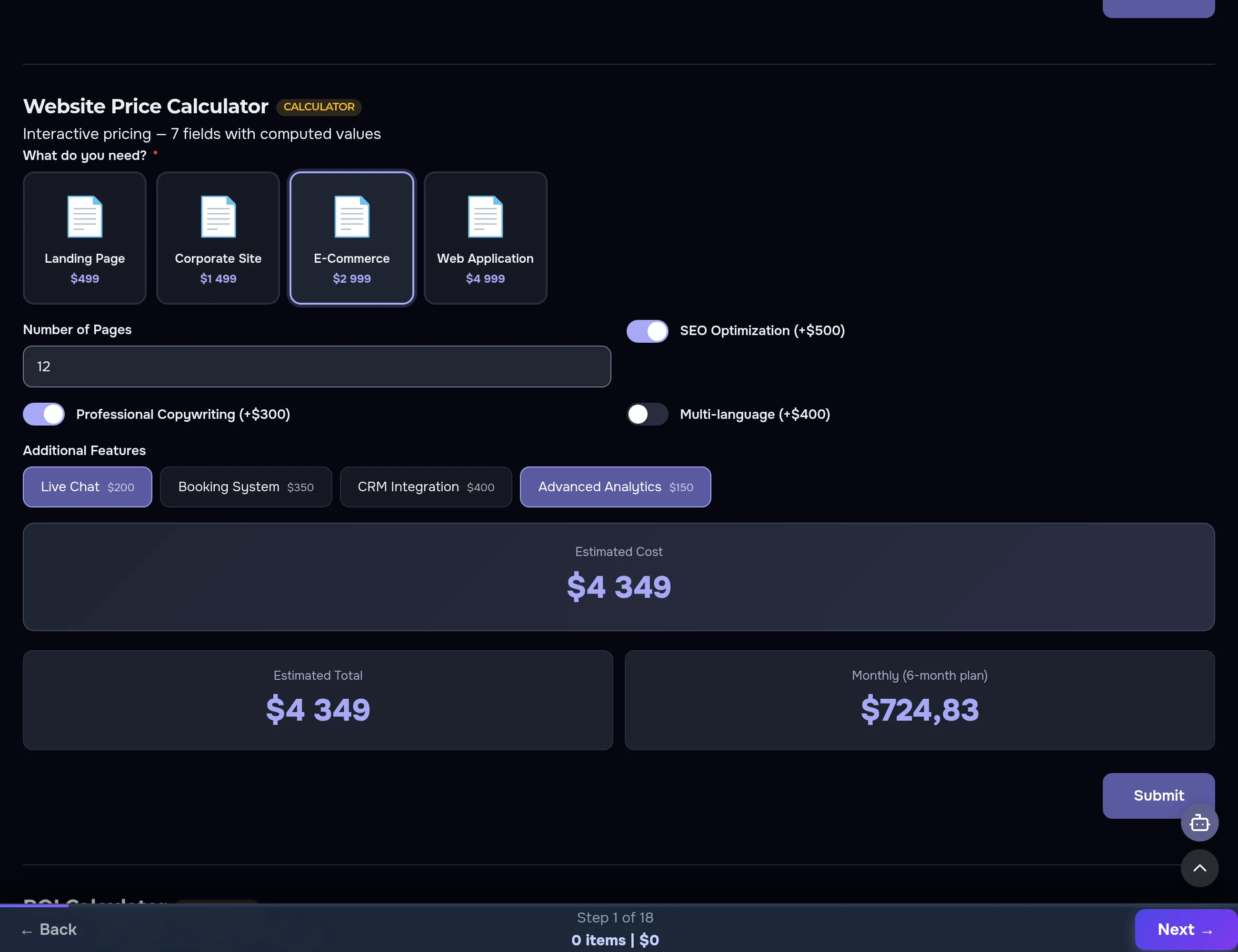
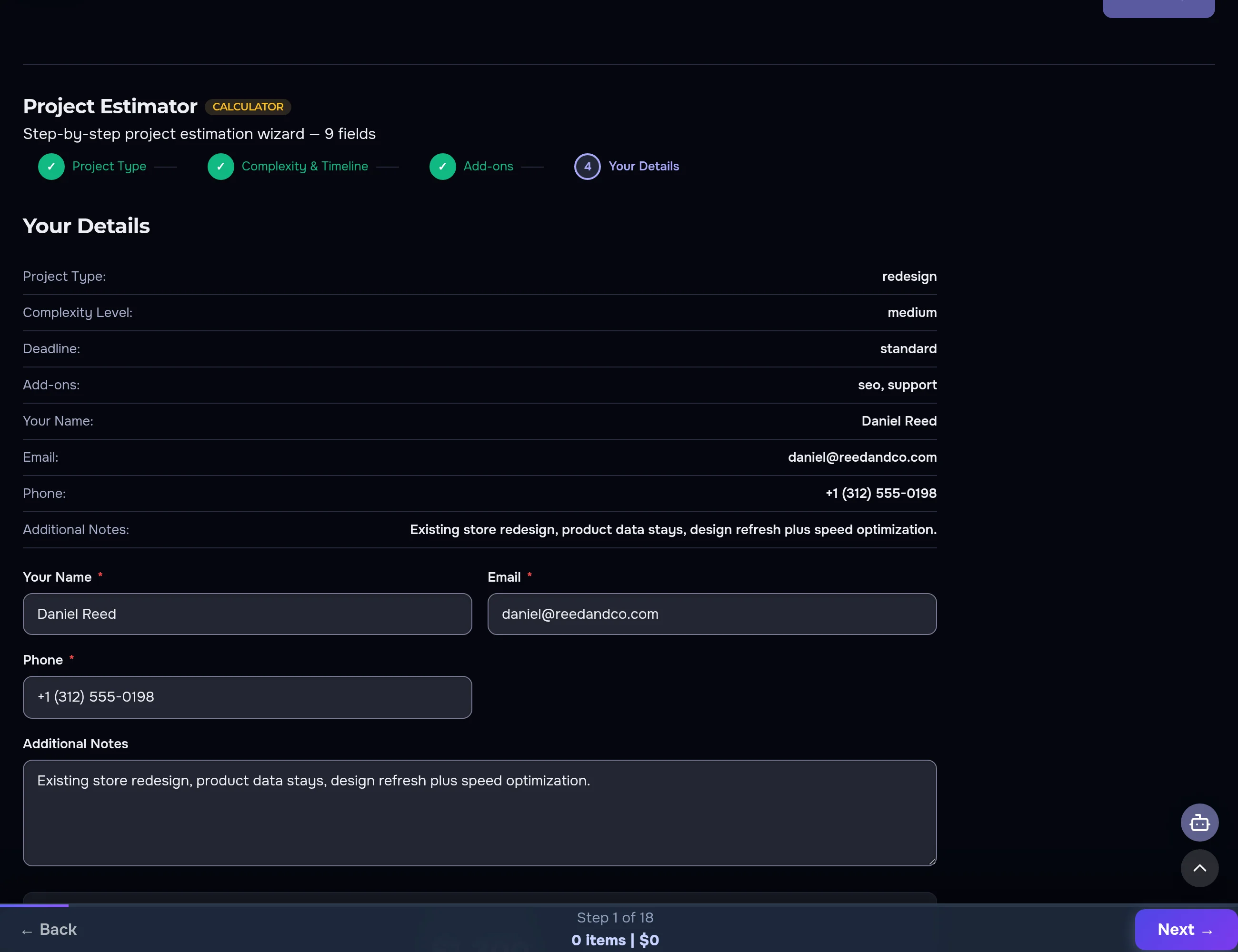
Website type, number of pages, extra modules — the total and the monthly plan recalculate instantly, no page reloads. Formulas of any complexity: option sums, coefficients, percentages, instalment breakdowns.
Too many questions? Use a step-by-step wizard
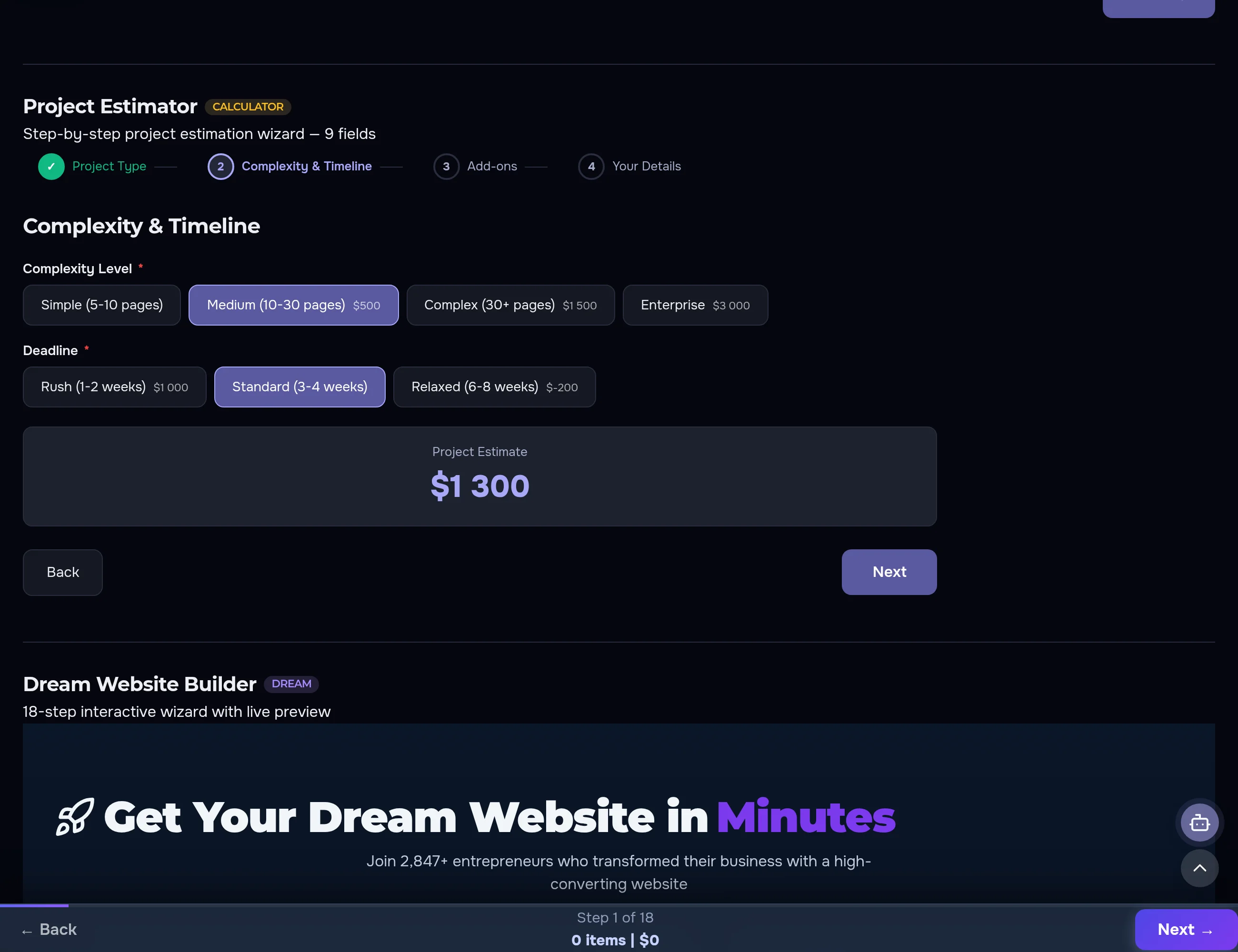
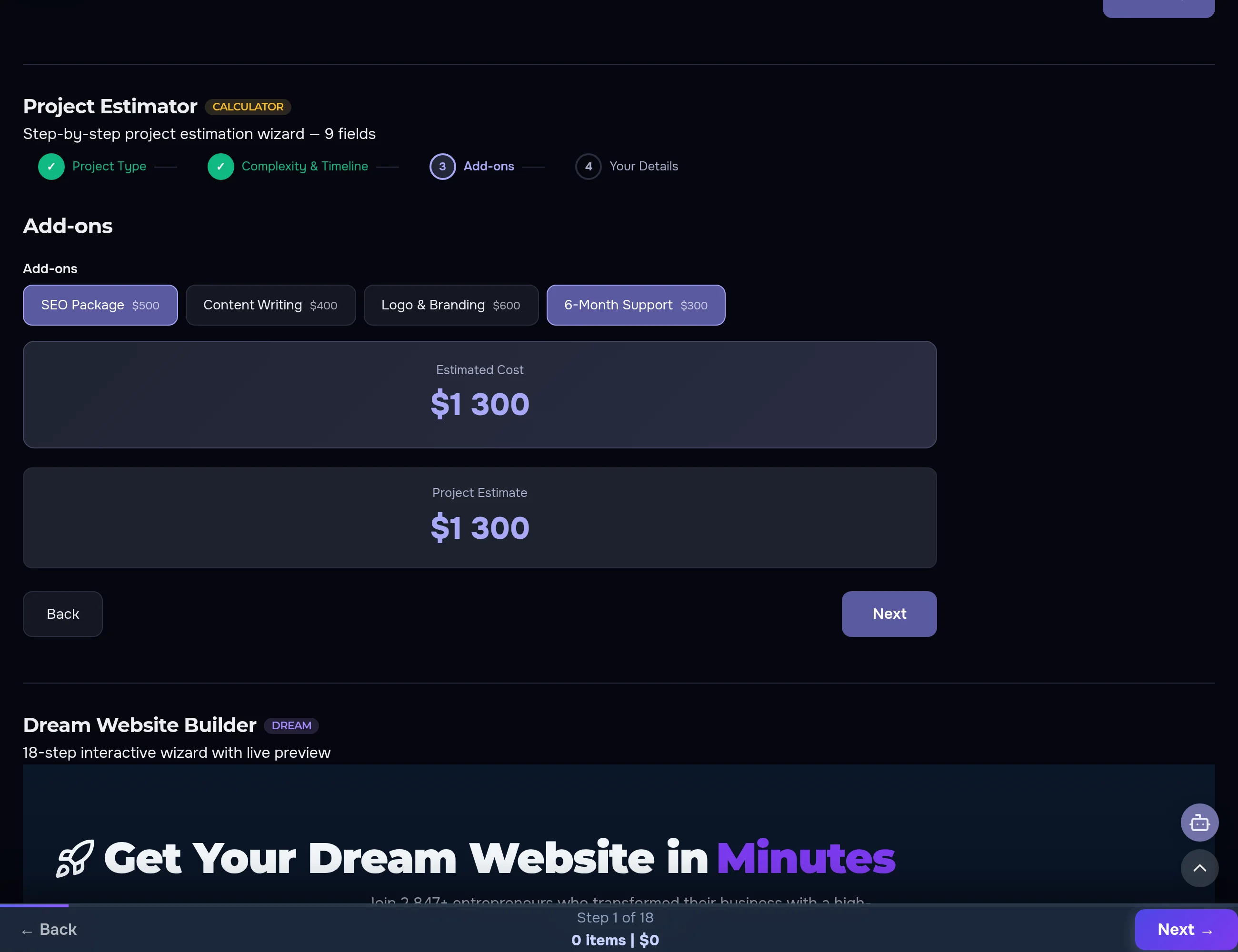
A progress bar, validated steps, a growing budget estimate and a summary before sending. A long form stops being scary — the client walks through it like a quiz.
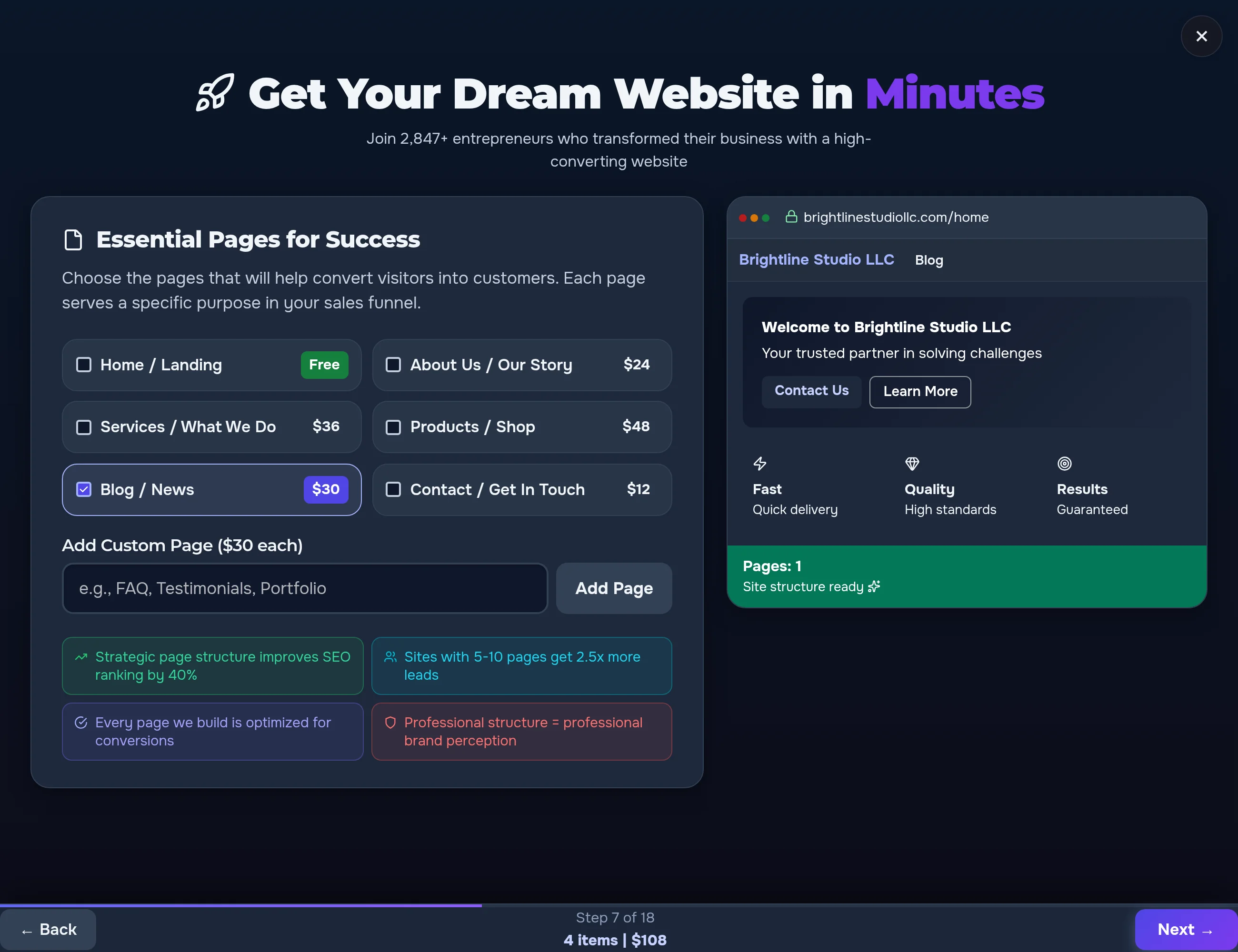
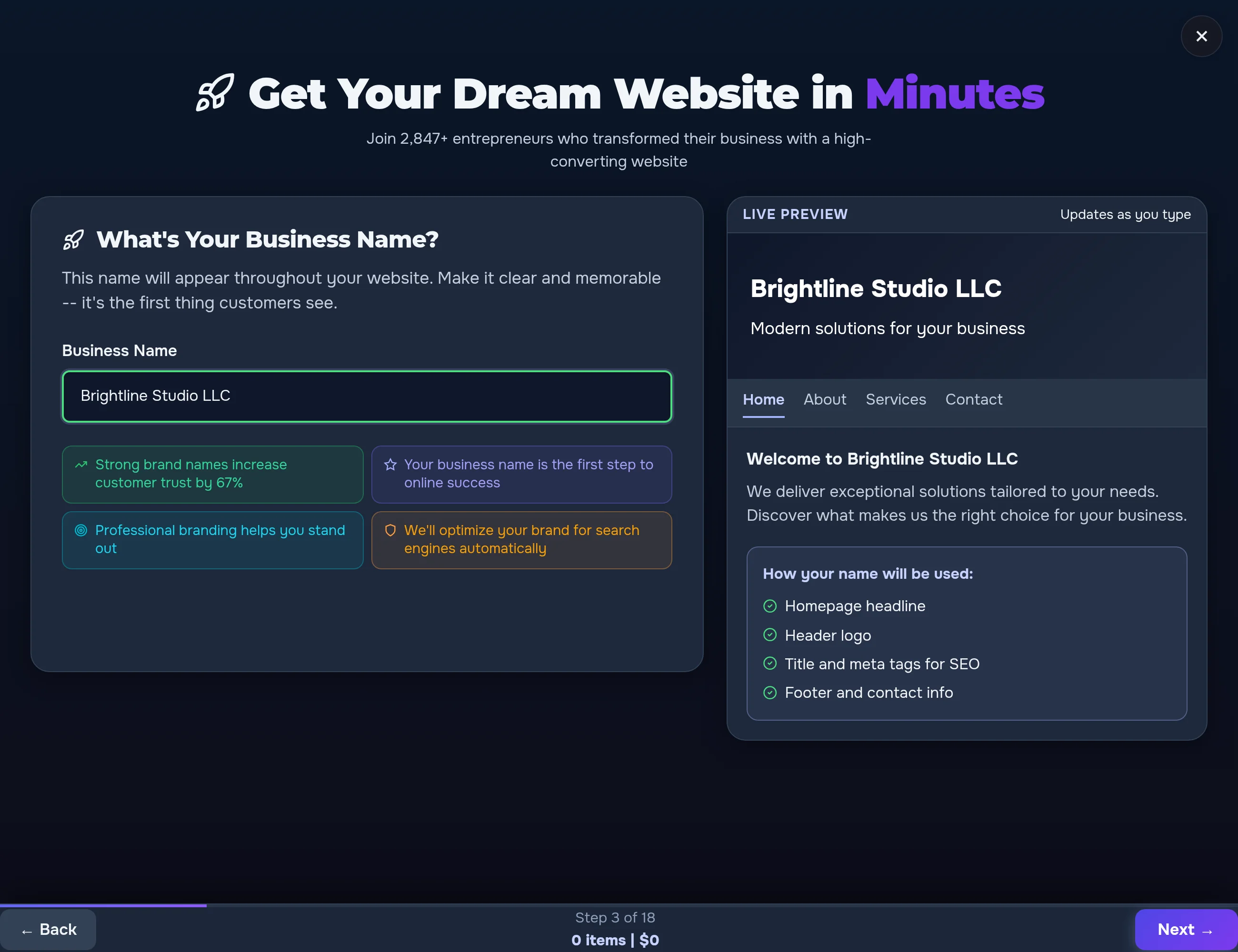
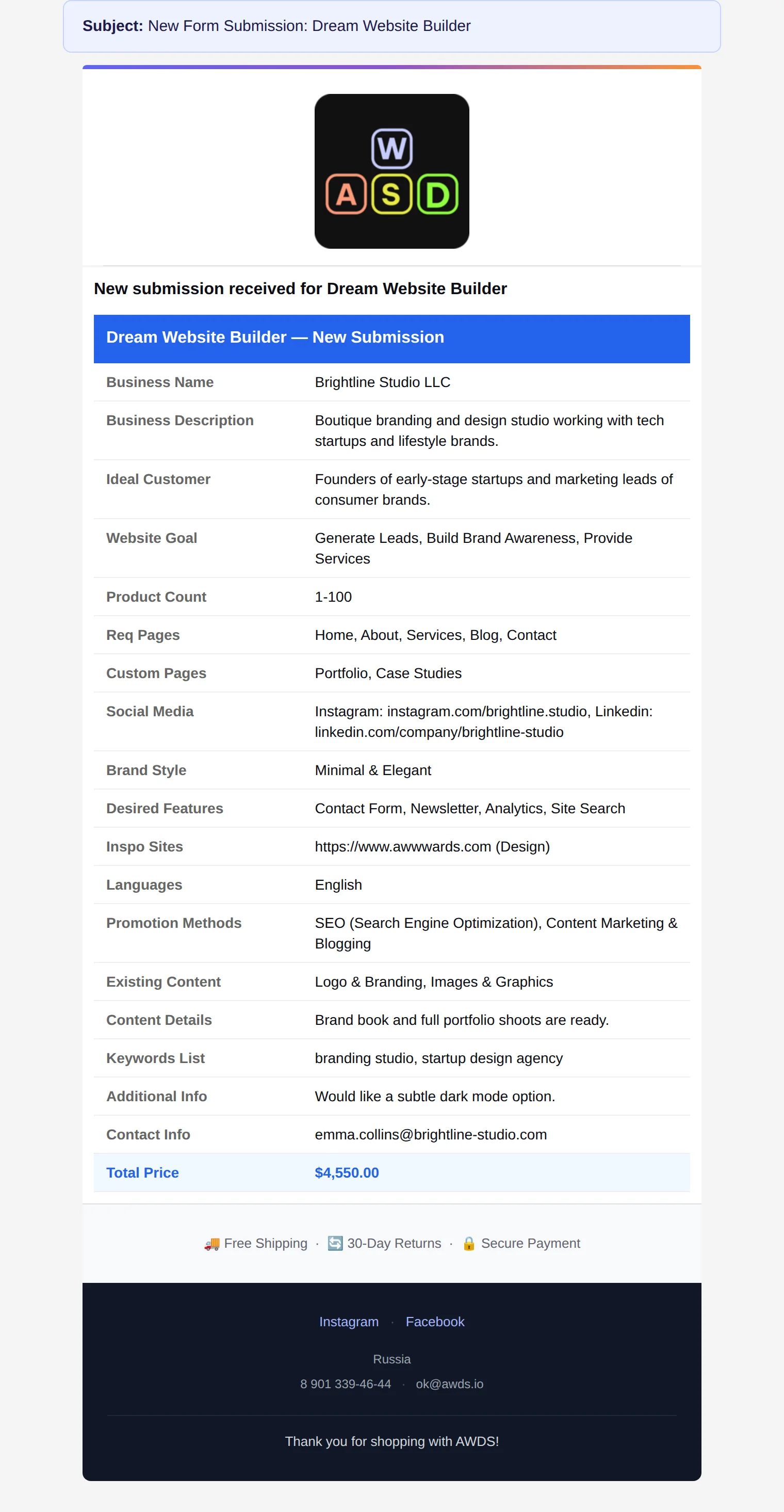
Dream Website Builder: the client sees their site before ordering
18 steps that fly by: while the client answers questions, a live mockup of their future website assembles itself on the right — with their name, pages and style. The estimate grows at the bottom. It's the most vivid demo of what the builder can do.


Every question has a helpful hint
Next to each wizard option there's a "?" with a plain-language explanation and a link to the detailed service page. A visitor who was "just checking prices" ends up deep in your website — not on a competitor's.
A wizard like this can be built for your business
Renovation, custom furniture, cleaning, legal packages, car service — any service where the price depends on the client's choices.
Discuss my calculatorThe form comes to the client
The same form lives anywhere: on the contact page, in a pop-up window, in a slide-in panel on a premium product page. The form already knows which page the client came from — the lead arrives with the product and the tier attached.

Not a single lead gets lost
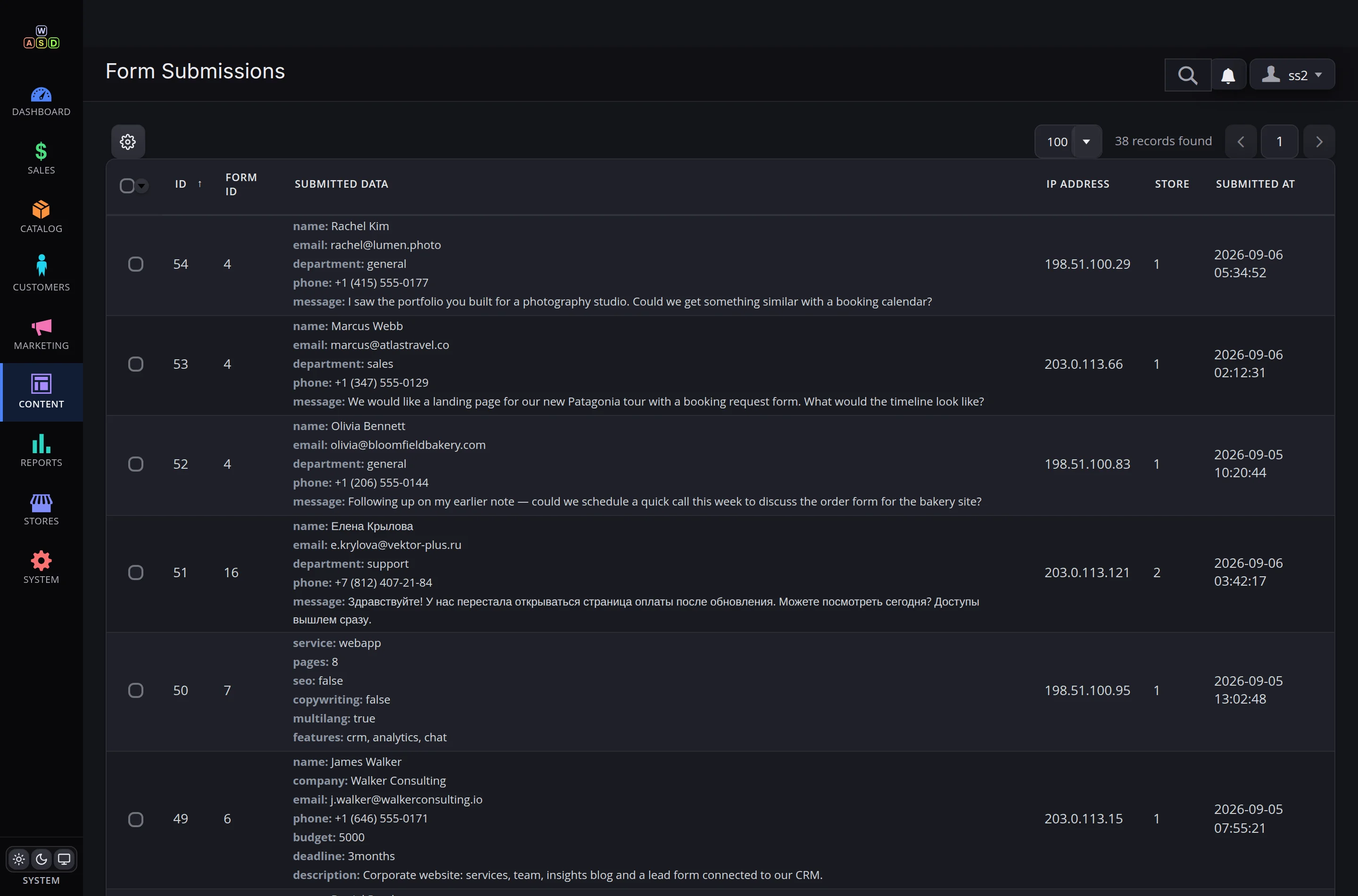
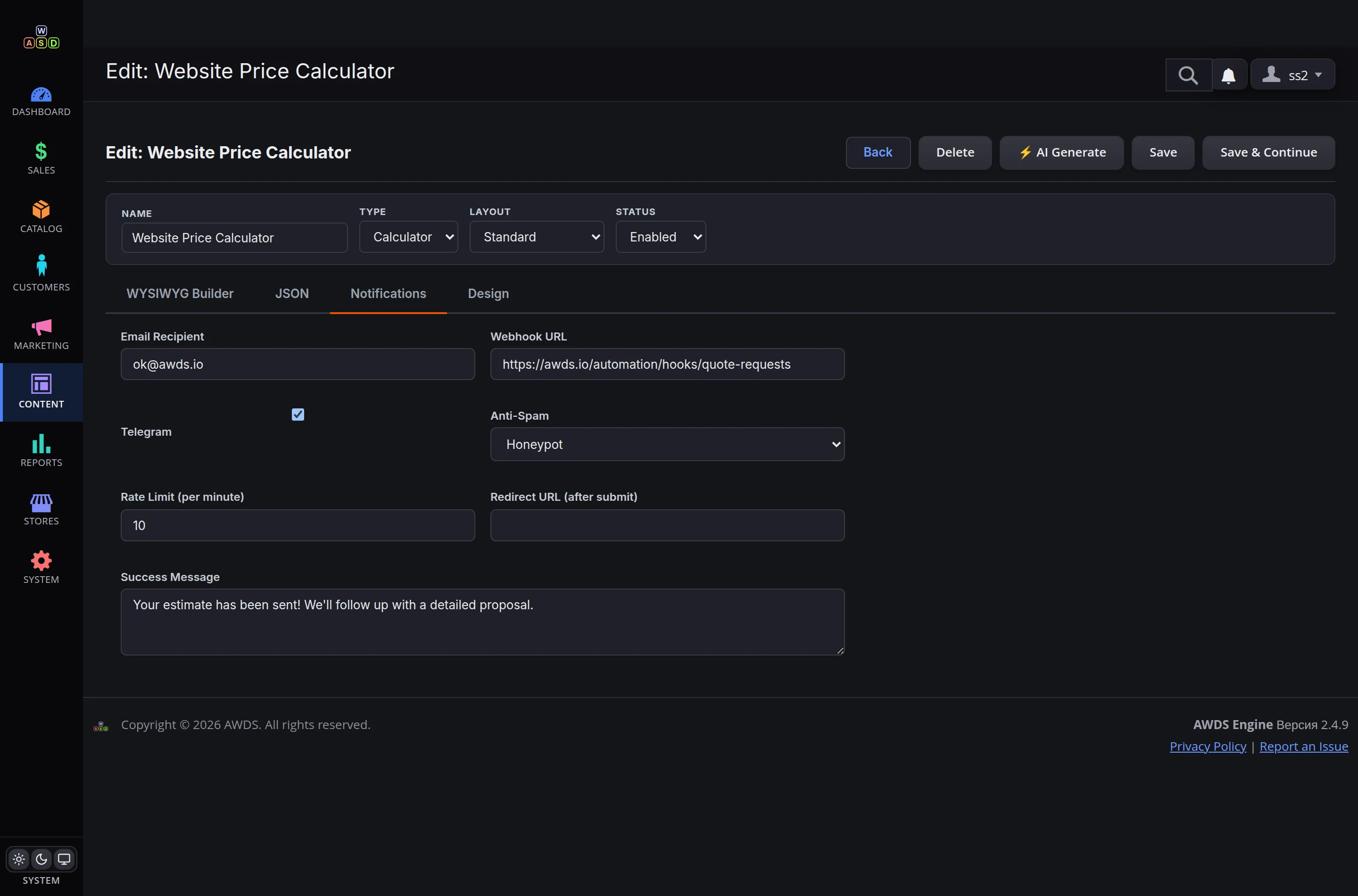
Every enquiry lands in one journal with its data, store and date; one-click export to a spreadsheet. Notifications are set per form: the department's inbox, the team's Telegram chat and a hand-off to AWDS Automation — the lead flows straight into your business processes.
Spam stays out
An invisible bot trap, smart human checks without captcha torture, and per-visitor rate limits. Your journal never fills with junk.
Files under guard
Every uploaded file is scanned for viruses and verified by its real content. Downloads work only through signed links that cannot be forged.
Two languages built in
The English and Russian storefronts run side by side: each with its own forms, its own currencies in calculations and its own emails. Clients always see their native language.
What you get
✓ A form & calculator builder — no developer needed
✓ Live estimates: clients see the price before the call
✓ Step-by-step wizards with a live preview and growing quote
✓ AI generation of forms and design themes from a description
✓ Leads by email, Telegram and business workflows
✓ Spam and virus protection, a journal and exports
