Google search ads written from your site pages — and checked before they spend a cent
Search ads are usually written in a hurry: the same headlines for every page, a promise the page never makes, a budget typed with an extra zero. Google then rejects half of them, and the other half brings clicks to the wrong page.
Here the site writes the ads itself: pick the pages, describe the offer — and every page gets its own headlines, descriptions and search queries from its own text. The site checks every line, and the campaign is created paused: nothing is shown and nothing is paid until you switch it on.

Businesses that want search traffic to their service pages
Studios, service companies and shops with dozens of pages — where writing a separate ad for each page by hand never happens, and one generic ad leads everyone to the home page.
Owner
Picks the pages and the daily budget, reads the ads in the run report and decides when to switch the campaign on.
Marketer
Gets ads that already fit the length limits and do not compete with each other — and spends the time on queries and bids, not on counting characters.
Accounts
Knows the daily budget cannot exceed the ceiling set in the settings, and a created campaign does not spend until a person enables it.
Pages, offer and mode — the rest the site takes from the pages
Pages, products or catalog categories are picked by search, up to five per run. The ad link always leads to a page of this site in the ad language — a link to another site is refused. The offer and its facts are written once; the queries can be left empty, and the site will pick them for each page.
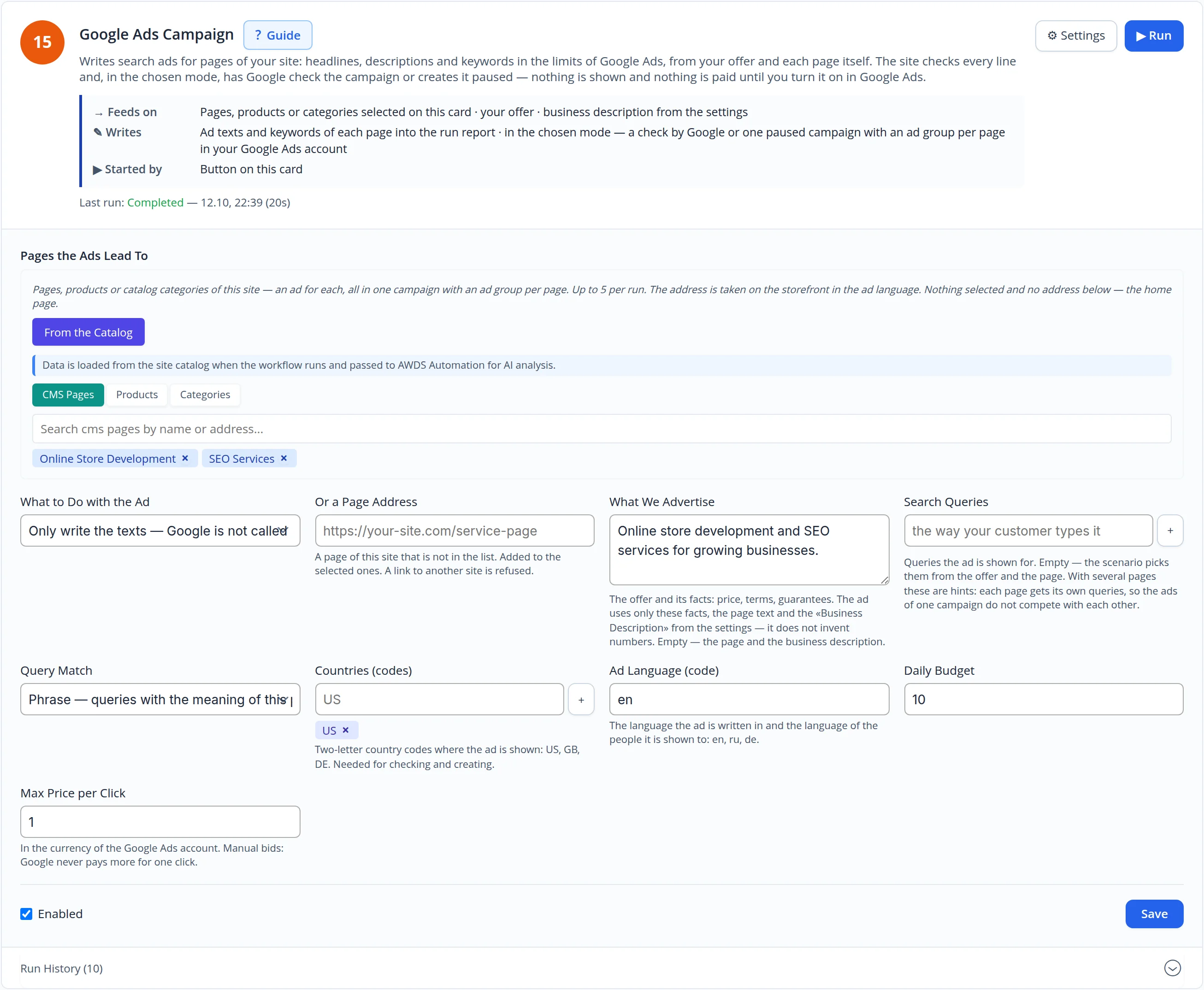
Every page gets its own ad — from its own text
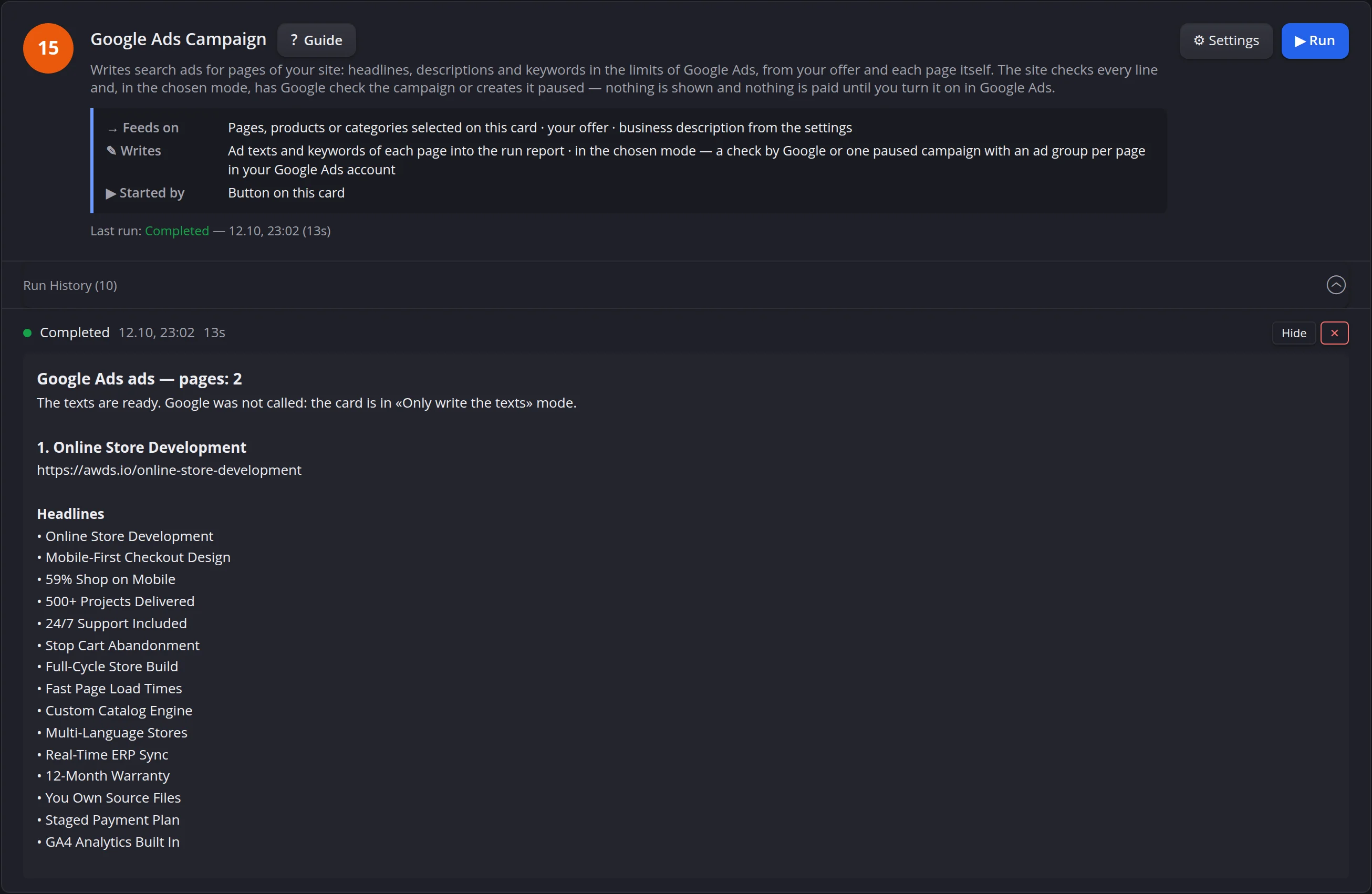
Up to 15 headlines of 30 characters and 4 descriptions of 90 characters per page, plus search queries and the display path. Figures come only from the offer, the business description and the page itself.
- A number that is not in your facts is refused — the line is rewritten, not sent
- Platform and brand names you list never get into an ad
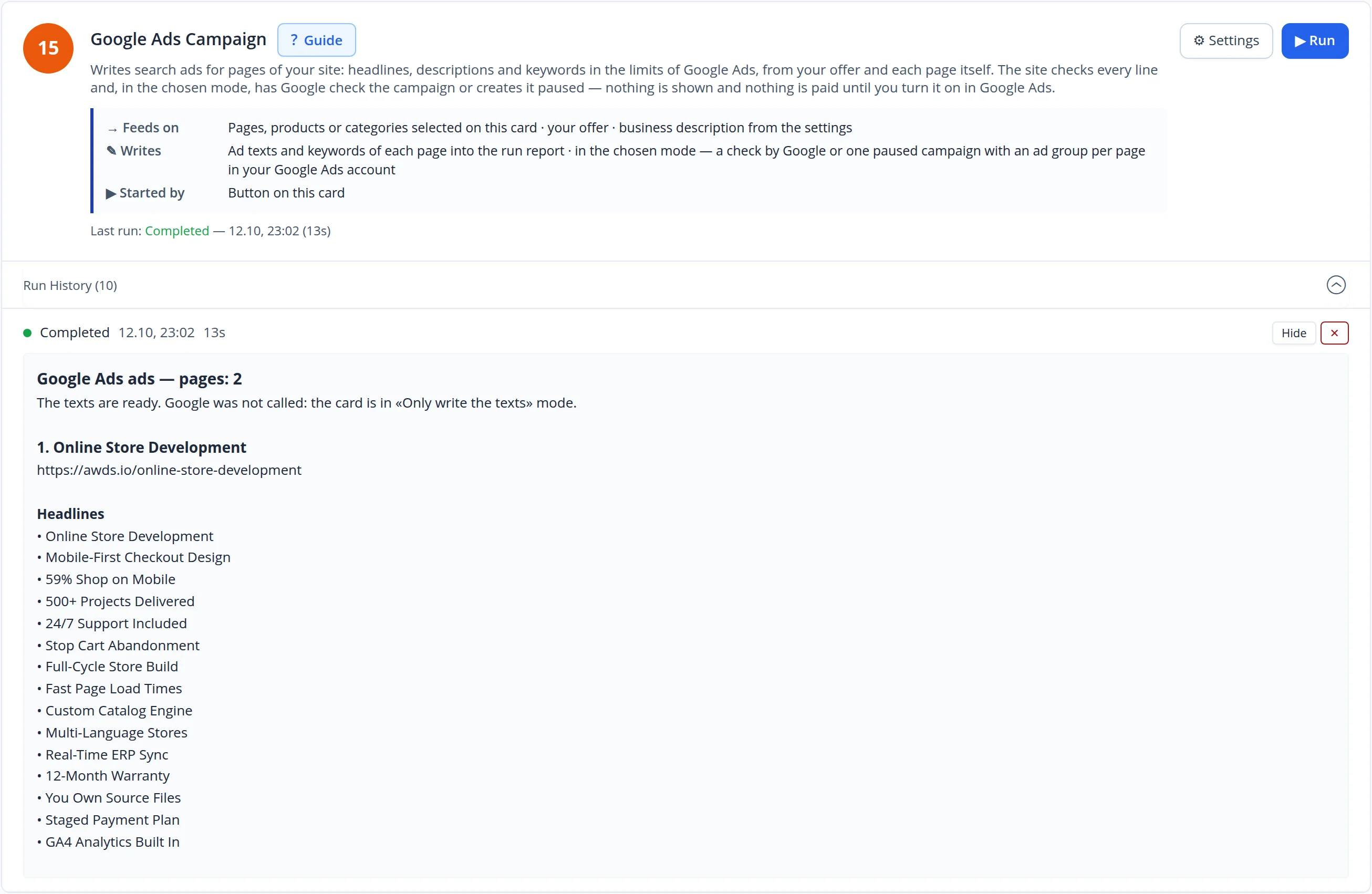
A paused campaign, Google's review and the budget — on one screen
When the card runs in the creating mode, the campaign appears in the admin paused: daily budget, spend, impressions, clicks and conversions for 30 days, and Google's review status of every ad group. Enable it and change the budget right here; the ad keys stay on the site and are never passed to the automation.
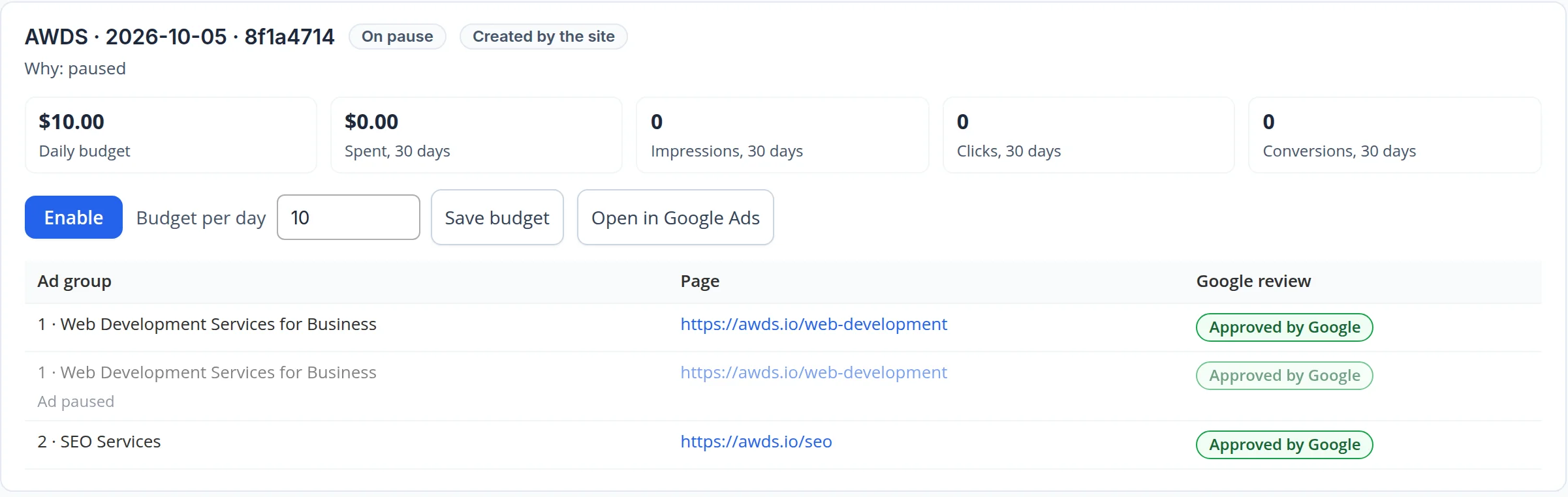
A rejected ad is rewritten — the old one is paused
If Google rejects an ad, the next run writes a new one for the same page, avoiding the policy topics Google named and the rejected wording. The rejected ad stays paused in its group, so the history is visible — as in the campaign above, where the first group holds two ads: the earlier one paused and the new one next to it.
- One campaign per run: a repeated request within the run returns the campaign already created, never a second one
- Budget, countries, pages and mode are taken from the settings the site started the run with — not from the automation's request
A number keeps its meaning
While we prepared this case, the ad for the store page said "Conversion up 7%": the page does mention 7%, but as the sales lost for every extra second of loading. The number check passed it — the number was there. We added a rule for the AI: a number keeps what it measures, whose it is and its direction, and a market statistic never becomes a company promise. The next run wrote that every extra second of loading loses about 7% of conversions — the way the page says it.
From your ad account to the first paused campaign
1. Account
We connect your ad account to the site and set the daily budget ceiling a campaign cannot exceed.
2. Pages and offer
We pick the pages worth advertising, write down the offer and its facts, and run the texts-only mode first.
3. Check and launch
Google checks the campaign without creating it, then the site creates it paused — and you switch it on when ready.
What we checked with our own hands
The shots come from our own site's admin and its real ad account.
- Runs in the texts-only mode for two service pages on each storefront — the ads were written by the site's AI, unedited
- The campaign in the shot was created paused by the site and passed Google's review; nothing has been spent on it
- The ad account name and the campaigns created outside the site are not in the shots
Search ads for every page — without careless promises
We will connect your ad account and set up ads written from your own pages.
