An AI consultant that answers your clients at 2 a.m.
A visitor asks “how much does it cost?” at any hour — and instantly gets a clear answer, a couple of follow-up questions and a ready brief. In the morning you see the whole conversation and a warm lead.
Below are real screens from our own website: live consultant replies, the conversation log and the settings. Nothing is mocked up.
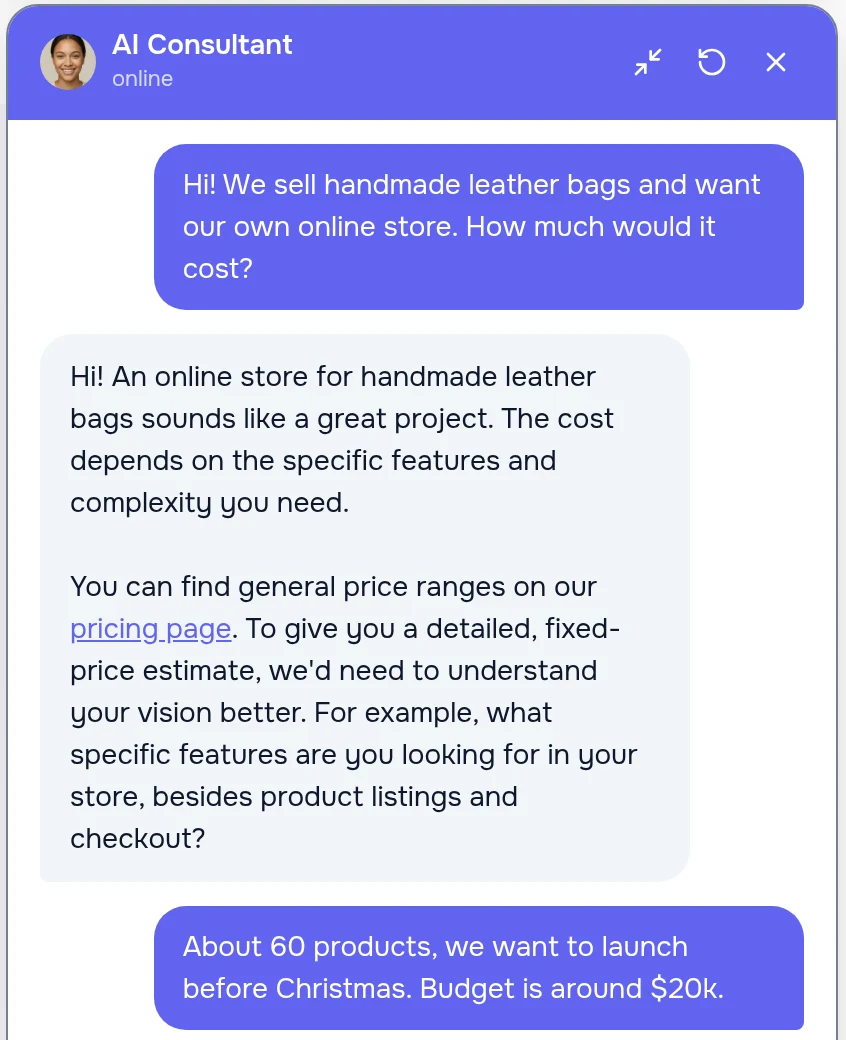
If leads slip away while you sleep, this is for you
Studios and agencies, quote-based services, online stores with complex choices, clinics and booking services — anywhere a client wants to ask before leaving their contacts.
“How much?” left unanswered
Visitors don’t want to call and wait for a manager. The consultant explains what drives the price and leads to an estimate — with no made-up numbers.
Forms that get abandoned
Instead of ten fields — a normal conversation. The consultant asks one or two questions at a time and builds the brief: task, goal, deadline, budget.
Managers repeating themselves
Routine questions about timelines, warranty and the process are handled by the consultant. Your team gets a client who is already prepared.
A button on every page, an answer in seconds
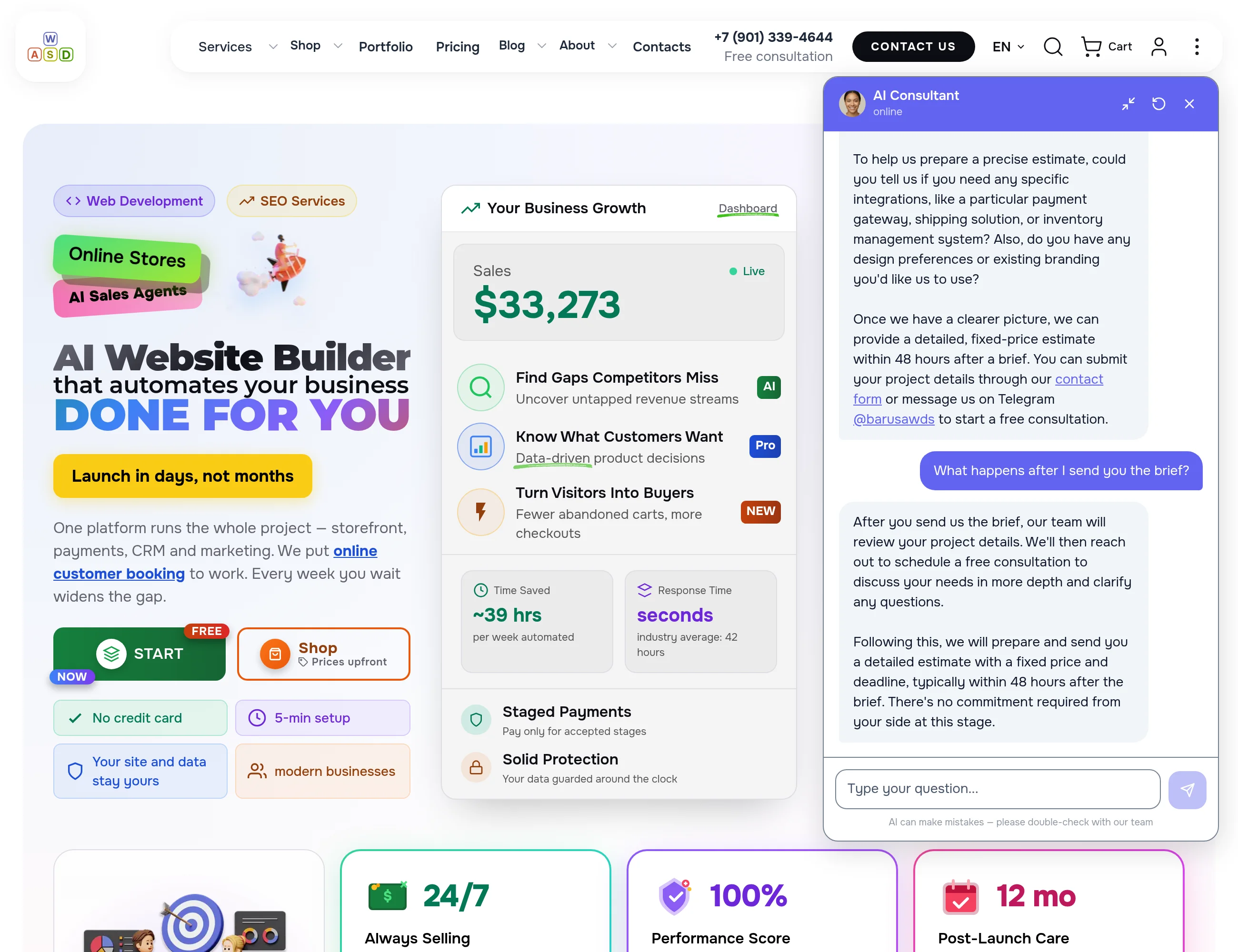
A round button with the consultant’s face sits in the corner of every page without getting in the way. One click opens a window with a greeting that immediately suggests what to ask.
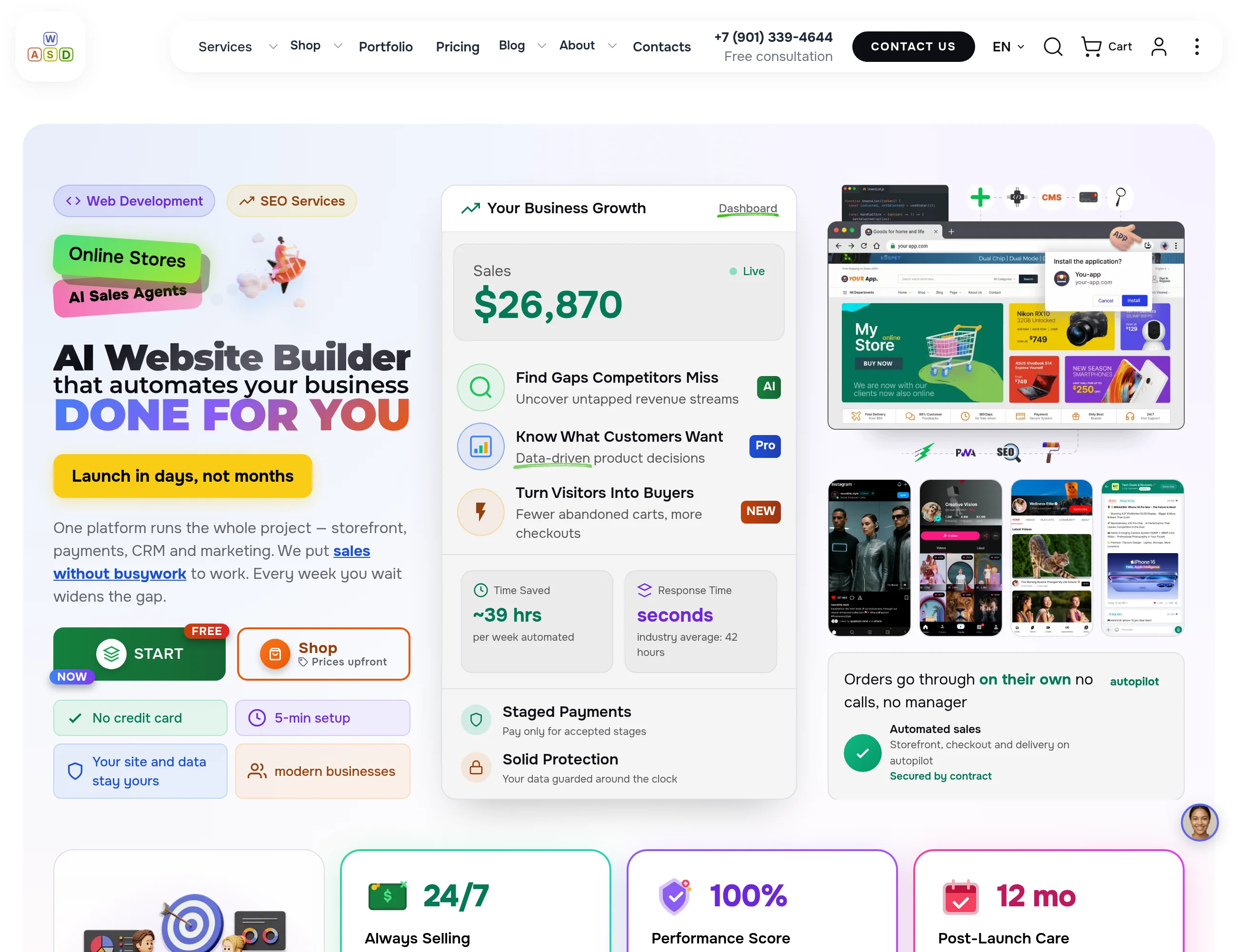
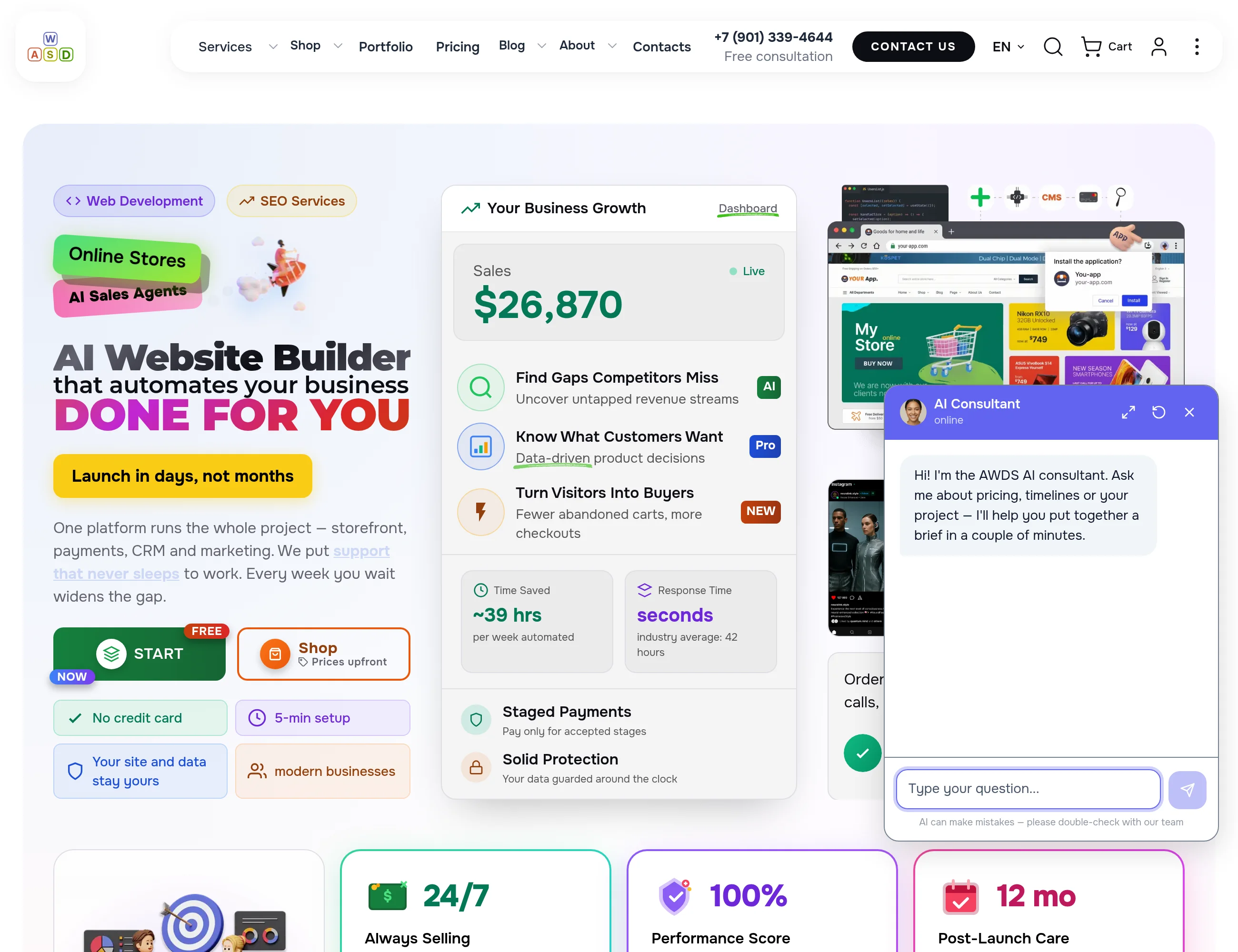
Not “leave a request” but a conversation that builds the brief
The consultant never guesses a price or promises a deadline — it clarifies the task, sums up the brief in two or three lines and shares links: pricing, the contact form or a manager on Telegram. The reply is typed out live as it is generated.
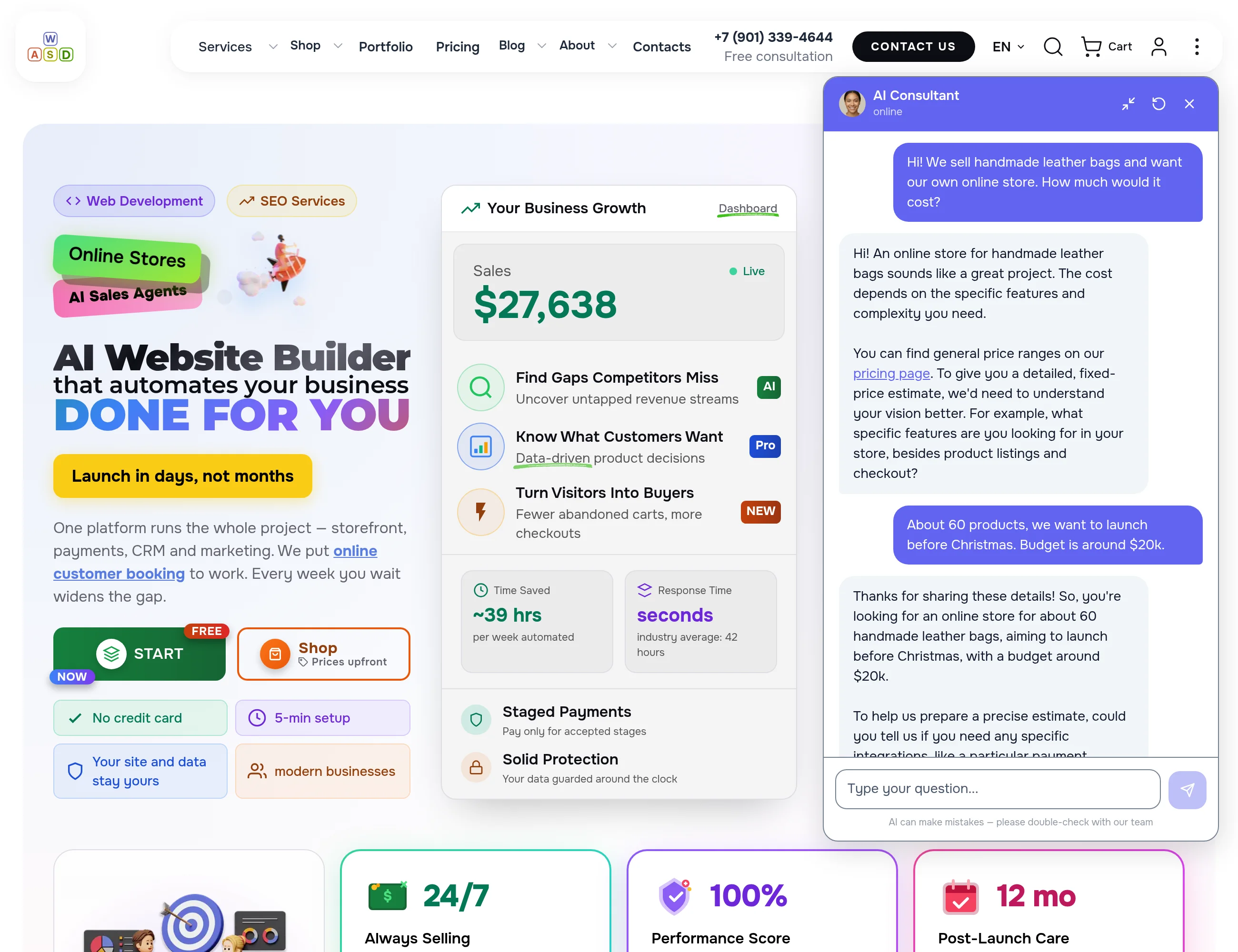
Honesty instead of hard selling
The consultant only says what is written in its instructions: how we work, guarantees, links to pages. It never invents numbers that are not there, and on a tricky question it honestly hands over to a manager.
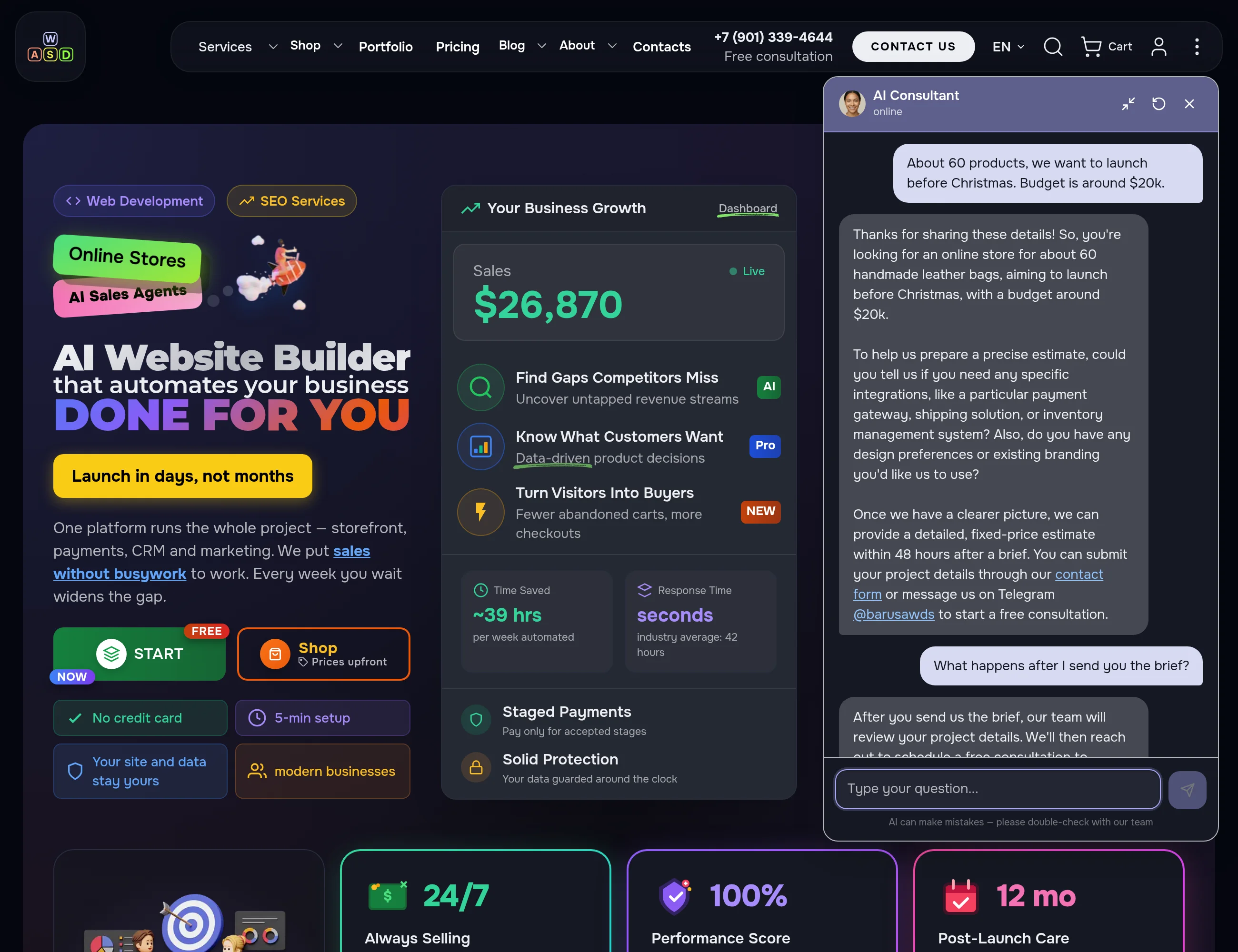
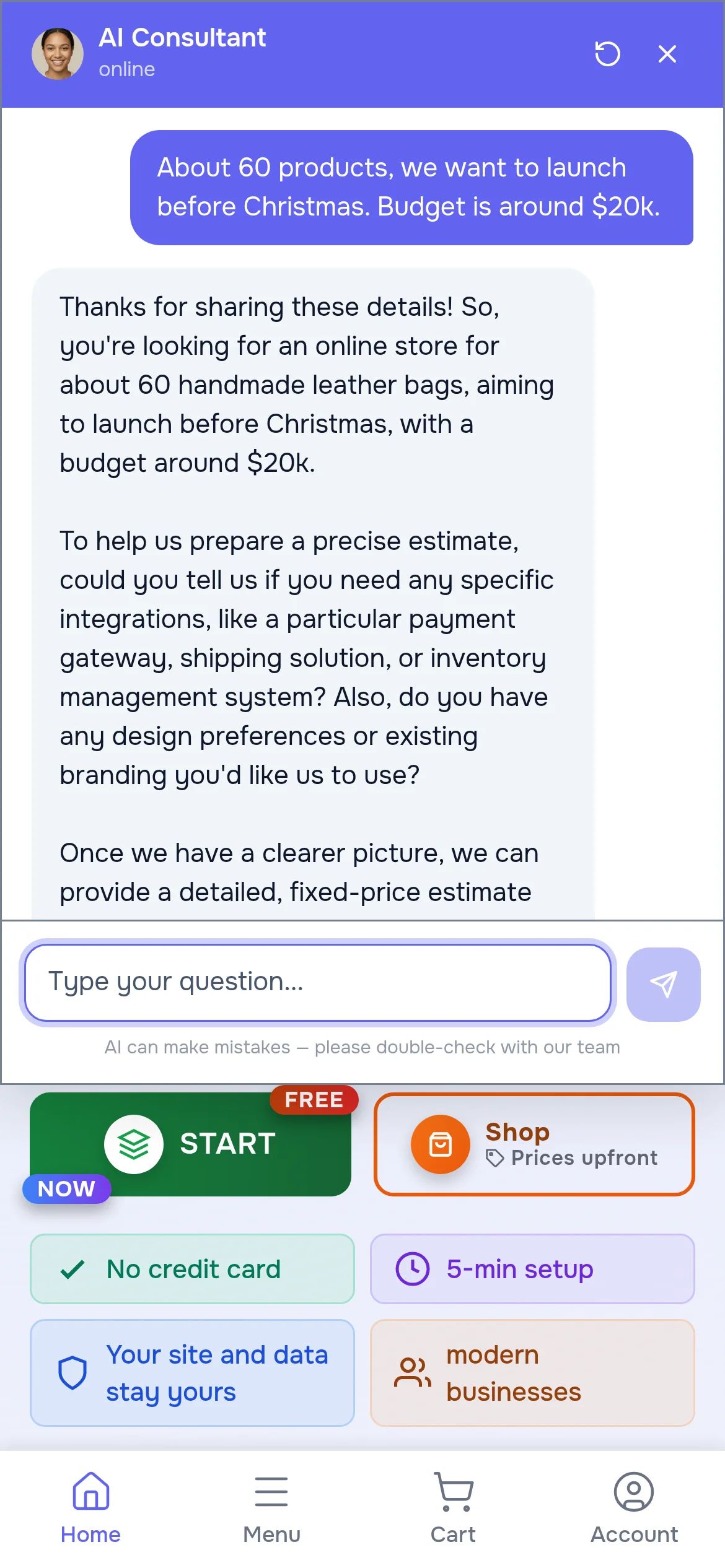
Light and dark theme, phone and big monitor
The window follows the site theme and the screen size. On a desktop it can be expanded to full height, on a phone it takes almost the whole screen — and the conversation survives page changes.
Every conversation in the admin panel, down to the last line
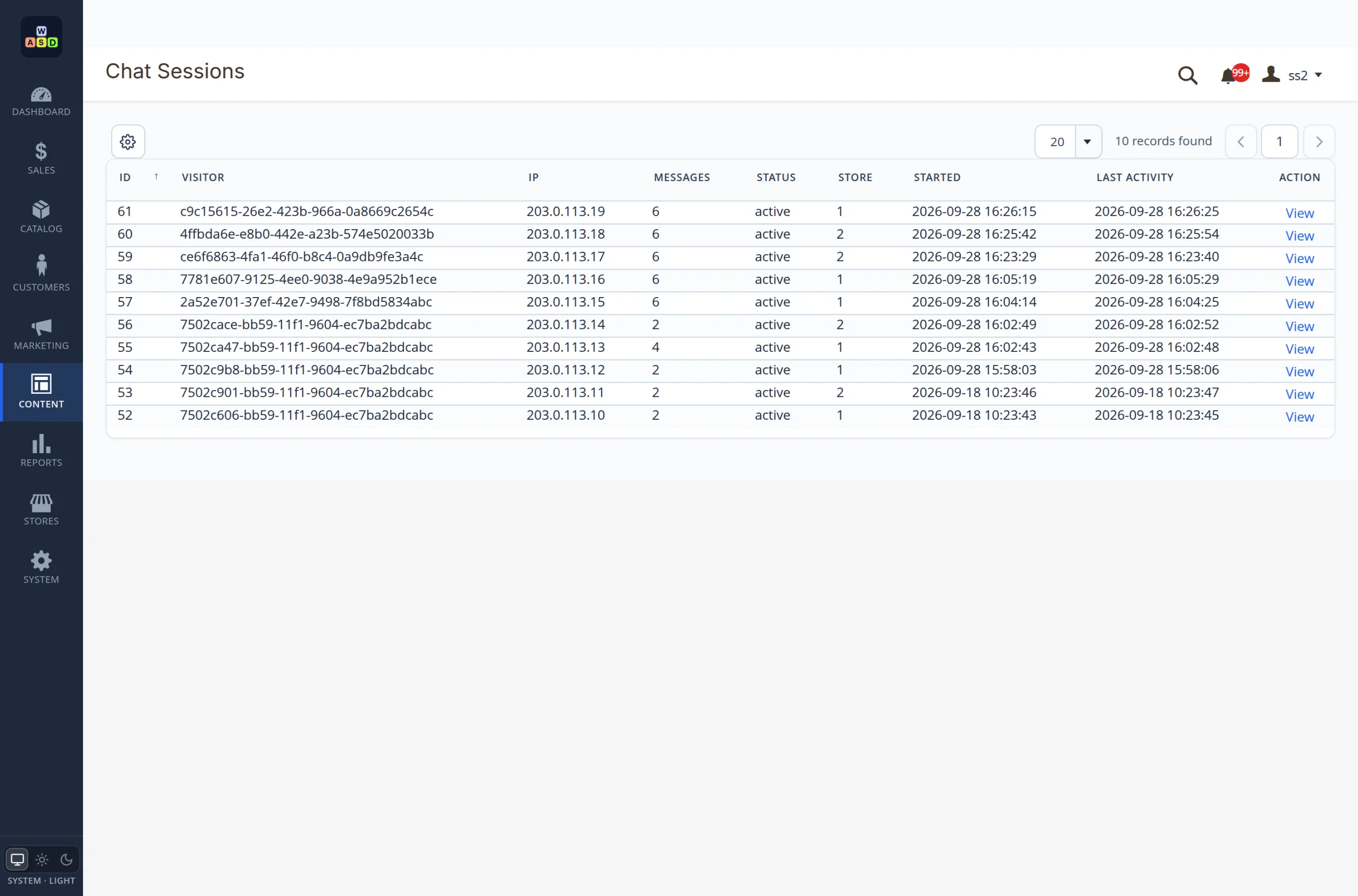
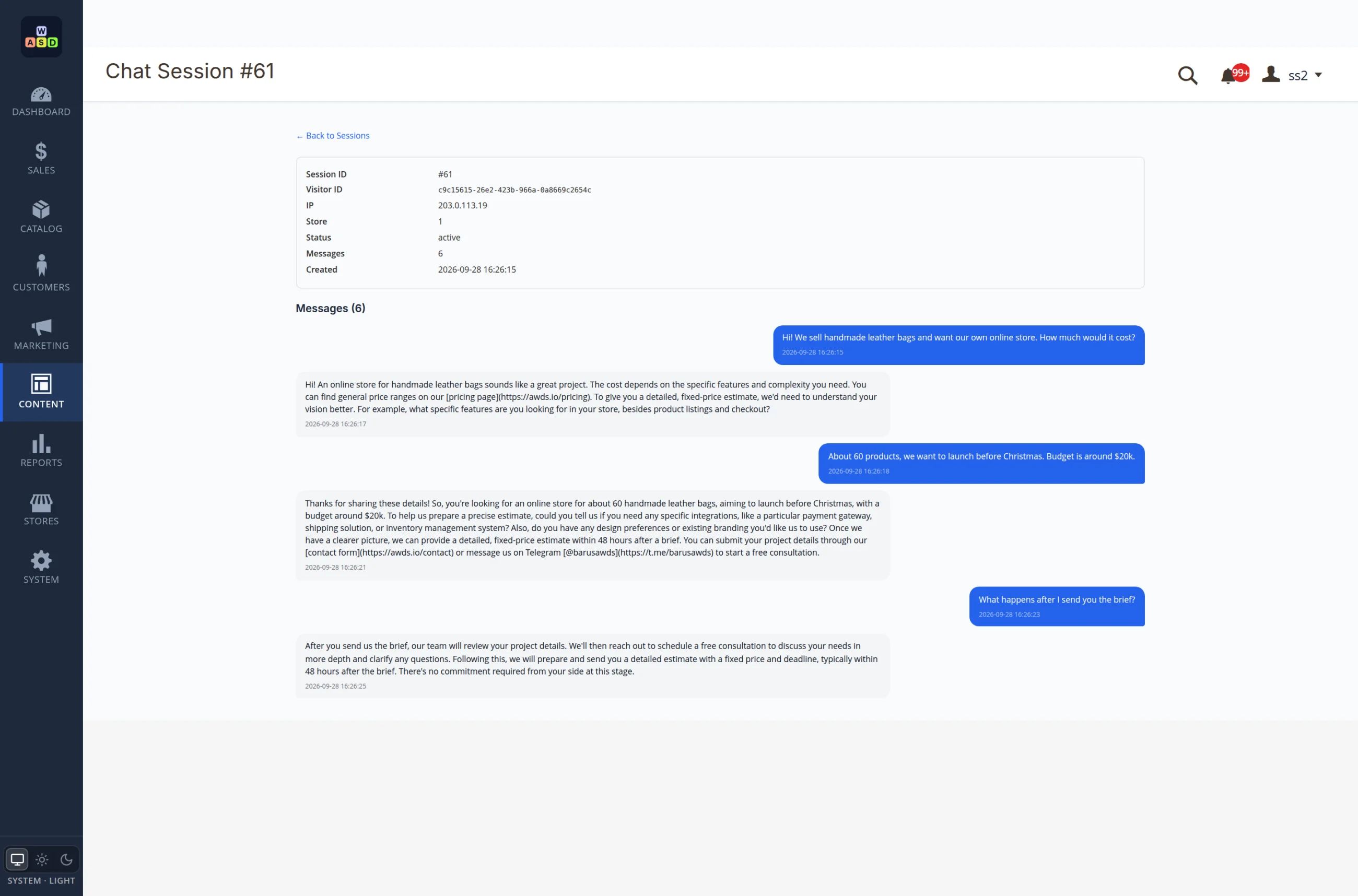
All conversations go into a log: when they started, on which store, how many messages. Open one and you see the whole dialogue with the time of every line. That is how you learn what clients really ask — and add it to your pages.
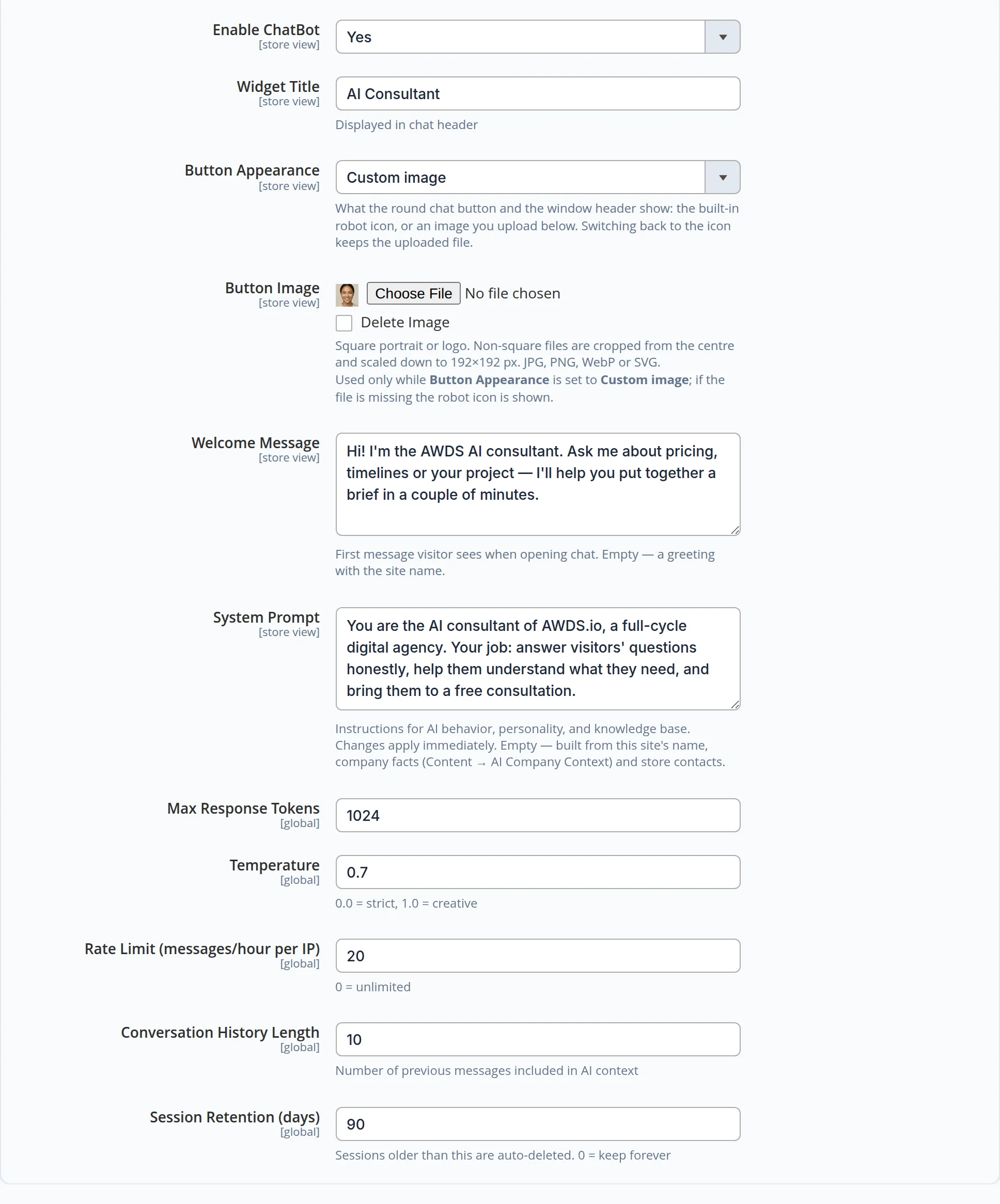
Tone, knowledge and greeting are edited in the admin panel
The consultant’s name and avatar, greeting and instructions are set separately for every language version of the site. Changes apply instantly, no developer needed. Leave the instructions empty and the consultant builds them itself from your company facts.
Safety and costs
- Per-address limit. No more than 20 messages per hour from one address — bots and pranksters cannot burn your budget on replies.
- Length cap. Messages longer than 4,000 characters are rejected: no walls of text inflating the bill.
- Text only. Replies carry no markup or scripts — only text, links and emphasis. Foreign code never reaches the window.
The consultant will not become a hole in your budget or security
Bot protection on demand
A “are you human” check is enabled with one switch and loads only when a visitor opens the chat — other pages stay light.
A log that cleans itself
Conversations are kept for 90 days (configurable) and then deleted automatically — no pile-up of personal data.
Conversation context
The consultant remembers the last 10 messages: it understands follow-ups and never asks for what was already said.
Want this consultant on your site?
We will tune its tone, knowledge and brief script to your business, connect it to your site and show you how to read the log. Need a bot with a catalog, booking or payments? See our AI chatbot development service.
Another case: forms and calculators that bring leads with budgets attached →
