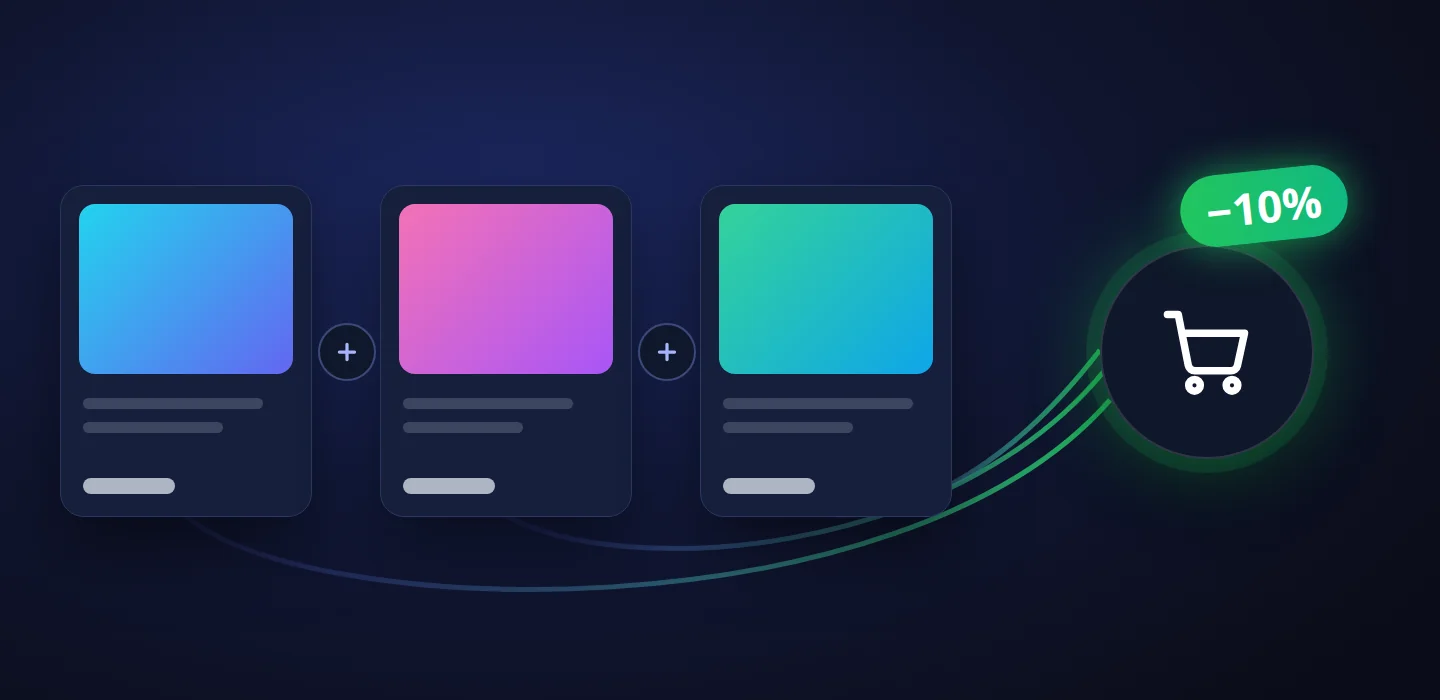
Customers take the bundle, not a single item — and see straight away how much they saved
Whoever buys keyword research almost always goes on to order search-results analysis and rank tracking — often from someone else. A “take them together and save” offer right on the product page turns one purchase into three.
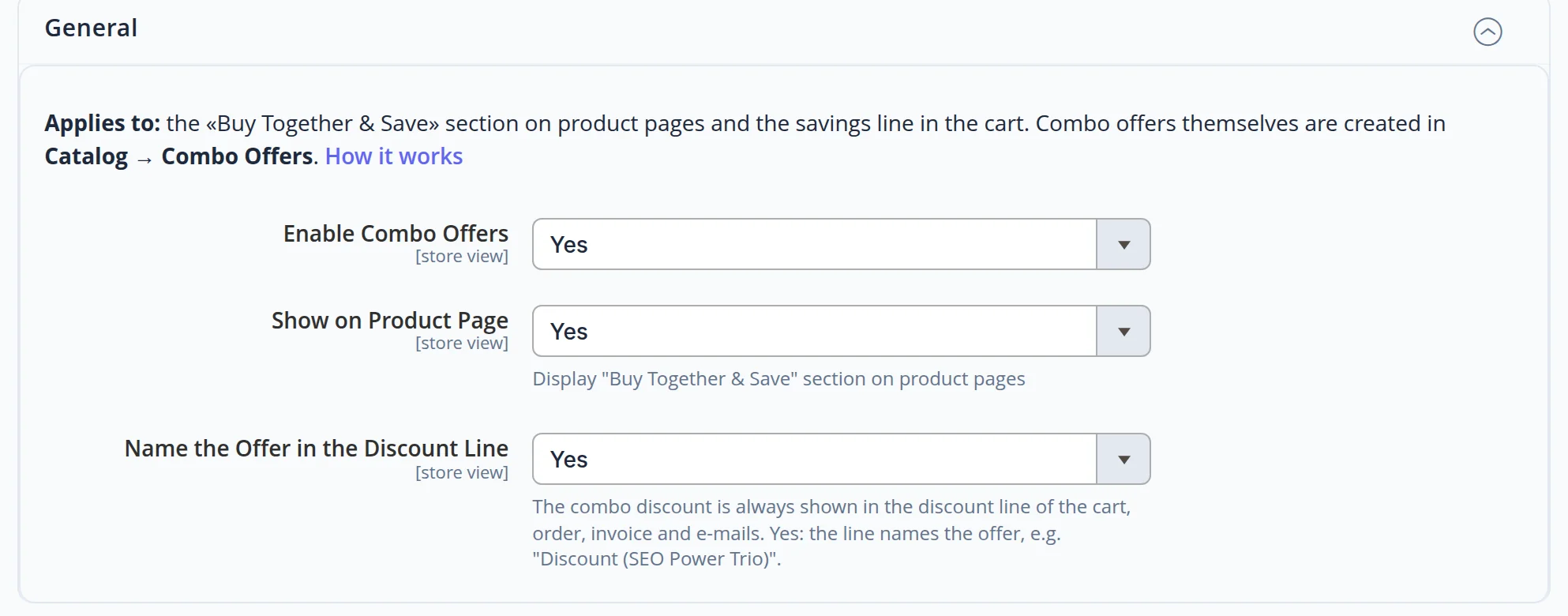
Here a bundle is set up in the admin in a minute: pick the items, set the discount — the offer appears on the product pages and the discount lands in the cart by itself.
For catalogues where one thing leads to another
Online stores and companies with a service catalogue — wherever a purchase has a natural follow-up: an accessory for a product, support after development, three steps of one job.
Business owner
The average order grows without ads: a buyer who has already decided on one item sees the benefit of taking the whole set.
Marketing
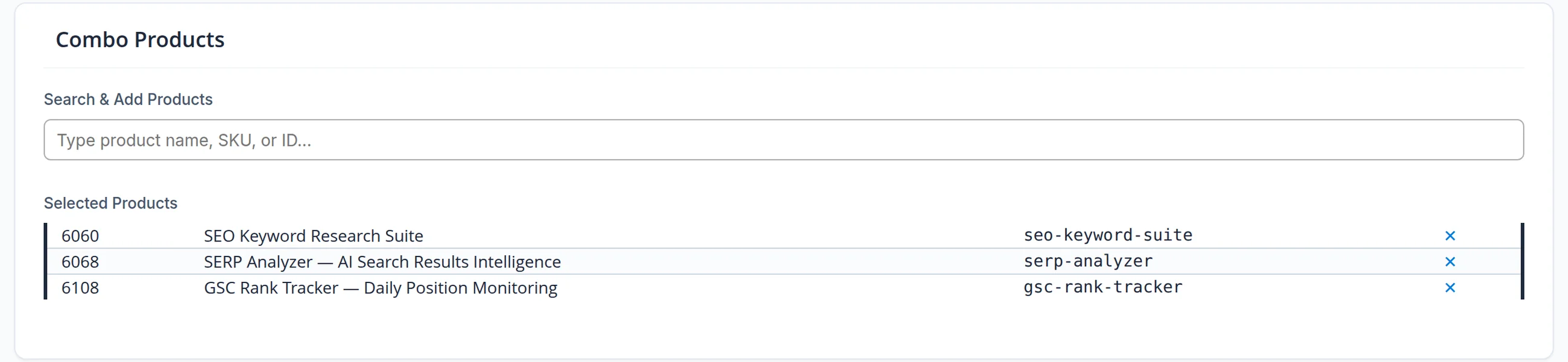
A new bundle takes a minute in the admin: name, discount, items and campaign dates. No developer needed.
Accounting and support
The discount carries the bundle name in the order, invoice and refund — nobody asks “where does this amount come from”.
The offer sits where the buying decision is made
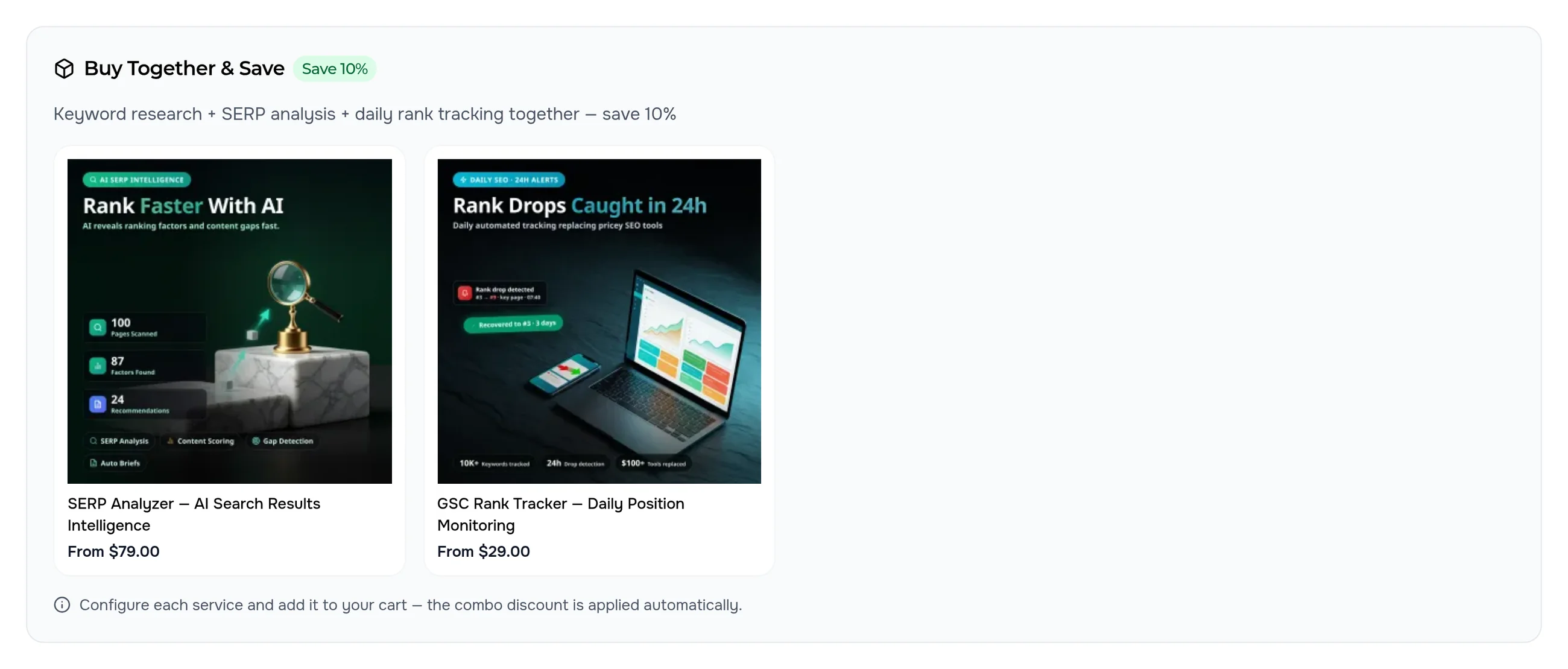
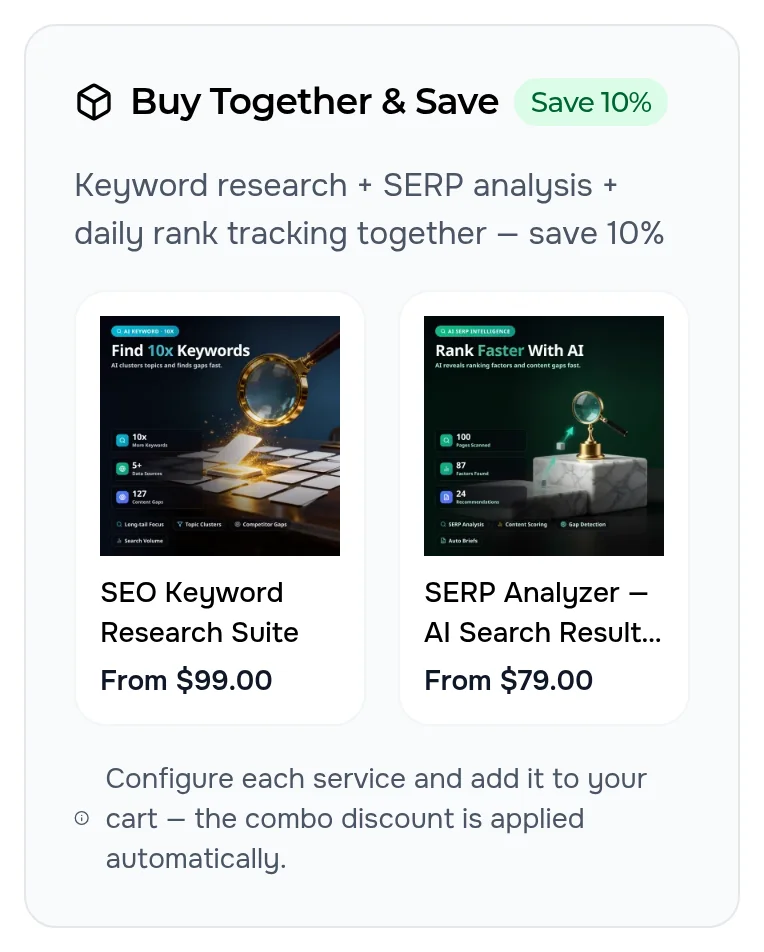
Every service of the bundle shows a “Buy Together & Save” block: the other two items with image and price, the saving badge and a hint on what to do next. A click on an item opens its page.
The discount applies itself — as its own clear line
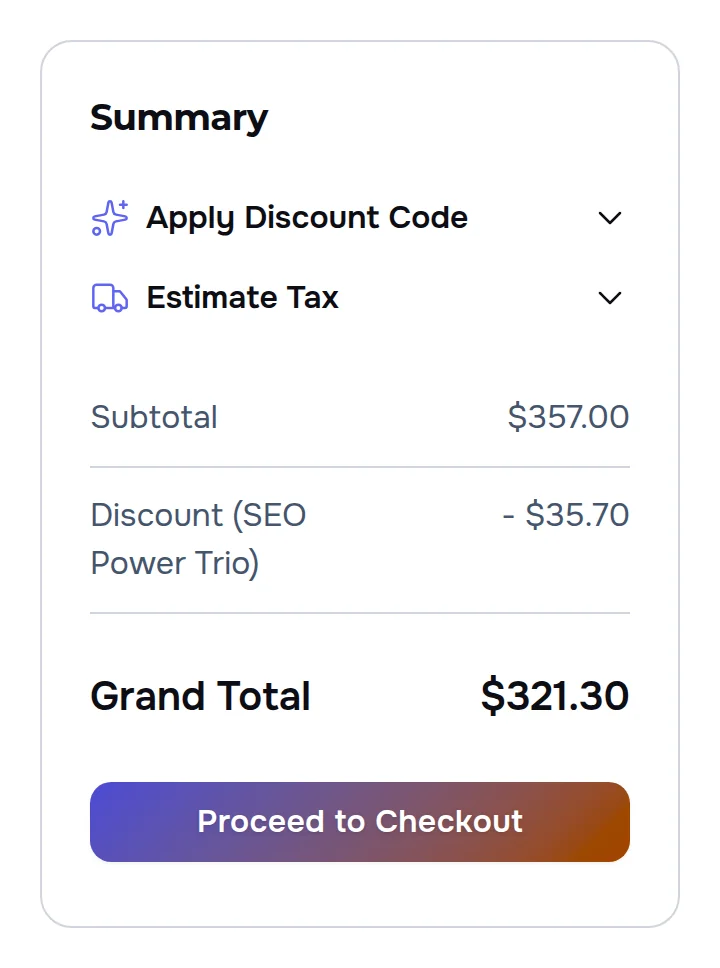
The buyer configures each service as usual and adds it to the cart. As soon as the whole bundle is there, a “Discount (SEO Power Trio)” line appears and the total drops — no coupons, no promo codes.
- Full bundle only. two services out of three — no discount; add the third and the line appears
- Counted on the bundle. the 10% is taken from the bundle items; everything else in the cart keeps its own price
- One saving, no confusion. if an item belongs to several bundles, one applies — by the priority set in the admin
The same line — in every document
The discount does not get lost on its way from the cart to accounting: the order, invoice and refund keep it as a separate line with the bundle name, and the invoice and refund totals match the order.
- Order — the discount line with the bundle name and the discounted total.
- Invoice and PDF invoice — the same line, the total equals the order.
- Refund — the discount is accounted for, the customer gets back exactly what they paid.
- Order e-mail — the buyer sees the saving in the confirmation.
A new bundle in a minute — no developer
In the admin every bundle has a name and description, a discount type and amount, its items and a schedule. Each language version of the site gets its own name: the English storefront says “SEO Power Trio”, the Russian one shows the bundle under its Russian name.
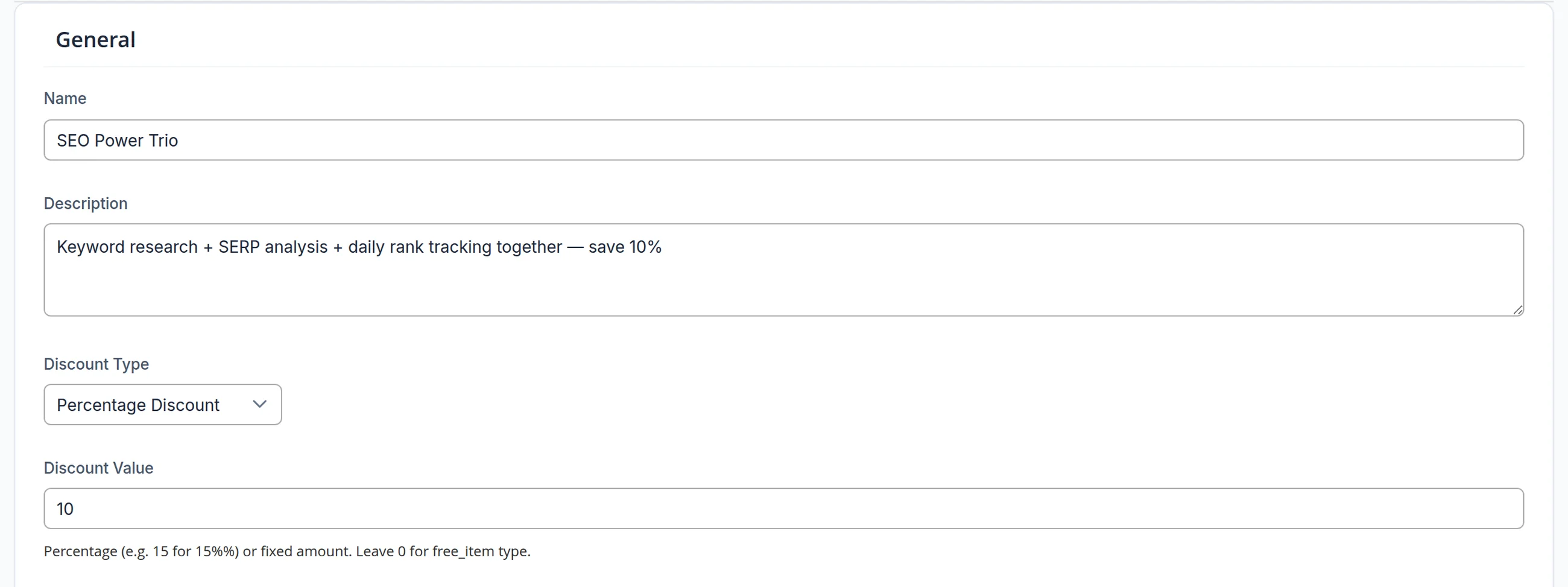
- Percent or amount. a percentage of the bundle or a fixed amount
- Items by search. products and services are added by name, SKU or number
- Campaign dates. start and end dates — the offer appears and disappears from product pages and the cart by itself
- Priority and quantity. which bundle matters more and how many of each item the discount needs
The block lives inside your site design
The offer takes the theme colours and fonts: a dark card in the dark theme, and on a phone the items sit side by side and read without zooming.
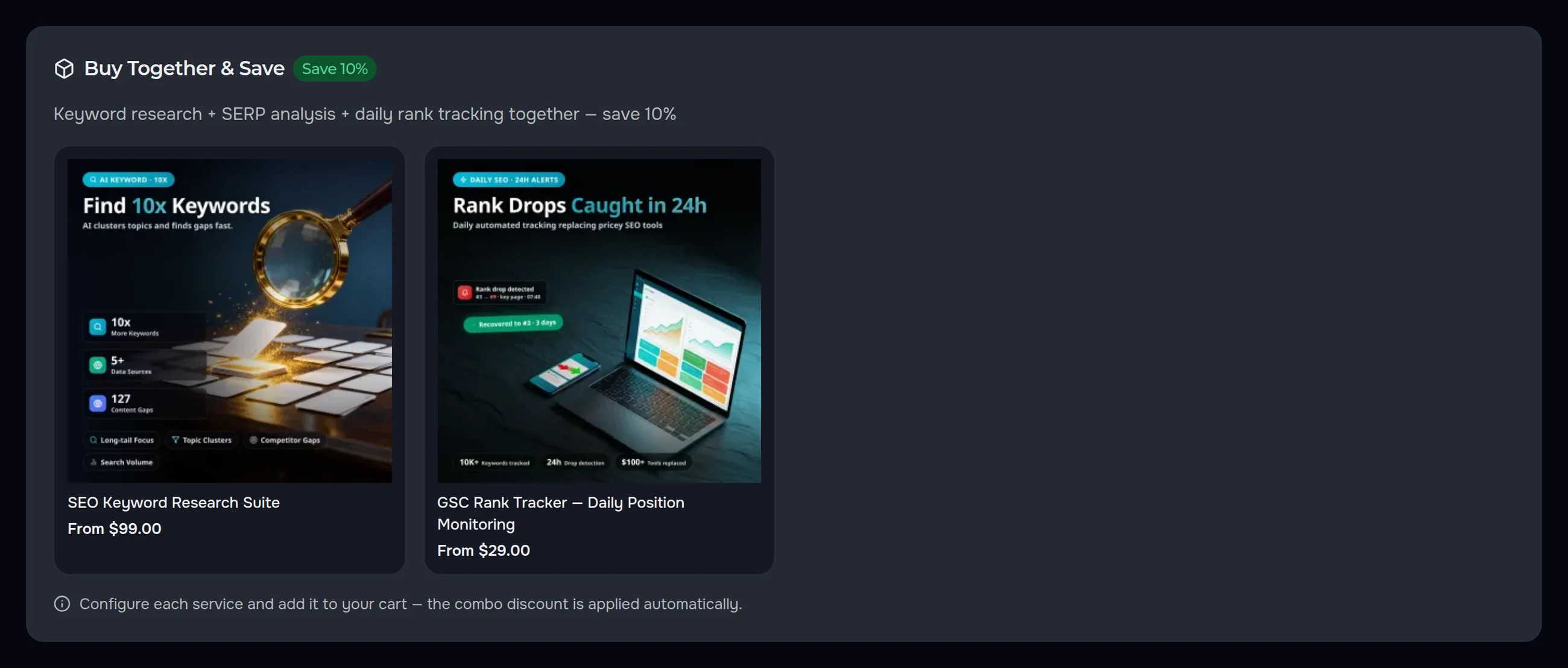
- Theme colours. a light block in the light theme and a dark one in the dark theme — no separate setting
- In its own language. title, description and prices in the language and currency of the storefront
- On a phone. two items in a row, long names neatly shortened
The numbers come from this site, not from a slide
- We added all three services of the bundle to the cart as a regular buyer — on the English and the Russian version: the discount line appeared and the total dropped by exactly 10% of the bundle.
- We added two services out of three — no discount, the total equals the sum of the items.
- We placed orders in dollars and in roubles, issued the invoice and made a refund: the discount line with the bundle name is everywhere, and the invoice and refund totals match the order; the order e-mail and the PDF invoice carry the same line.
Let one purchase bring the next one with it
We will set up bundles on your site: the offer on the product page, the discount in the cart and clear documents — in every language and in both themes. Launching a store from scratch? See our online store development service.
