Clients build their own order — and see the price instantly
Instead of “price on request”, a few short steps: size, features, content, support. The total updates on every click, and a ready configuration with an itemised breakdown goes to the cart. Your manager receives a built order, not a “how much?” email.
Below are real screens from our own website: the Online Store service, a package from a pricing card, the dark theme, the phone view and the admin panel.
If the price depends on what the client picks
Websites and apps, system roll-outs, agency services, made-to-order products — anywhere “how much?” depends on a dozen answers and clients leave before the quote arrives.
Services with options
Size, features, timeline, support — clients tick what they need and see what it adds up to.
One-time work plus a service
The build is paid once, ongoing care monthly. The configurator shows both amounts separately.
Complex products
Configuration, size, add-ons — instead of a price table and a call to a manager.
One question per screen, a price on every option
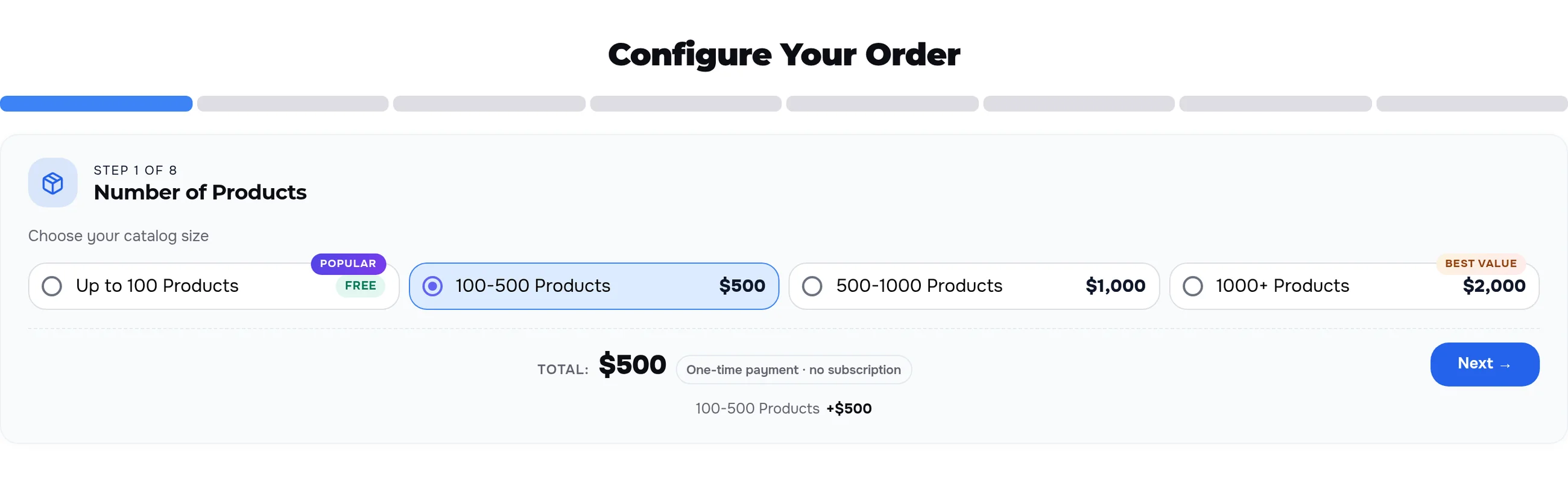
The bar at the top shows how many steps are done and how many are left. Every option carries its price — “+$200”, “Free”, “Popular” and “Best value” labels. Below: the total and the list of choices.
What the client sees
- The step number and name — “Step 1 of 8, Number of Products”.
- A short helper under the step title.
- The price of every option in their own currency.
- The total and the list of choices, updated right after each click.
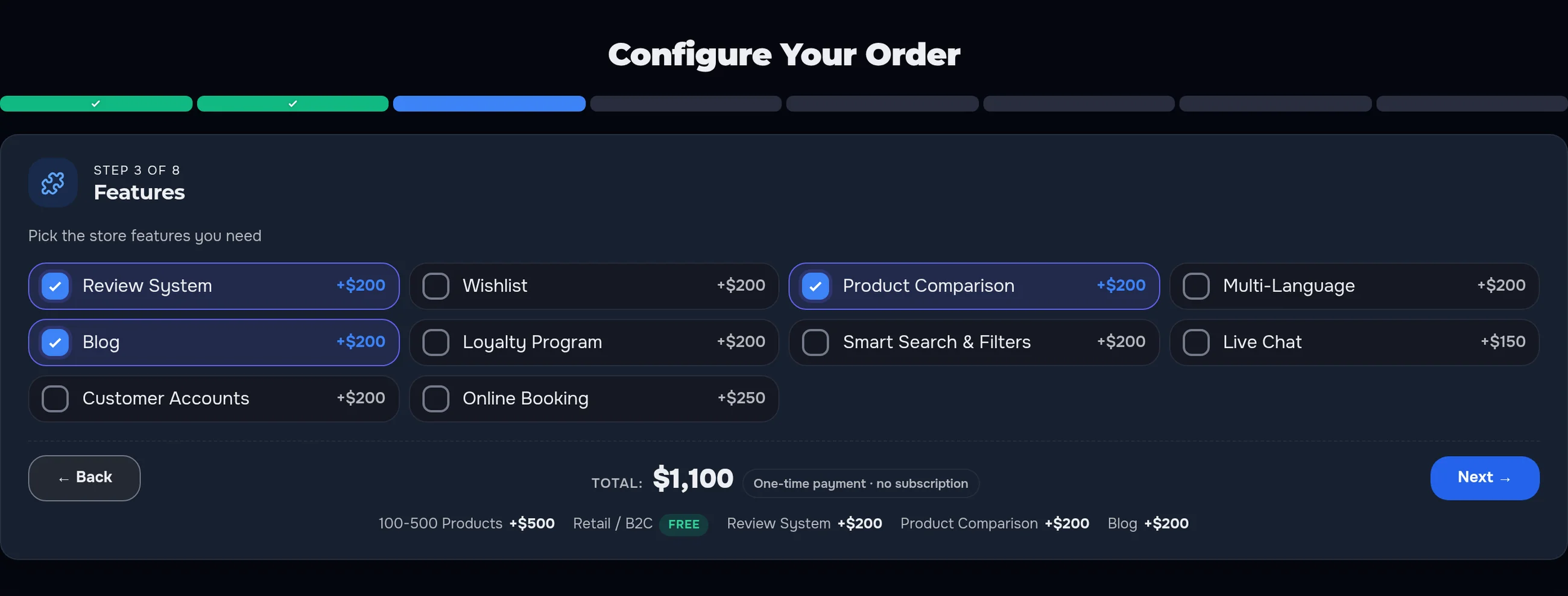
Tick a feature — the total has already changed
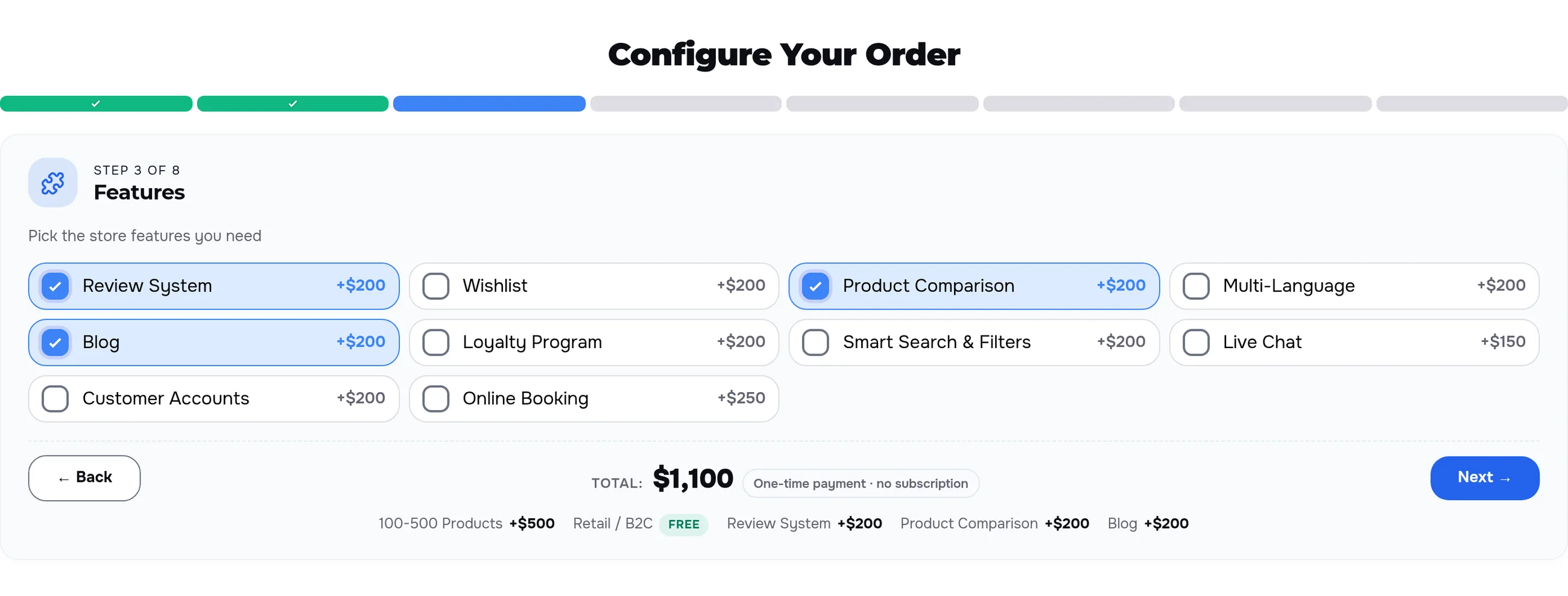
Where several options can be picked, the cards work as checkboxes. Every tap recalculates the total at once, so clients decide for themselves what they need now and what can wait.
An honest price before the enquiry
- One price logic. the configurator total and the cart amount are calculated from the same options
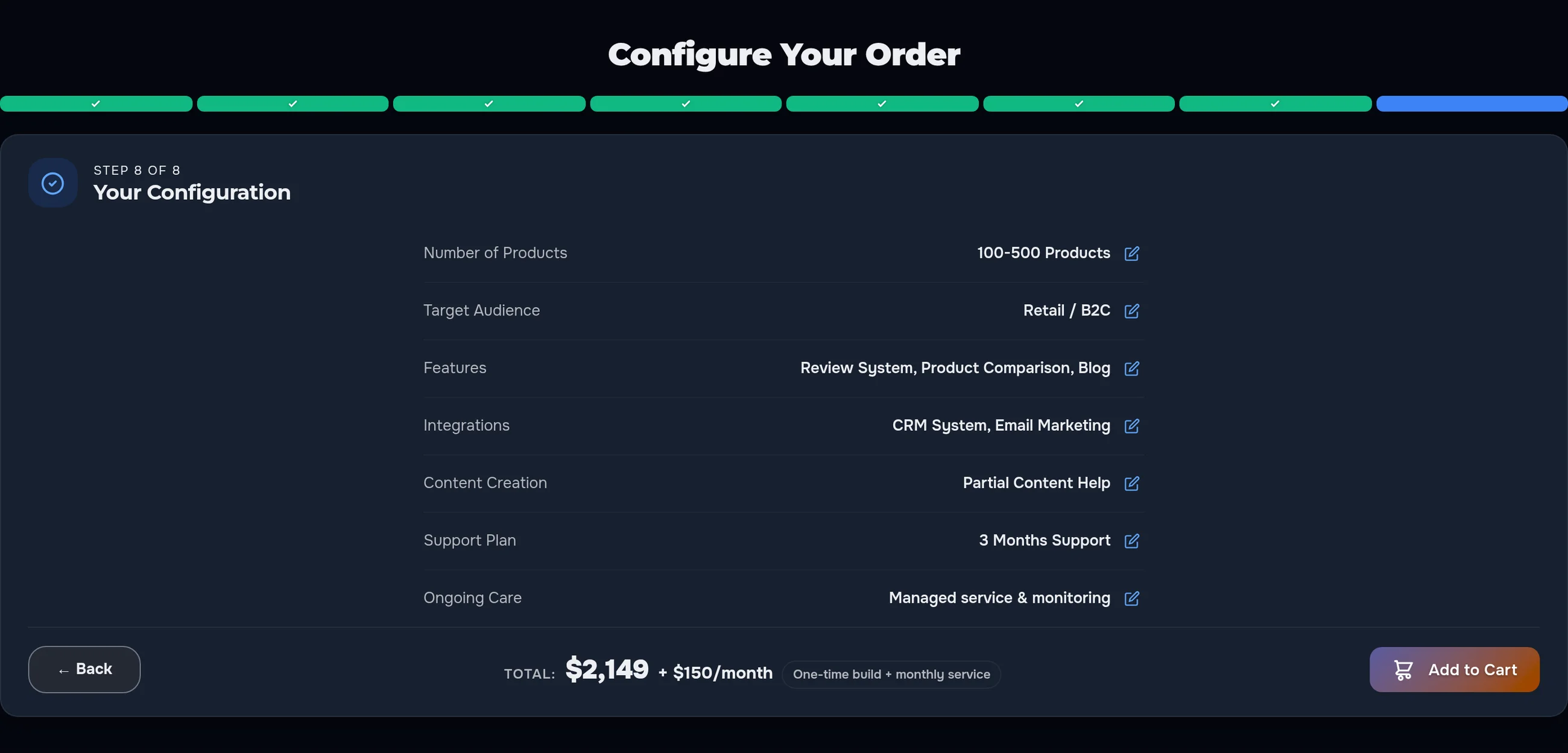
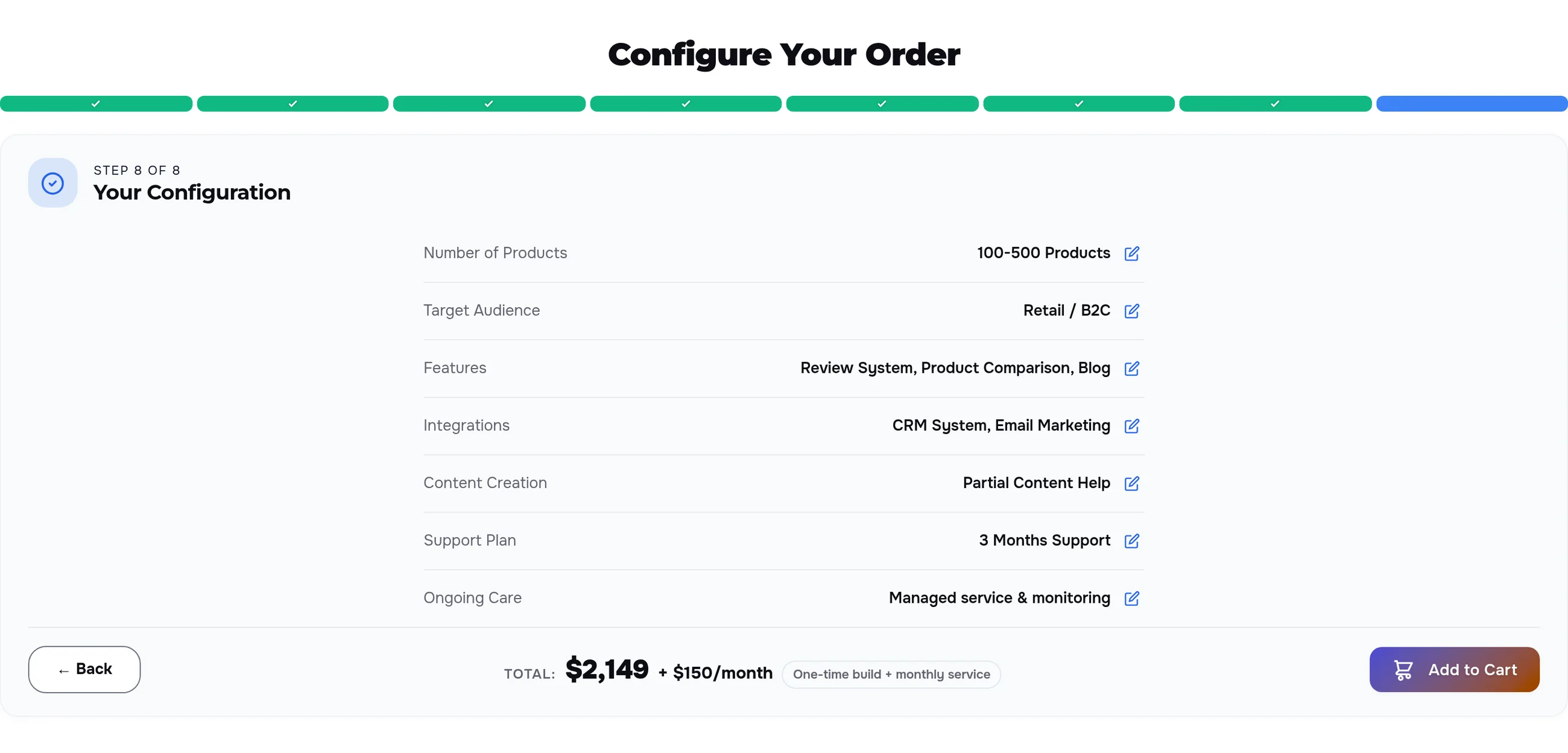
- One-time and monthly parts. ongoing care is shown separately: “$2,149 + $150/month”
- No “from” prices. clients see the price of their configuration, not the bottom of a price list
A built order goes to the cart
The last step is a summary: what was chosen at every step and the total. The pencil next to a row takes the client straight back to that step. “Add to Cart” adds the service with the whole configuration: in the cart and in the order the manager sees every item with its price.
Click “Choose Plan” — half the steps are already done
Pricing cards in the service description are linked to the configurator. The client clicks a plan button — the matching options are ticked automatically, the total matches the card, and the configurator jumps to the first step still open. Here it is the brief: tell us about your company.
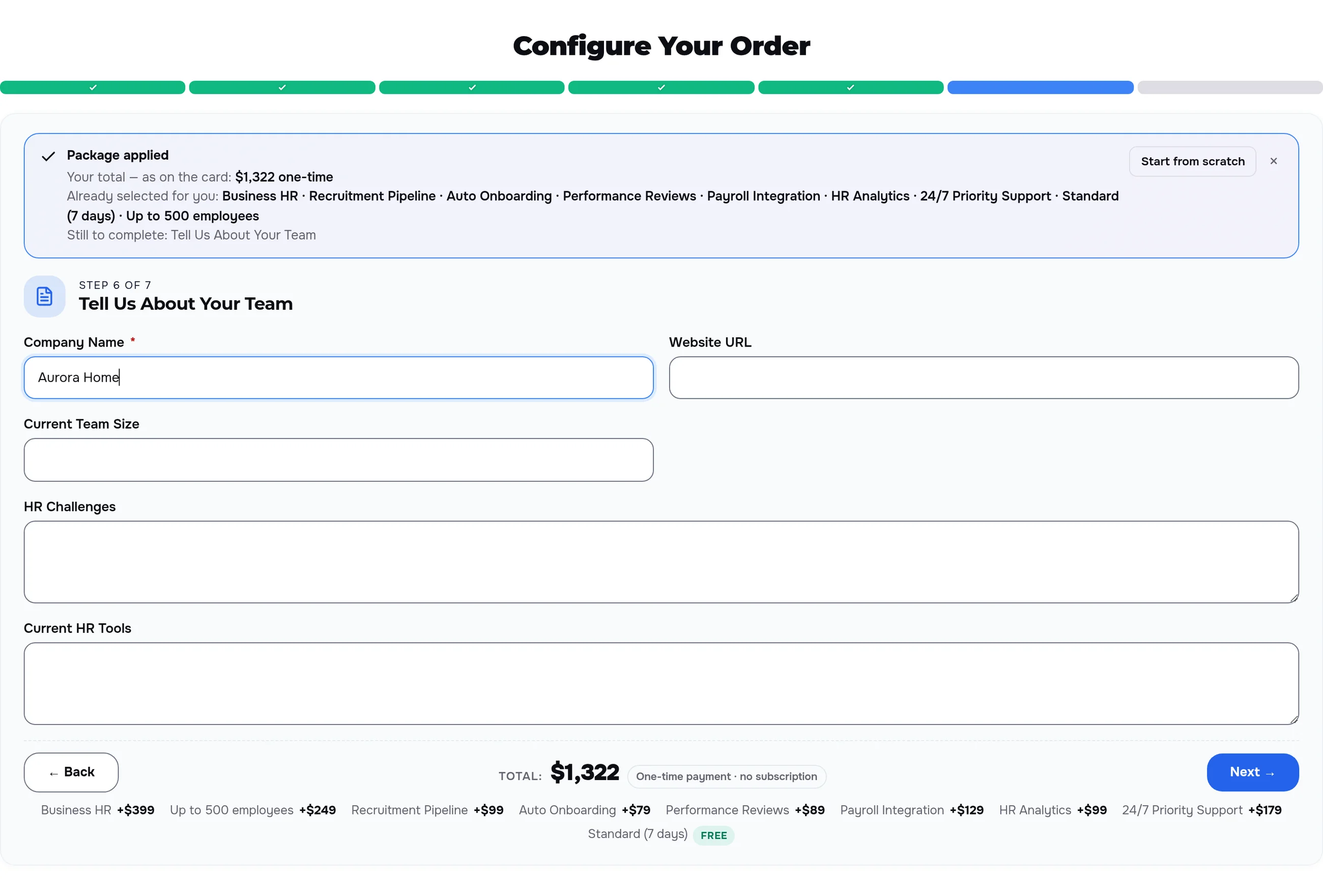
The brief lives inside the order
- Project questions come as the last step, before the cart.
- Required fields are checked: the client cannot move on without them.
- Answers travel to the cart together with the configuration — no need for the manager to ask again.
Easy on a phone, readable in the dark theme
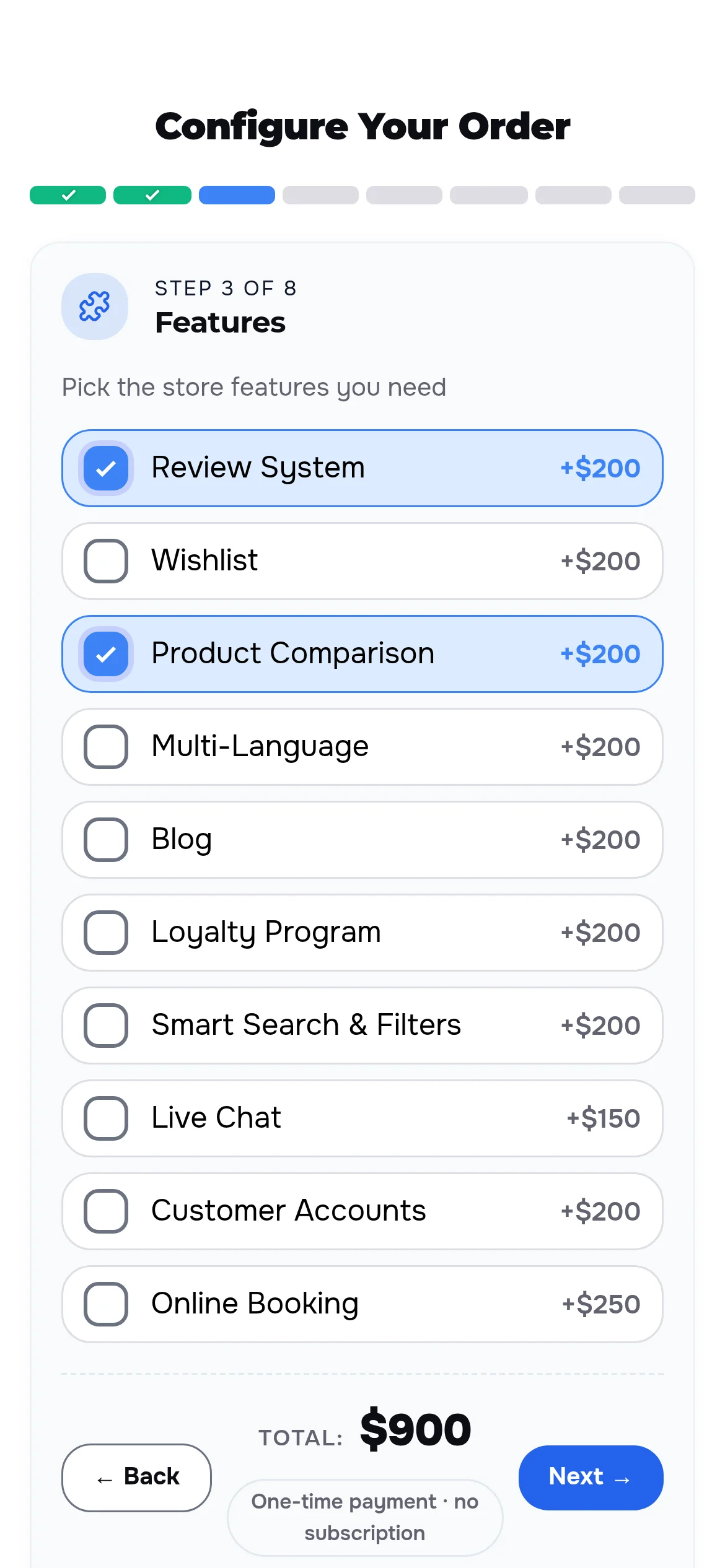
On a phone the options stack up and the Back and Next buttons sit under the thumb. In the dark theme cards, checkboxes and the total follow the site colours.
Steps are set up in the service card, no developer needed
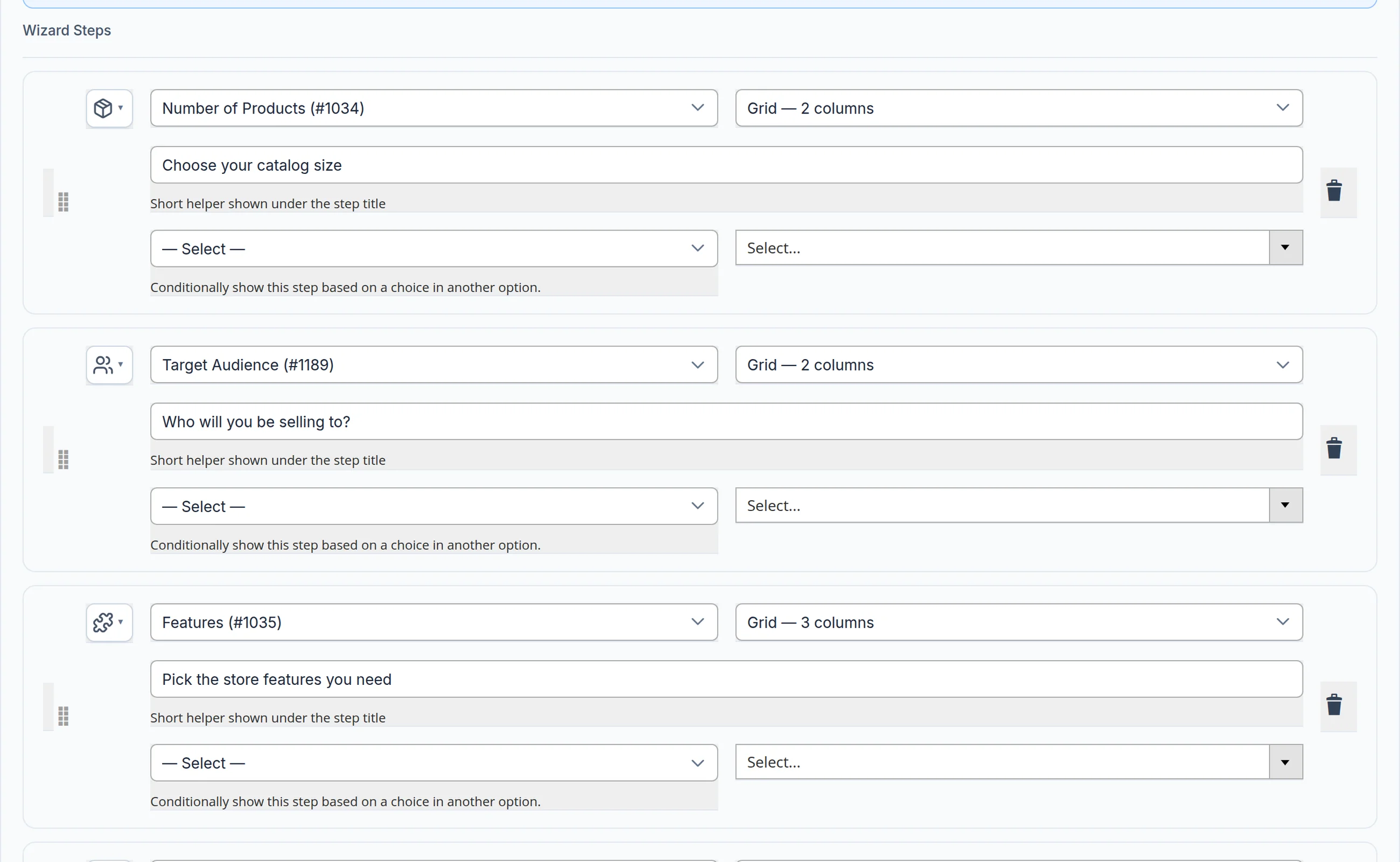
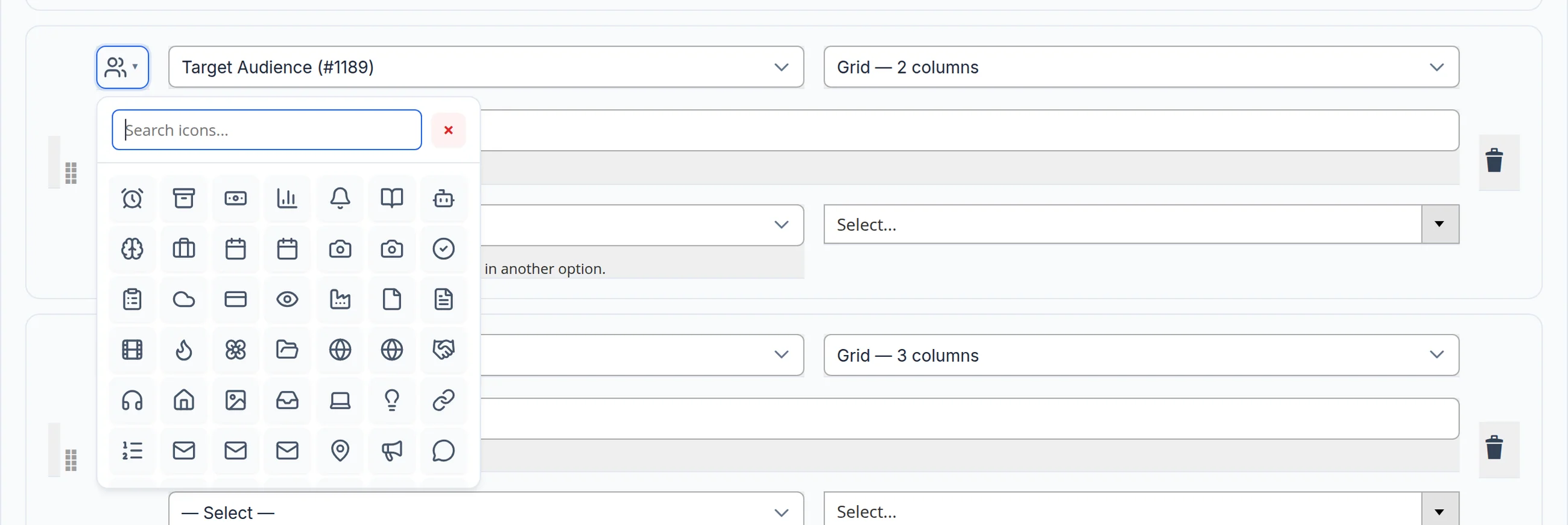
The service card has an Order Wizard section: which set of options sits on a step, its icon, the helper under the title and the layout — a two- or three-column grid or a list. Helpers are set per language version of the site. Prices and options come from the service contents — one place to edit.
The configurator gets in the way of neither the page nor the buyer
Nothing to load
All steps and prices arrive with the page — moving between steps and recalculating the total are instant.
Keyboard friendly
Options are picked with Enter and Space, and the step bar is labelled for screen readers.
Their own currency
Prices are converted to the storefront currency, so clients count in the money they use.
Let’s build a configurator for your services
We will turn your price list into clear steps, put a price on every option and collect the brief inside the order — so clients arrive with a ready configuration instead of a “how much?”. Need a whole online store? See our development service.
Another case: answer the client’s question before they ask it →
