Prices in the customer’s currency — one clean figure from the product page to the cart
A store that sells in several currencies usually converts at the rate and shows whatever comes out: €137.08 on the product page, €137 in the description, a few cents more in the cart. The customer sees three different numbers for one thing and starts to doubt the price.
Here a price converted from the store’s main currency is a whole amount everywhere the customer meets it: on the product page, in the description text, in every step of the order configurator and in the cart. The kit total in the configurator is exactly the cart total, and the chosen currency stays with the customer from page to page and between language versions of the site.
For stores and service companies that sell abroad or in two currencies
A price is the one number a customer compares before paying. If it changes by a few cents between the page and the cart, the customer starts checking instead of buying.
Owner
Sets prices once, in the main currency. Customers in other currencies see neat whole amounts at the store’s own rate — no separate price lists to maintain.
Customer
Picks the currency in the site menu and sees the same figure on the product page, in the configurator and in the cart — even after switching to another language version of the site.
Manager
The amount the customer agreed to in the configurator is the amount in the cart, so there is nothing to explain about “where the extra cents came from”.
The price and the description say the same thing
The CRM system costs $149 in the store’s main currency. A customer who chose euros sees “As low as €137” next to the button — and the description right above it says “Packages start at €137”. Amounts written in page texts are converted by the same rule as the price itself, so the text never contradicts the price.
- Whole amounts from 10 units — €137, not €137.08; the half is rounded up, like any shop price
- Small amounts keep their cents — below 10 units the price is shown exactly
- The main currency is untouched — prices you set stay exactly as you set them
- The rate is the store’s — set in the admin panel, not taken from an outside service

The customer picks the currency once
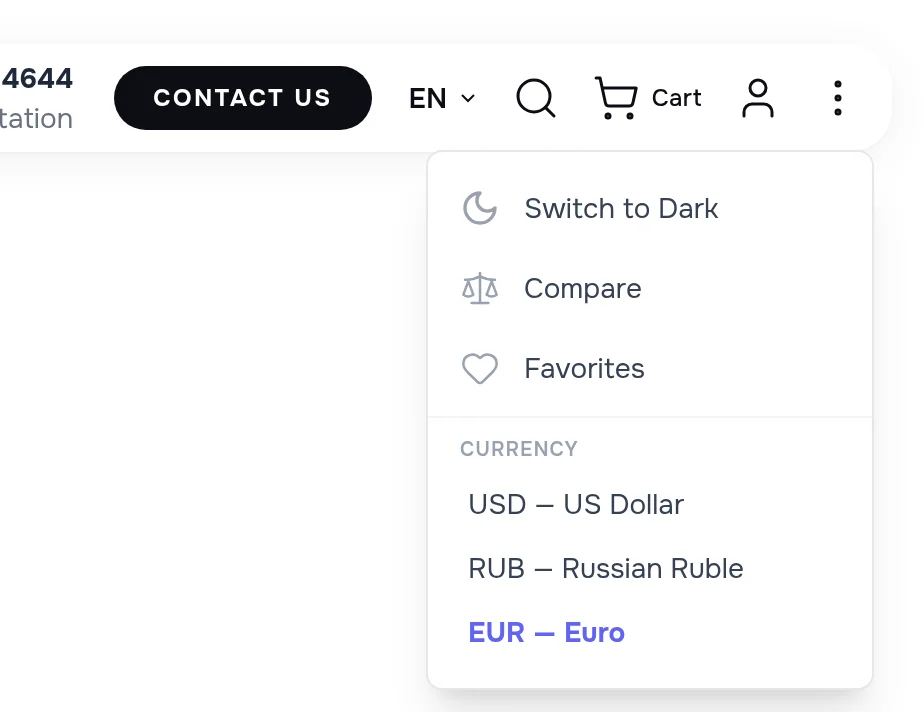
The currency list sits in the site menu next to the dark theme switch. The choice is remembered: the next page, a new tab and the other language version of the site all open in the same currency — the customer does not have to choose again or wonder why the prices changed.
The kit total is exactly what the cart shows
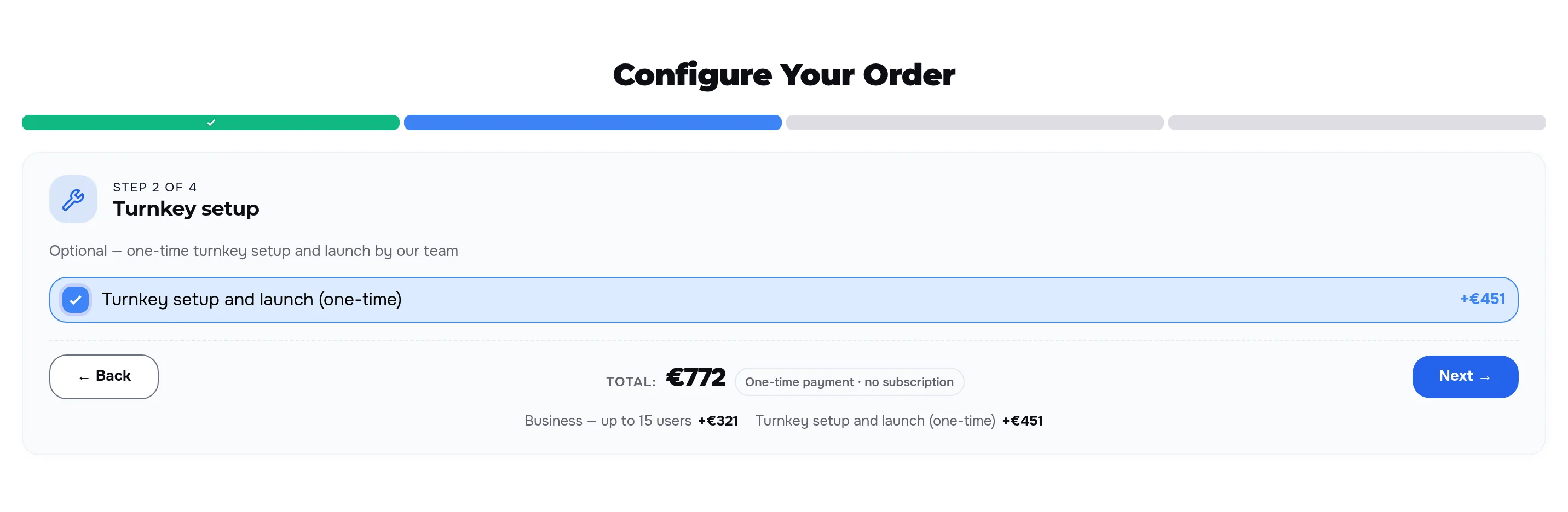
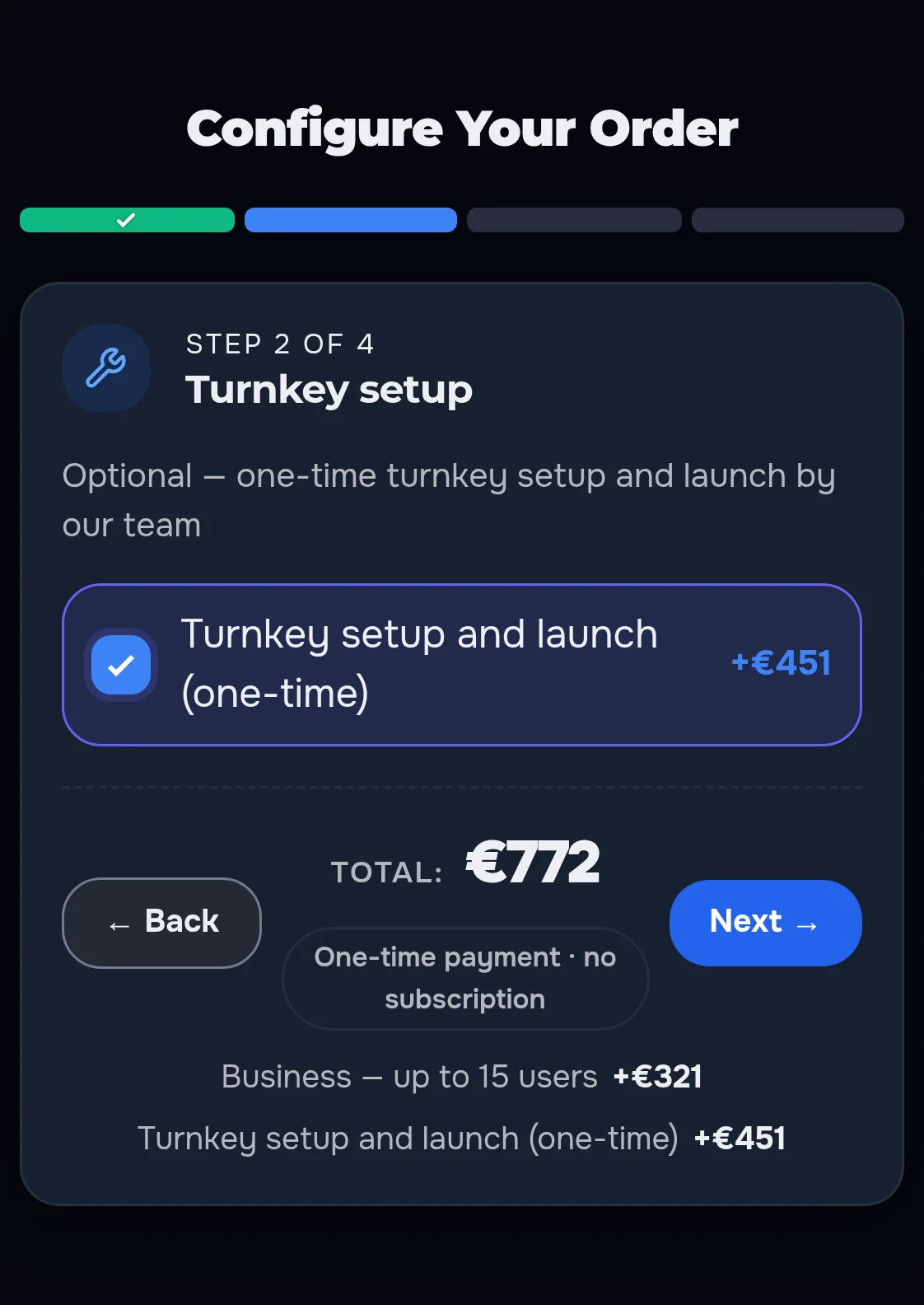
The customer builds an order step by step: the Business plan for up to 15 users (+€321) and turnkey setup and launch (+€451). The configurator shows every part and the running total — €772. In the cart the subtotal and the grand total are the same €772. Without this rule each part is converted and rounded on its own, and the total in the configurator can drift from the cart by a few units; here the total is always counted the way the cart counts it.
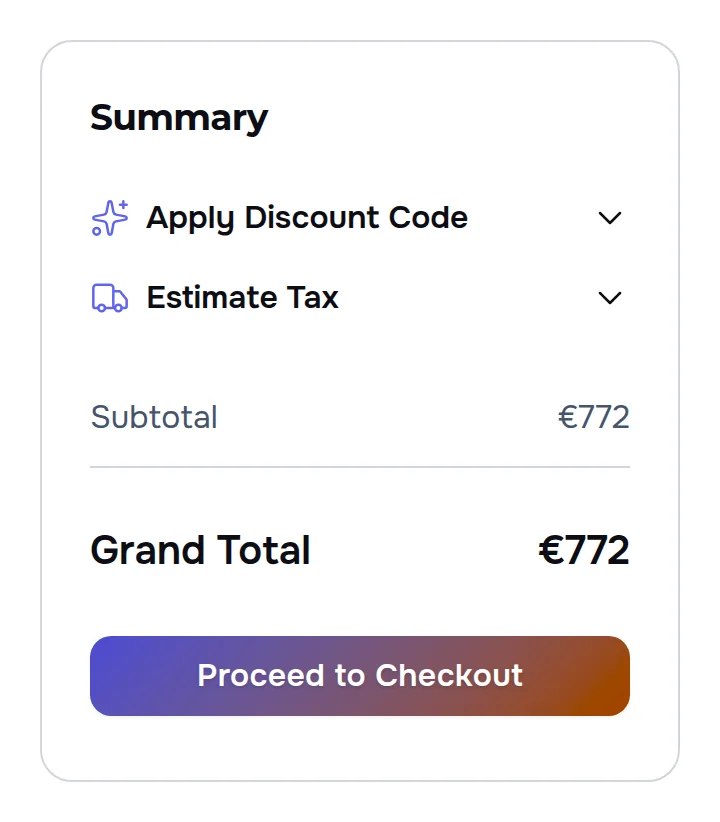
- Same figure — the kit total in the configurator is the grand total in the cart
- Visible as you go — parts and total are shown on every step, not only at the end
- Checked in two currencies — €772 and 77 608 ₽: the configurator and the cart agree in both
The same figures on any screen
On a phone the configurator keeps the total and the list of chosen parts right under the buttons, and the dark theme of the site changes the colours, not the numbers.
- Total in view — next to the Back and Next buttons on every step
- Every part priced — the customer sees what each choice adds
- One rule everywhere — product page, page texts, configurator and cart
One switch for each version of the site
Whole amounts are a setting in the currency section of the admin panel, with a plain description right under it. It works per site version: one version can show whole rubles while another keeps cents. Turned off, the site shows cents everywhere — including the amounts in page texts — so the figures still agree with each other.

We went through the order as a customer
- On both language versions we chose a currency in the menu, built the same order in the configurator and put it in the cart: €321 + €451 = €772 in the configurator and €772 in the cart; 32 283 ₽ + 45 325 ₽ = 77 608 ₽ in the configurator and 77 608 ₽ in the cart.
- We switched the currency on one language version and opened pages of the other one, in the same tab and in a new tab: every page came in the chosen currency.
- Along the way we found that a page could come from the site’s cache in the previous currency after the customer had changed it — that was fixed before this case.
Prices your customers do not have to double-check
We will build your store with prices in your customers’ currencies — whole, consistent and equal from the product page to the cart.
