Orders and inquiries — straight to the owner’s Telegram
The owner of a small store doesn’t sit in the control panel all day. An order placed in the morning gets noticed in the evening, and a website inquiry — after the customer has already gone to whoever answered first.
Here the site messages the owner in Telegram itself: who ordered, how much, how to get in touch. A contact form inquiry arrives with the phone number and the message, and the site warns about a product running low before there is nothing left to sell.
For owners who answer customers themselves or with a small team
The faster an inquiry gets an answer, the more likely the customer buys from you. An alert in a messenger that is always at hand cuts that time down to minutes.
Owner
Sees every order and every inquiry on the phone, wherever they are. No need to open the control panel to find out what sold today.
Manager
Gets inquiries in the team chat and calls back right away: the phone number and the message are already in the alert, no digging through email.
Warehouse
Learns that a product is running low at a threshold it sets itself — and reorders while the product page is still selling.
Number, total, customer — in one message
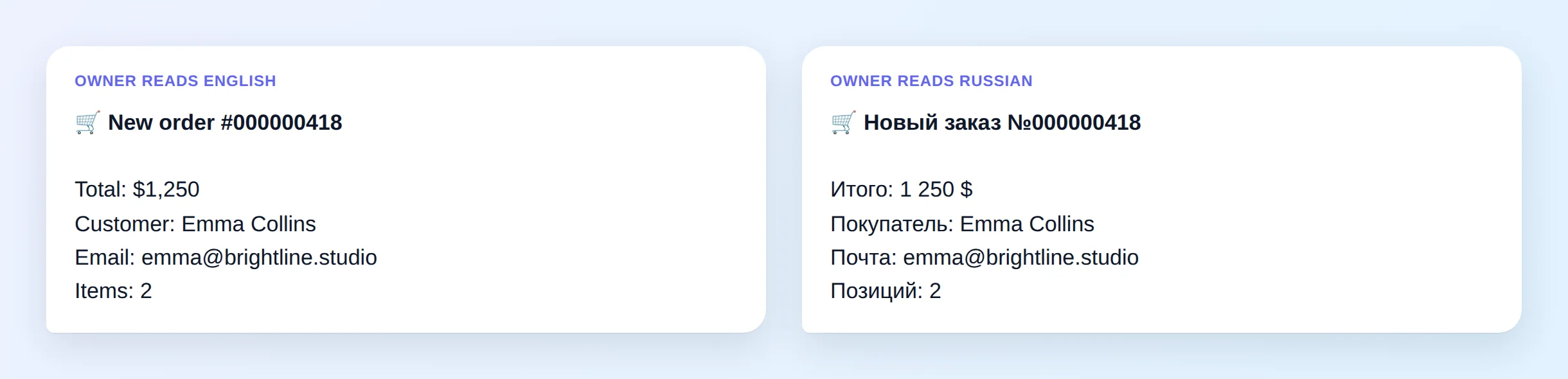
As soon as a customer places an order, the chat gets a message with the order number, the total, the customer’s name and email and the number of items. The total is written the way the owner’s language writes money: “$1,250”, no trailing zeros.
- Checkout doesn’t wait — the message goes out in the background, the customer never waits for the messenger
- Connection dropped — the site retries — if the messenger doesn’t answer, two more attempts after a pause
- Any name gets through — a name with “&”, quotes or “<” doesn’t break the message
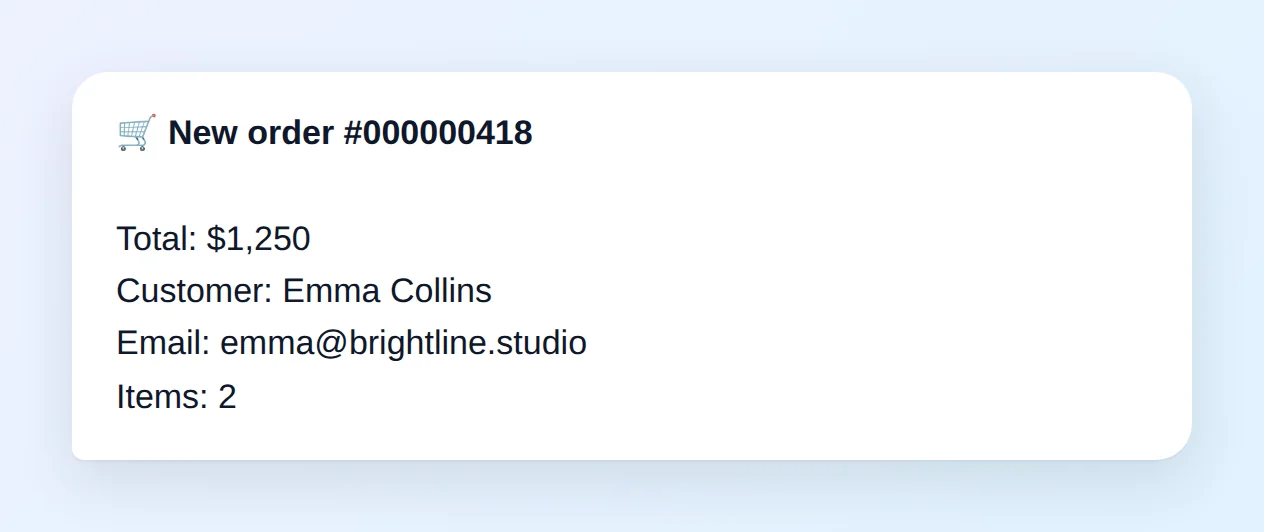
An inquiry with a phone number and a message — ready for a callback
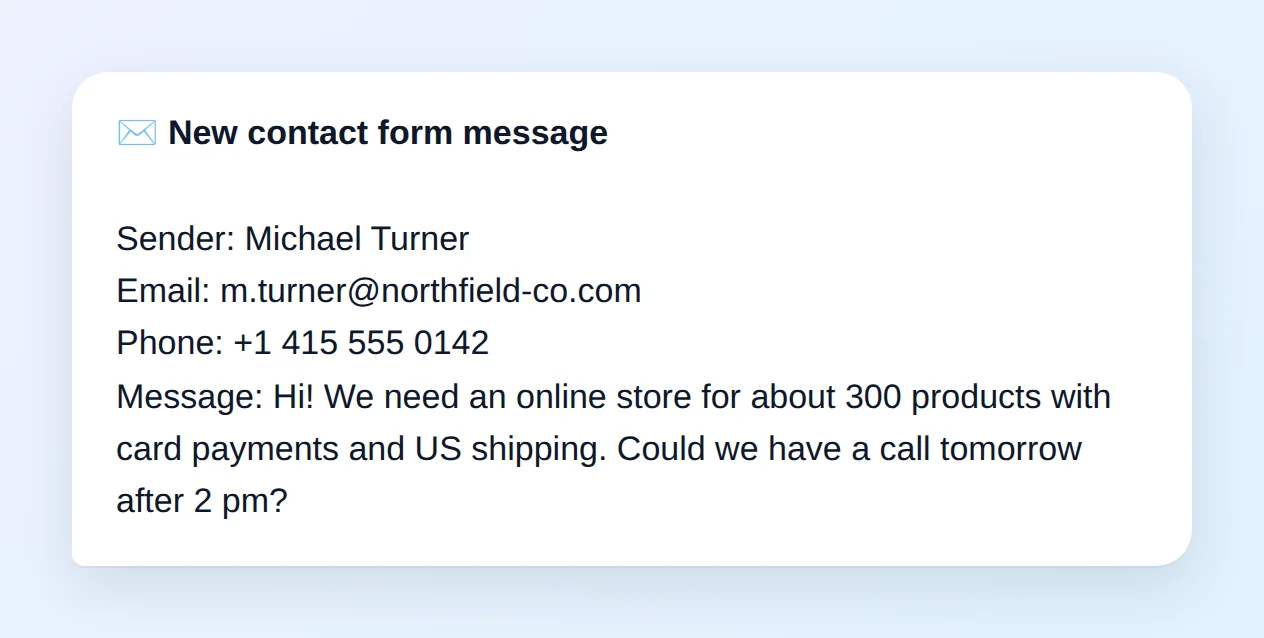
A visitor fills in the form on the contact page — the chat gets their name, email, phone number and the message itself. A field the visitor left empty doesn’t show up as an empty line.
- Only real inquiries — a form that form protection rejected or held back is never forwarded to the chat
- Only accepted ones — a form without a name or with a bad email is fixed by the visitor first, and the chat gets the finished inquiry
- Long messages — the first 500 characters in the alert, the full text in the inquiry email
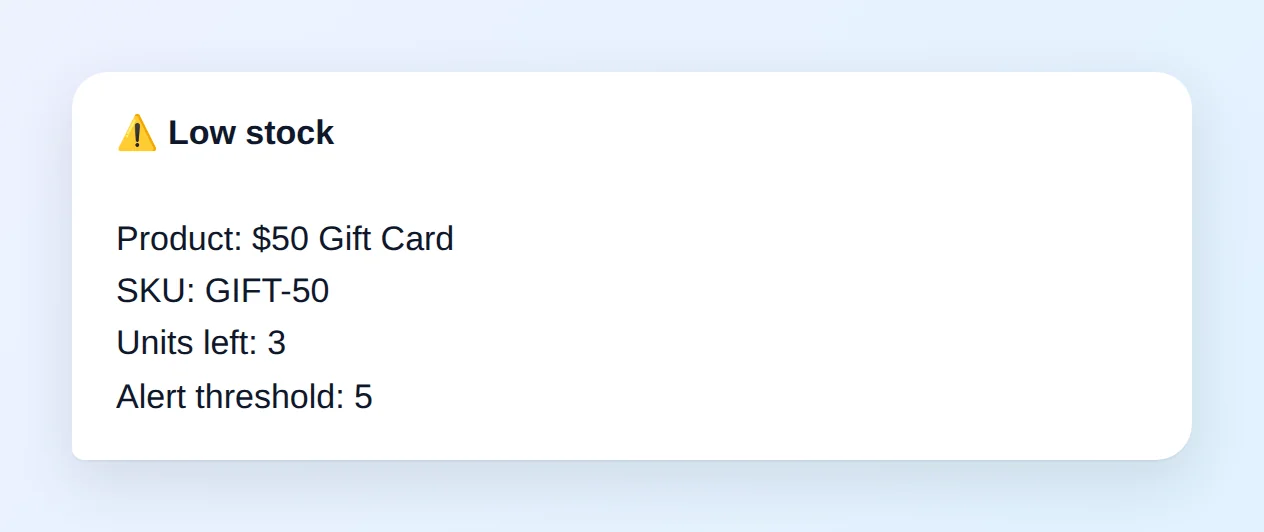
A reminder before the product runs out
When a product’s stock drops to the threshold, the site sends the product, its SKU and how many units are left. The threshold is set in the settings — 5 units by default.
- No repeats — at most once a day per product, however often it is saved
- Back in play — restock above the threshold, and the next drop sends a message again
Customers write in their language, the owner reads in theirs
A site can have several language versions, but there is one owner. Order, inquiry and low stock alerts arrive in the language the owner chose for reports — even when the order was placed on another language version. The way the total is written changes with the language.
Connecting takes three fields in the settings
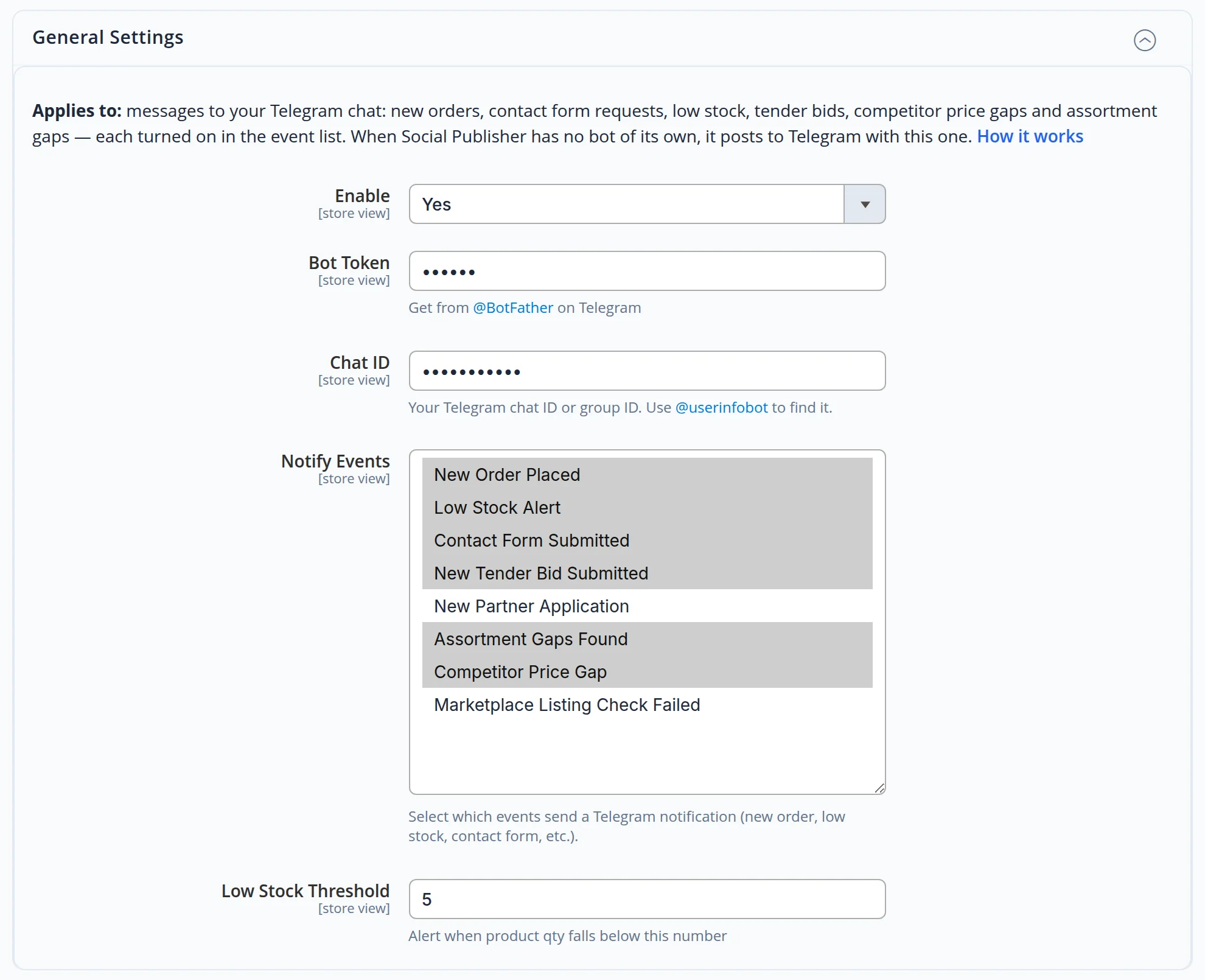
Turn the alerts on, paste the bot token and enter the chat — a personal chat or a team group. Below that is the list of events: what to report is picked in the list.
- Eight events — a new order, a contact form, low stock, tender bids, partner applications, assortment gaps, competitor price gaps, marketplace listing checks
- The bot token is stored encrypted — the panel shows asterisks instead
- Low stock threshold — your own number for your own warehouse
What we checked ourselves
The message texts in the shots were put together by the site’s real handlers — the same ones that write to the owner. Names and totals are samples, and the message is drawn in the site’s own design: we didn’t screenshot the owner’s chat. Not a single message went anywhere during the check — we intercepted sending.
- We sent the contact form four ways: as a bot with the trap field filled, without the protection key, without a name, and as a regular visitor. A message was built only in the last case — exactly when the visitor saw “Thank you”.
- We ran a real order from the Russian version of the site through the alert: the total came out in rubles, written the Russian way.
- We put “<b>”, “&” and quotes into a name — in the message they stayed plain text.
- While shooting this case we found and fixed three things: the owner still got a message about an inquiry form protection had rejected; the order total arrived as “12,500.00 RUB”; and on a connection failure the alert was lost with no retry.
Never miss an order
We’ll connect order and inquiry alerts to your Telegram — with the events you need, in your language, in a personal chat or a team group.
